Import from Visio (.vsdx files)
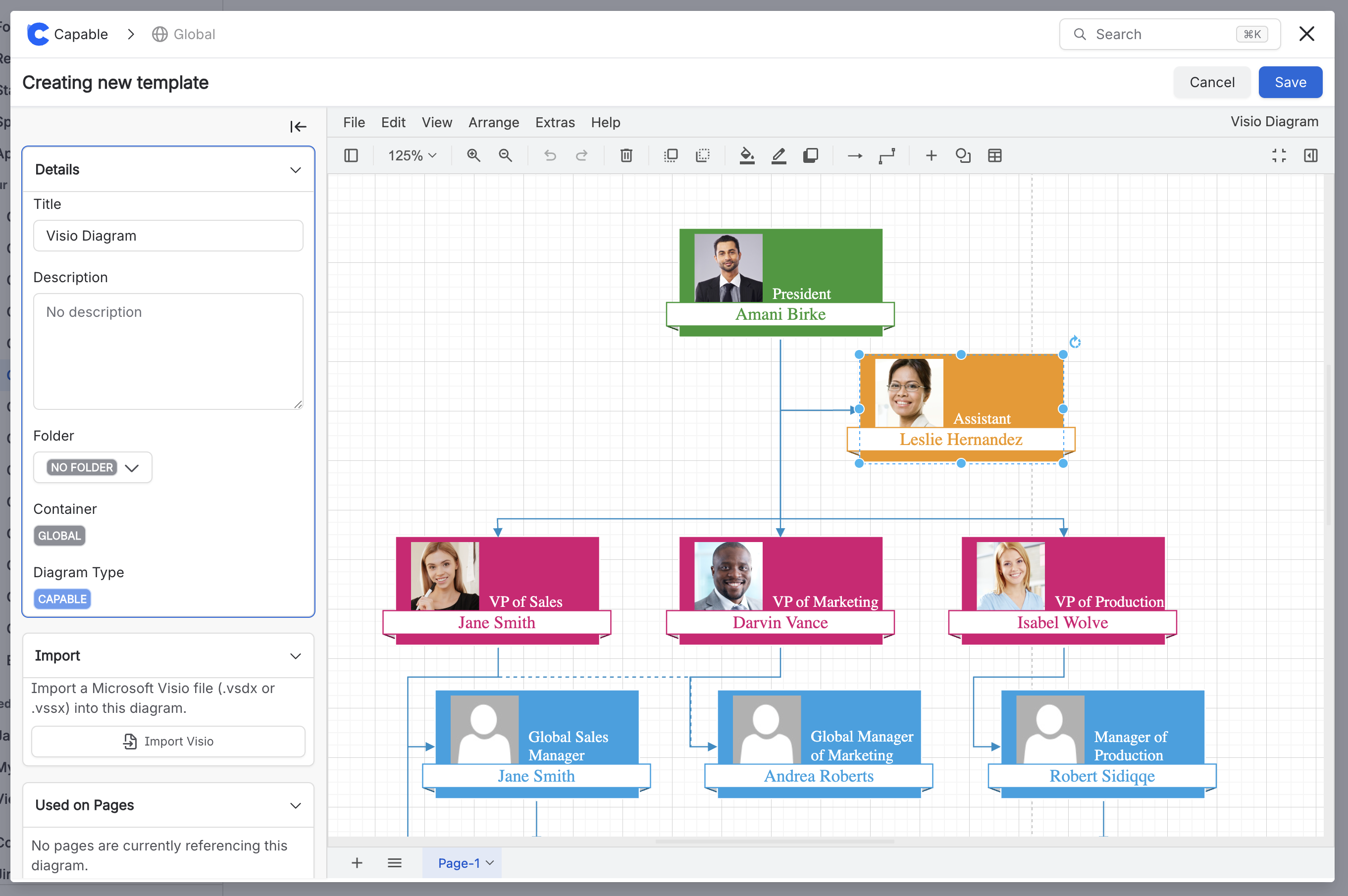
You can import Visio diagrams into Capable and continue editing them there.
You can import Visio diagrams into Capable and continue editing them there. Once imported, the diagram remains fully editable within Capable, so you can adjust shapes, connectors and formatting without returning to Visio. This allows you to keep working on existing diagrams seamlessly and take advantage of Capable’s collaborative and editing features.
This works best for straightforward diagrams made from standard shapes, connectors, arrows and labels, such as basic flowcharts, process maps and simple architecture diagrams.
#Guide
Simply insert a diagram macro on a page and click on the ‘Visio import' option, select a .vsdx file from your computer and it will be converted to a live editable diagram.
#Step 1 - Insert a diagram macro
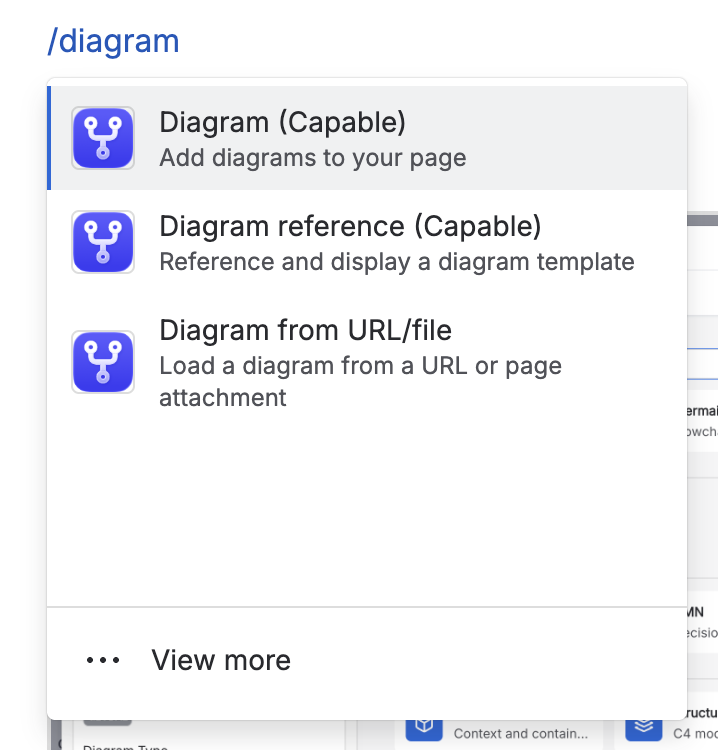
Type /diagram and select ‘Diagram (Capable)' from the list.
#Step 2 - Select ‘Visio import’
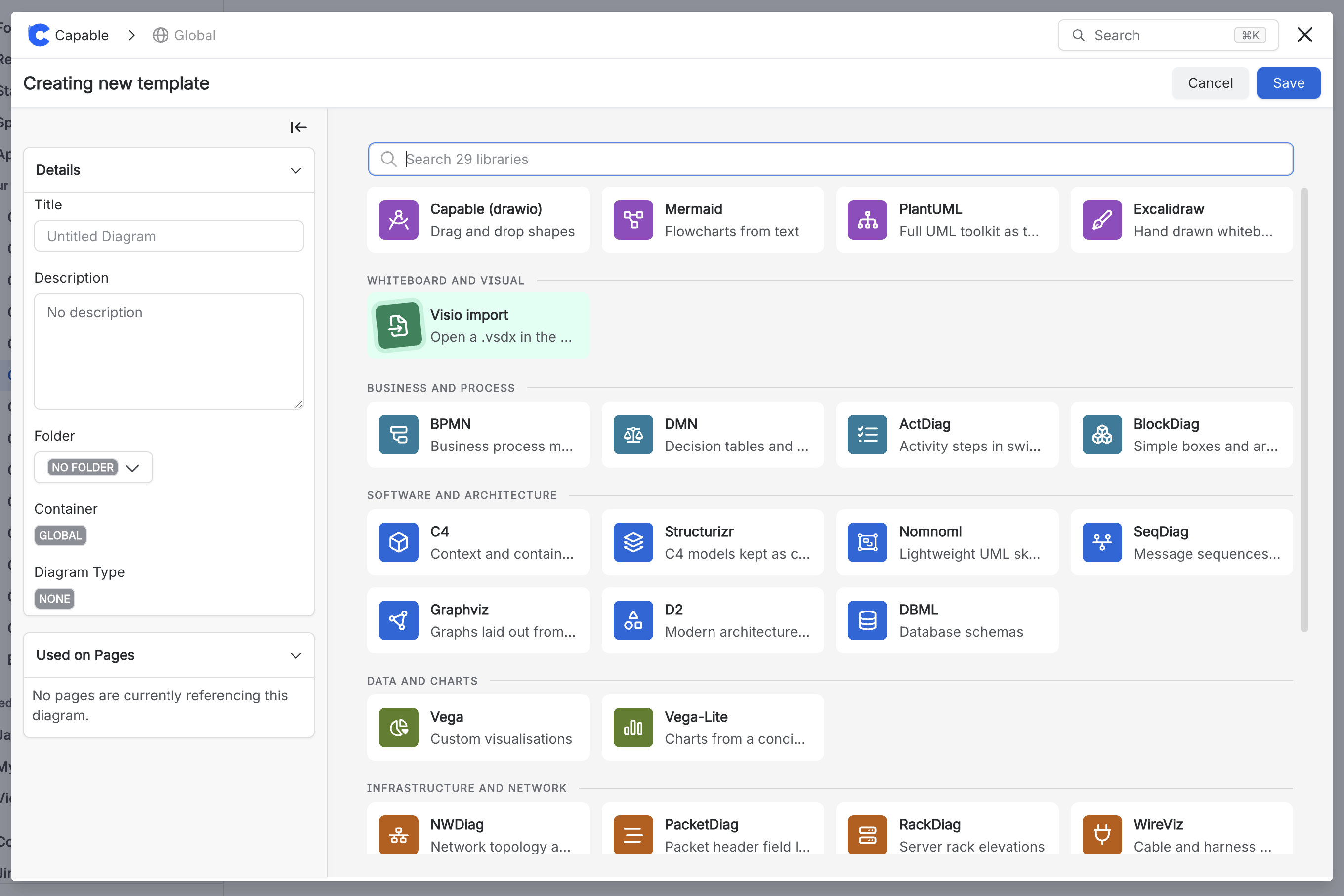
You will be presented with a list of diagram frameworks, click on ‘Visio import’.
#Step 3 - Click Save
You will be shown a preview of the Visio diagram and can click ‘Save’ or ‘Insert’.