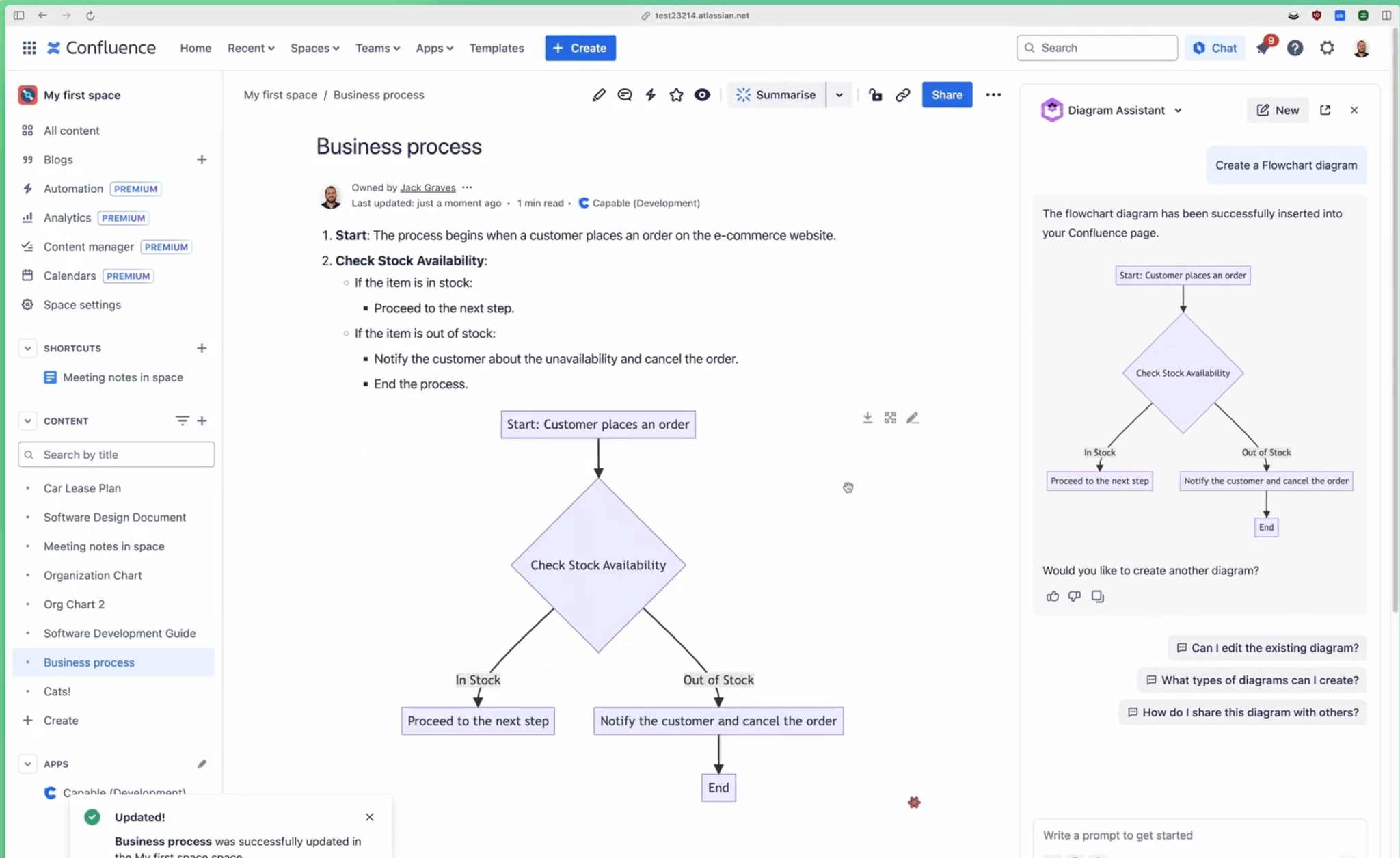
Create diagrams with Rovo
In this article, we introduce the groundbreaking Atlassian Rovo Diagram Assistant, an AI-powered feature in Capable for Confluence.
This innovative tool allows you to generate diagrams directly from your Confluence page content or provided text using an intelligent chatbot.
The AI assistant interprets your content and creates visual diagrams that can be easily inserted into your Confluence pages. Whether you're building flowcharts, architecture diagrams, or visualizing data, Rovo helps streamline the process, making collaboration more efficient than ever.
#1. Create or edit a Confluence page
#2. Click on ‘Chat’ in the navigation bar

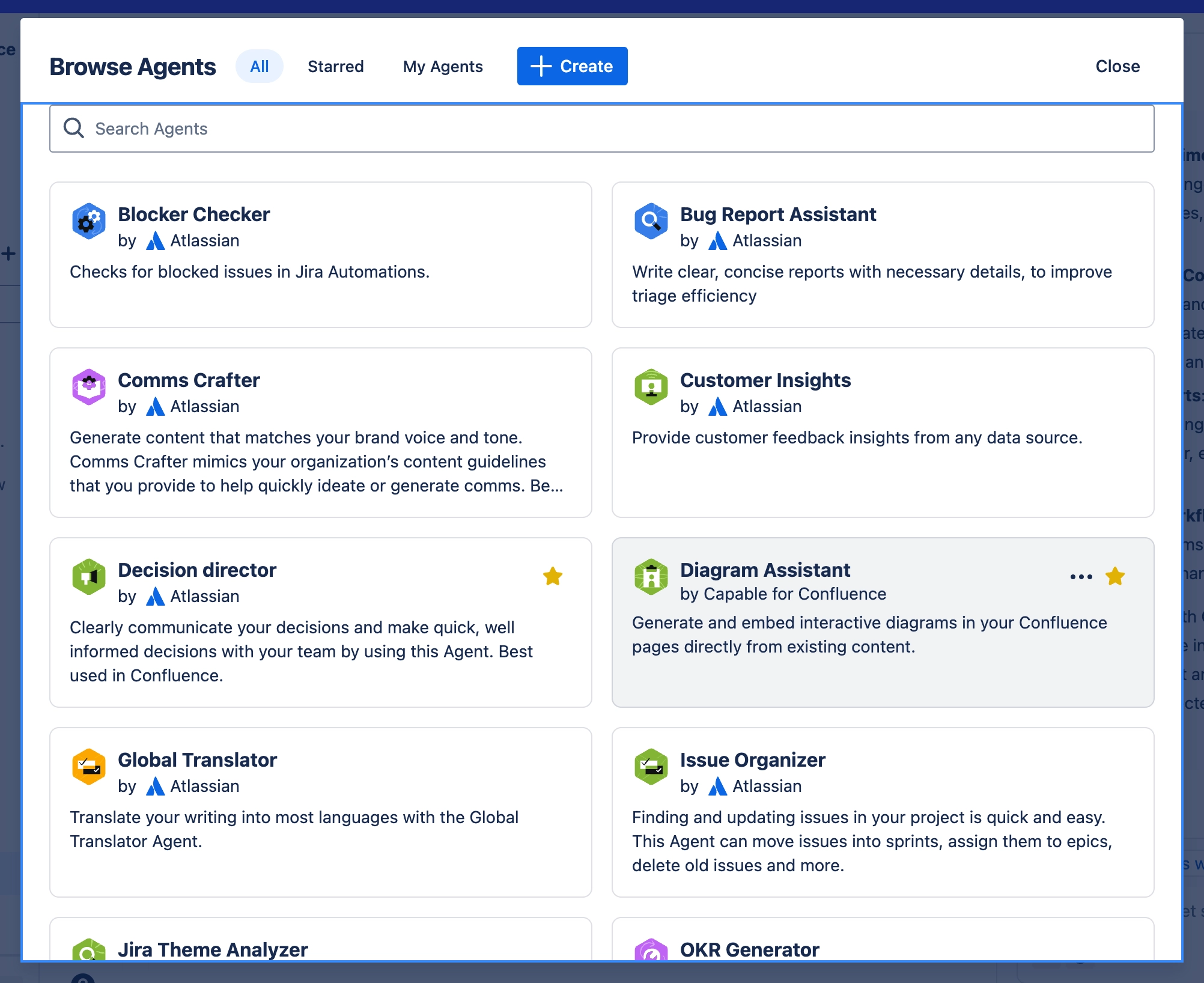
#3. Click ‘Browse Agents’
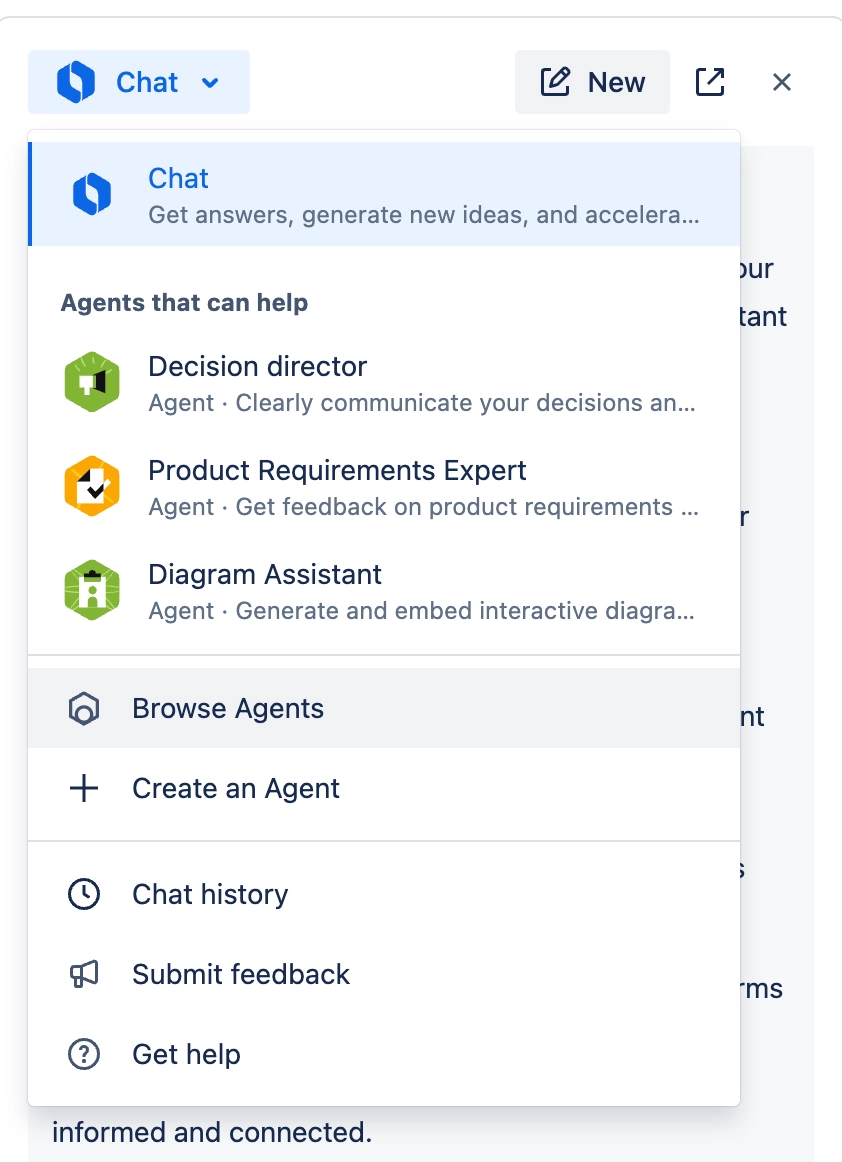
#4. Select 'Diagram Assistant' in the list of Agents
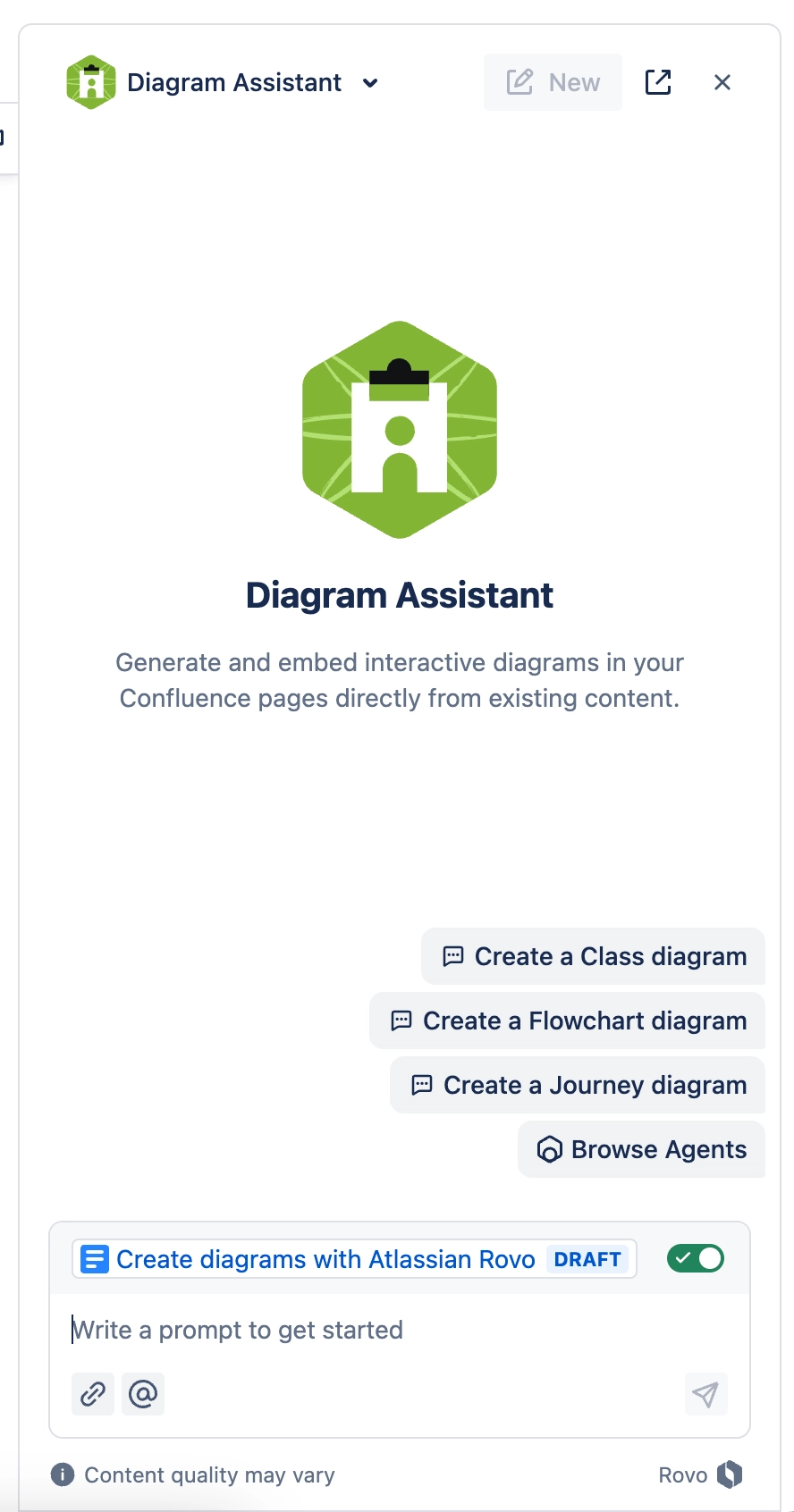
#5. Tell the Diagram Assistant what you’d like
Examples:
Create a pie chart from the data table on the page
Create a flowchart based on the process explained in the page
Make a user journey diagram based on the contents
Make a sankey diagram of the top 10 countries by population
#6. An editable diagram is inserted into the page!
A preview is shown to you in the chat window.