
Business process
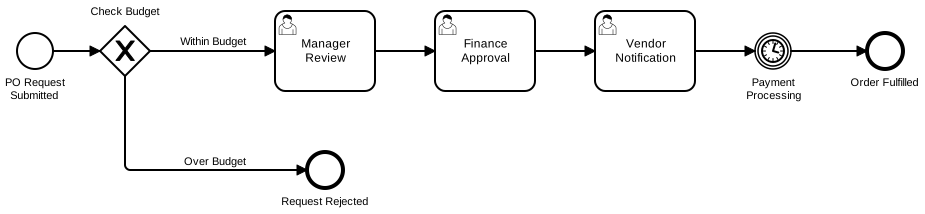
Business process modelling is one of the clearest uses for Capable Diagrams. Instead of describing a workflow in paragraphs, teams can map the steps, decisions, owners, hand-offs and exceptions so everyone understands how the process actually works.
Typical scenarios
Model approvals, onboarding, procurement, incident response, customer fulfilment, finance close, hiring, compliance checks, or any workflow with multiple teams and decision points.
Best-fit diagram types
BPMN diagrams, swimlanes, flowcharts, decision trees and process maps that make ownership, sequence and exceptions visible.
How teams use it
Process owners create a clear model of the current workflow so teams can agree how work moves from request to completion
Managers use swimlanes to show which team owns each step, where approvals happen and where hand-offs create delays
Employees click from steps in the diagram to related Confluence pages, forms, policies, templates or operating procedures
Why Capable Diagrams helps here
Makes business processes easier to follow than long text-based procedures
Highlights unclear ownership, duplicate steps and bottlenecks during process improvement work
Supports both simple flowcharts and more formal BPMN-style modelling when teams need precision
Keeps the diagram close to the policy, procedure or project page it explains