
Color palette
Publishes a named set of colours as a click-to-copy swatch bar or a Name / Colour / Code table.
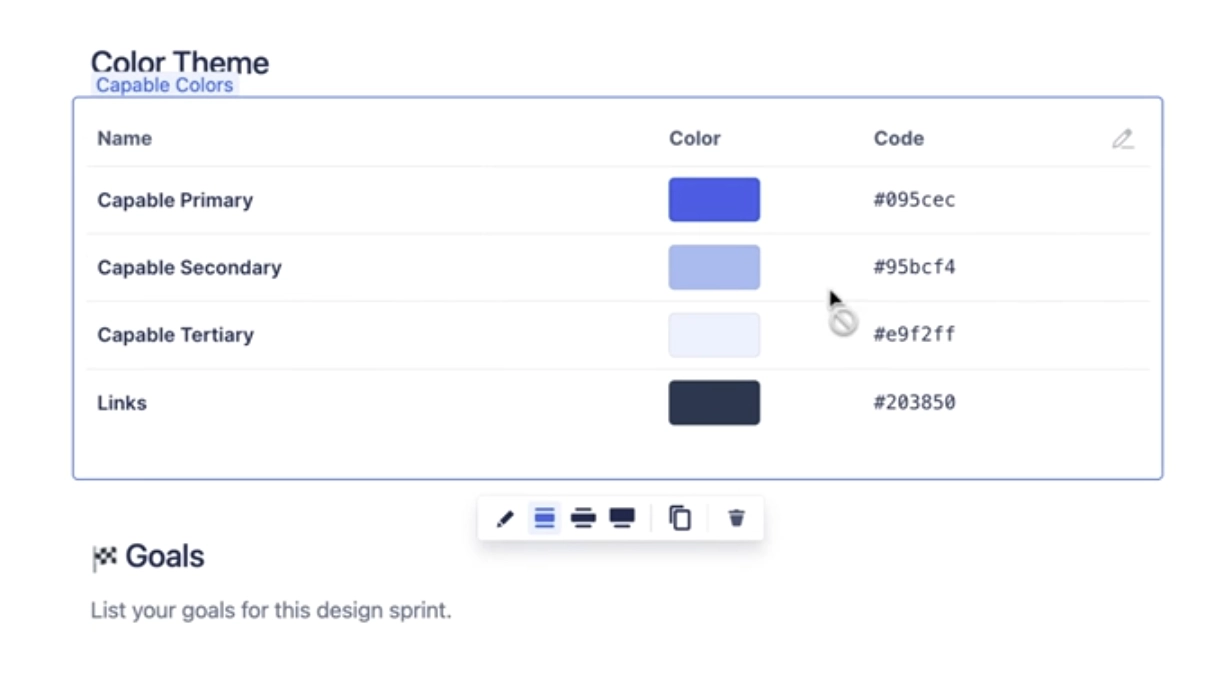
Design systems, brand pages and style guides need the hex values written down somewhere people can grab them. This macro holds a list of named colours and shows them either as a solid segmented bar that expands the swatch you hover, or as a table with the name, a swatch and the hex code. Every swatch is click-to-copy: readers click and the hex lands on their clipboard, with a short confirmation to say so. You can build the list by hand, fill it in one click from your organisation's brand colours, or describe the palette you want and let AI generate it. Three starter templates (Brand swatches, Design tokens, Contrast pair) are offered when you insert a new one.
#See it
Every example below is a live macro on this page, not a screenshot, and each one is a configuration taken from a page somebody actually built.
#9 colours, table: Deep Sea Blue
| Name | Color | Code |
|---|---|---|
| Deep Sea Blue | #003B5C |
|
| Coral Reef | #FF6F61 |
|
| Aqua Wave | #00B2A9 |
|
| Sandy Beach | #F4D03F |
|
| Sunset Glow | #FF8C42 |
|
| Seafoam Green | #A8E6CE |
|
| Ocean Mist | #B2E0E0 |
|
| Shell Pink | #FAD3D3 |
|
| Stormy Sky | #7D9EC0 |
#3 colours, table: Primary
| Name | Color | Code |
|---|---|---|
| Primary | #172b4d |
|
| Secondary | #0c66e4 |
|
| Tertiary | #e9f2ff |
#3 colours, box: Primary
#Settings
Setting | Values | What it changes |
|---|---|---|
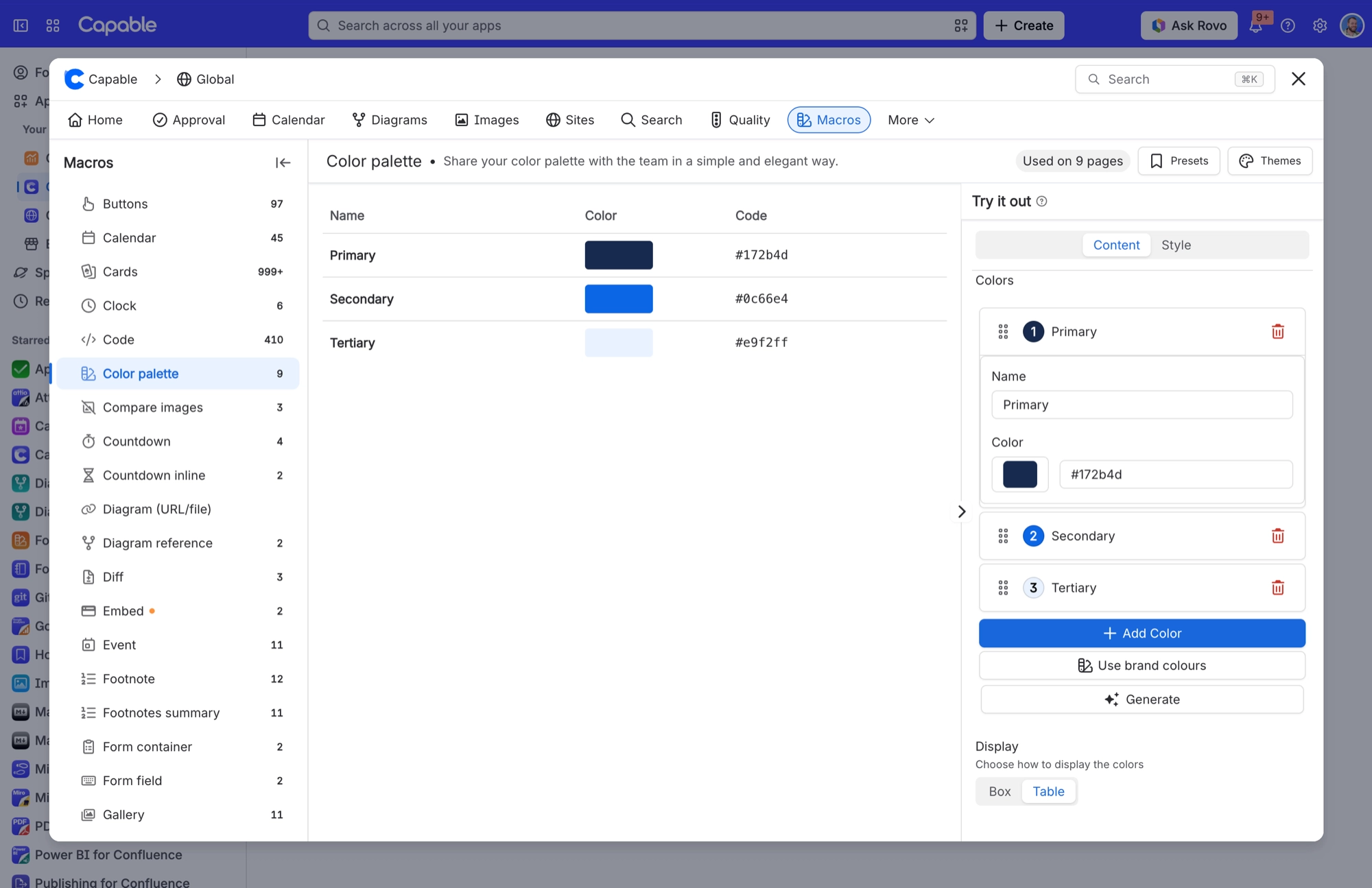
Colors | A reorderable list; each entry has "Name" (free text) and "Color" (a colour picker plus a hex text field) | The palette itself. "Add Color" adds a new entry called "New Color" set to #123456. Remove an entry with the bin icon, and drag the grip handle to reorder. Colours publish in the order listed. |
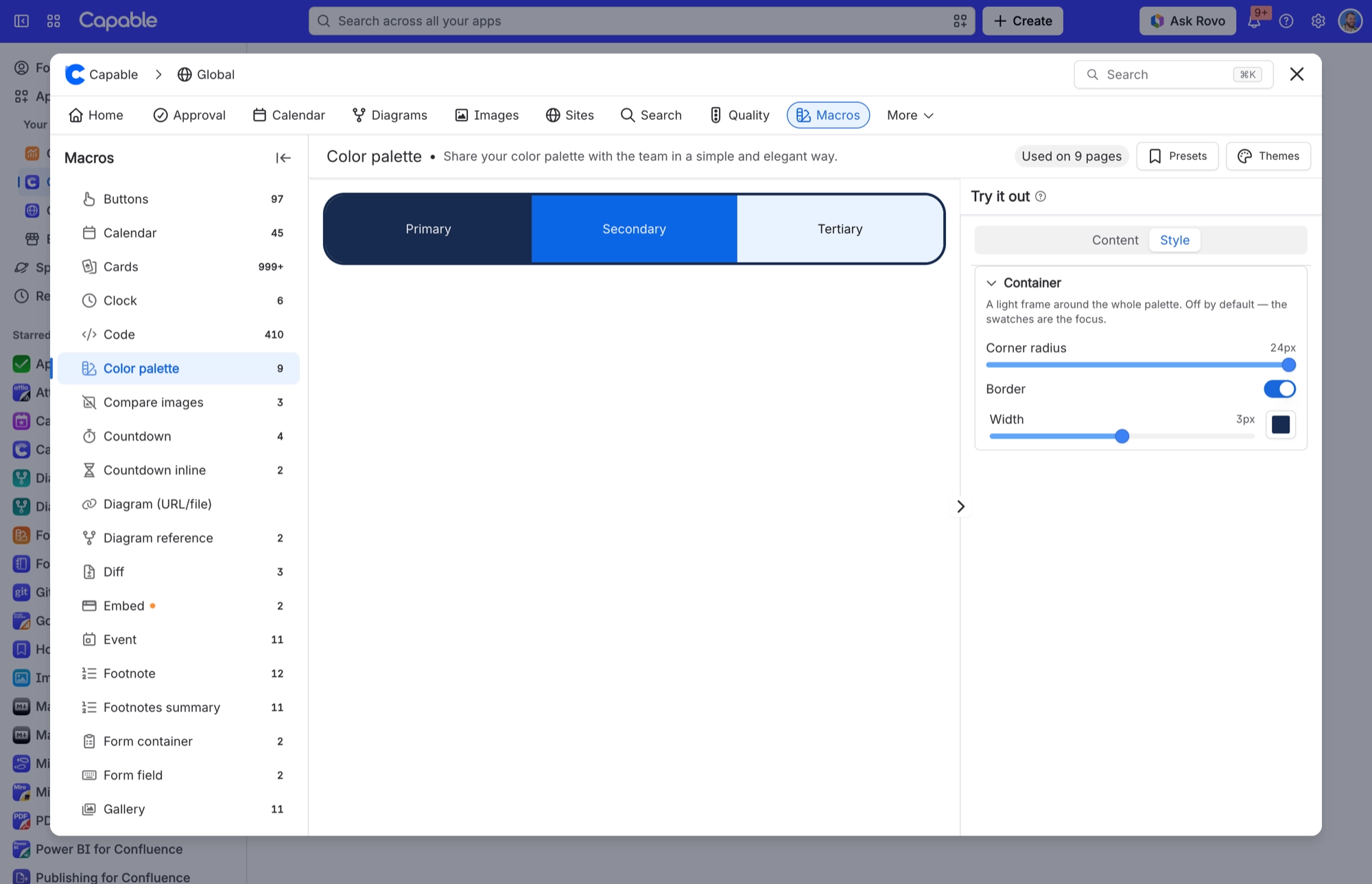
Display | Box, Table | Box shows a single bar split into equal segments, one per colour, each labelled with its name. The segment you hover grows. Table shows three columns: Name, Color (a swatch you can click to copy) and Code (the hex value, which selects in full with one click). |
Corner radius | Slider, 0–24 px | Rounds the corners of the frame around the whole palette. At 0 the frame has square corners, though the Box display keeps its own rounded ends. |
Border | Off / On; when on, "Width" slider 0–6 px and a colour field | Draws a light frame around the whole palette. It's off by default, so the swatches stay the focus. |
#Related
Small, and quietly useful.






















