
Set an image as a page cover
Setting an image as a page cover applies it to both the published page and its draft, at position 50. You need permission to edit the page. Without it, the change is refused.
#Where you do it
Task | Where |
|---|---|
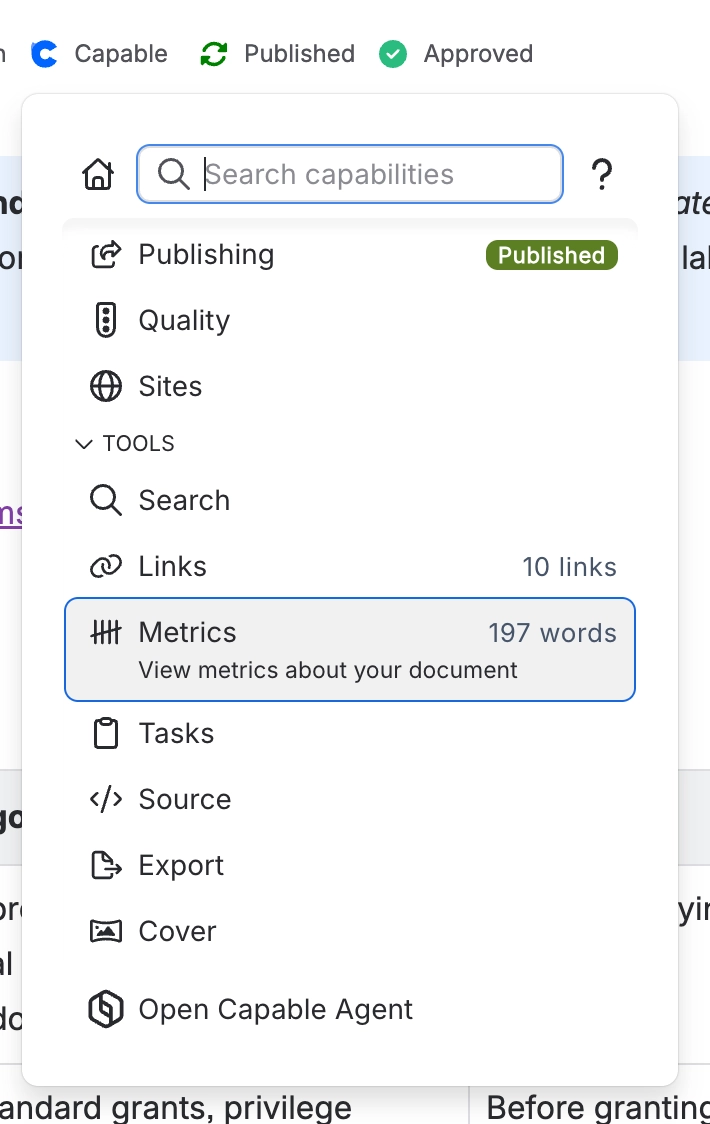
Set the page cover | Page byline → Capable menu → Tools → Cover |
Open the image library | Confluence space or global apps menu → 'Capable Images' (standalone) or 'Capable' (Suite) |
Create a folder | Images library → Space images or Global images → new folder control |
Rename or delete a folder | Folder context menu in the library navigation |
#Settings that affect this
Setting | Where | What it does |
|---|---|---|
Global settings → Capabilities | Confluence admin → Apps → Capable → Settings → Capabilities | - |
Global settings → Asset access | Capable settings → Asset access | - |
Global settings → Egress | Capable settings → Egress | - |
#Worth knowing
Deleting a folder does not delete or move the images inside it. There is no warning, and nothing tidies up afterwards.
Deleting an image does not warn you that pages use it. The 'Used on Pages' count only appears on the image detail page, never when you delete.
There is no images-only permission setting. All Capable global assets share one Confluence content type in one space, CAPABLEASSETSTORE. The Asset access tab covers them together, and you can only change it by editing that space's permissions in Confluence.
Capable cannot change who may edit global images.
Anonymous or unlicensed readers can see an image or gallery that sits on a page. They never see the library macro, the library page contents or the settings page. The space and global library pages show a visitor notice instead of the library, and global settings needs you to be logged in.
The Global images section disappears if the CAPABLEASSETSTORE space is missing or unreadable. If Capable fails to create it, it does not try again until the session ends.
#Related
How it actually behaves.






















