
Image folder gallery
Shows every image in a Capable Images folder as a grid or a table. Clicking a tile or row downloads that file, rather than opening Confluence's own image viewer.
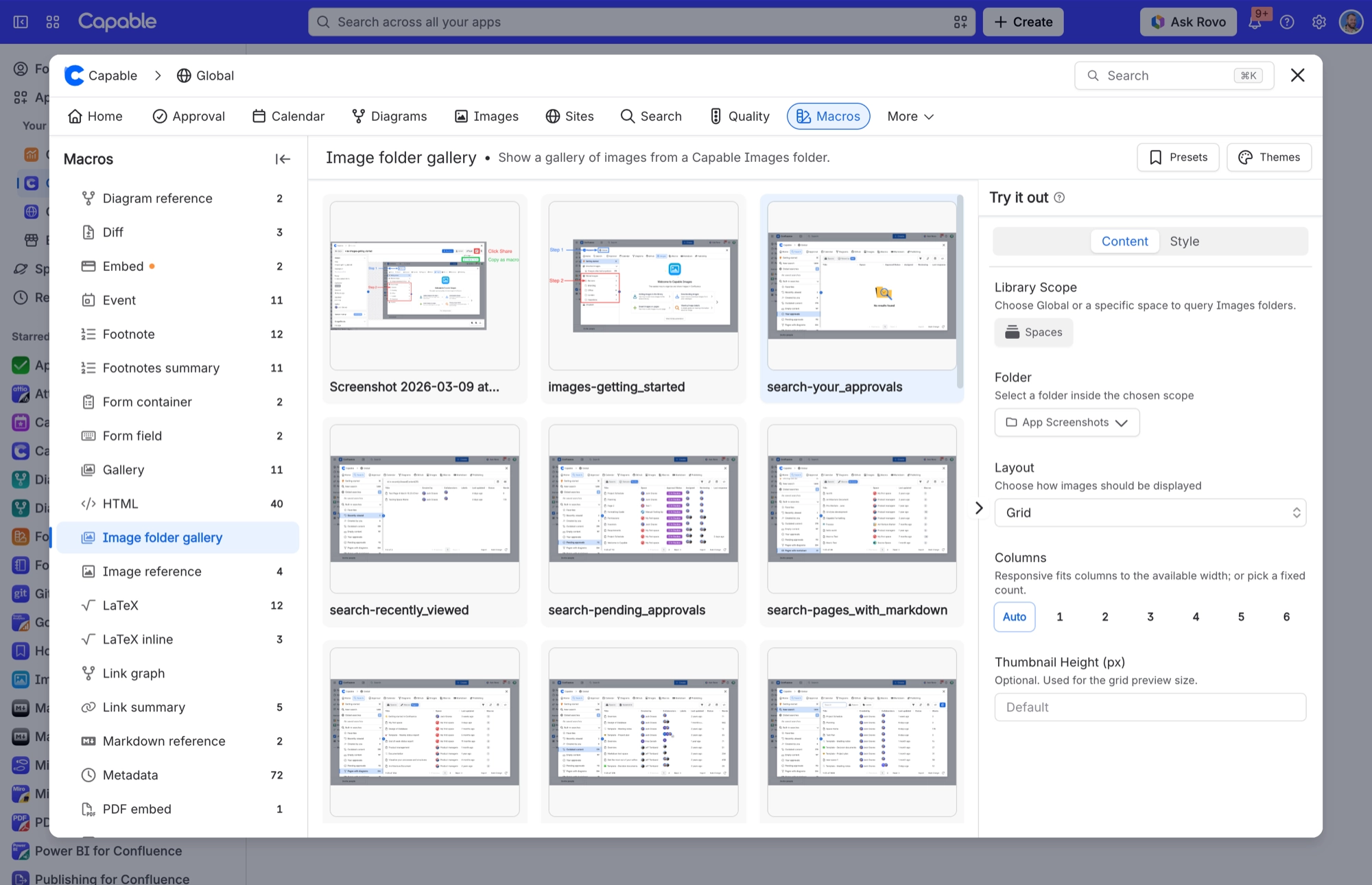
#Settings
Setting | Values | Default |
|---|---|---|
Library Scope | Global | any Confluence space | Space (the current page's space) |
Folder | Any folder inside the chosen scope | 0 (none selected) |
Layout | Grid | Table | Grid |
Columns | Responsive, or a fixed 1 to 6 | Responsive (if switched to fixed, starts |
Thumbnail Height (px) | 120 to 600 px. Values below 120 are discarded back to the de | Unset, rendering at 188 px |
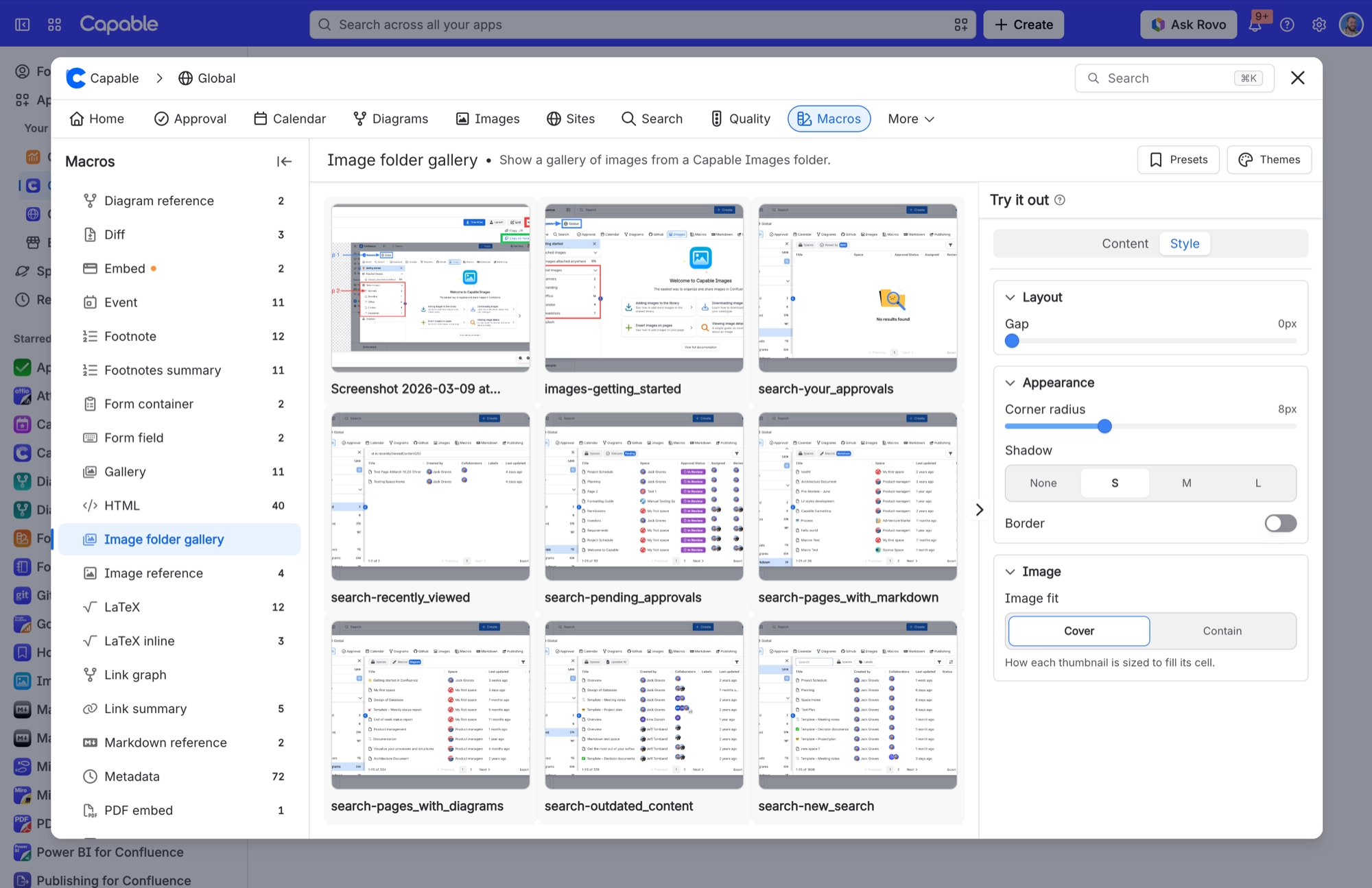
Gap | 0–48 px slider | 16 on a newly inserted gallery; 12 on ga |
Corner radius | 0–24 px slider | 8 on a newly inserted gallery; 6 on lega |
Shadow | None | S | M | L (stored as none | sm | md | lg) | S (sm) on a newly inserted gallery; None |
Border | Off | On; width 0 to 6 px; colour = hex or a brand colour | Off, width 1, colour #00000022 |
Image fit | Cover | Contain | Contain |
#Related
One macro, documented properly.






















