
Import an Unsplash stock photo
Drag a stock result onto a library folder and the photo is saved to your library as a library image. Capable adds the caption and an author credit line ('Photo by <name> on Unsplash (<link>)') as the image description.
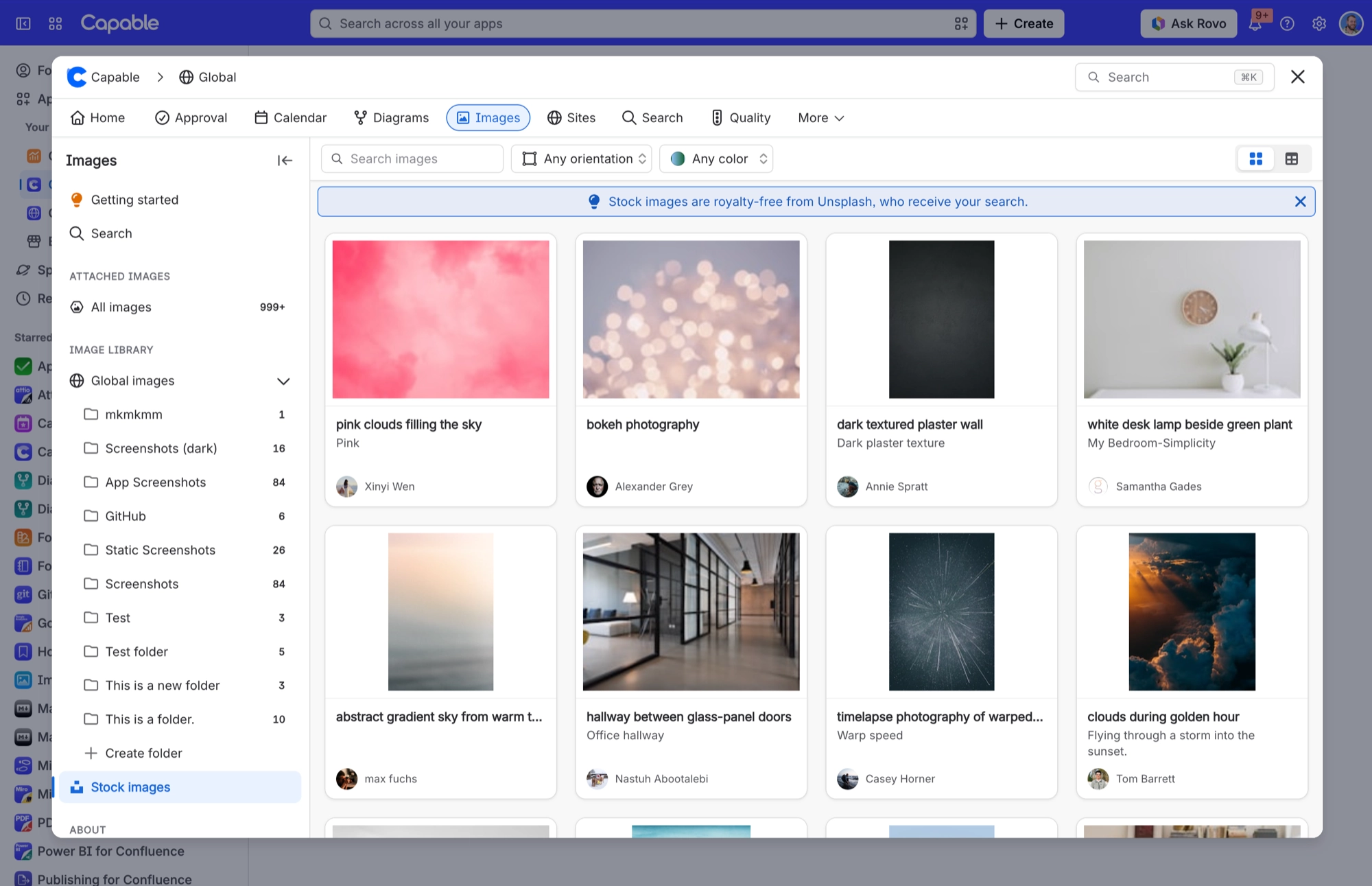
#Where you do it
Task | Where |
|---|---|
Add a page attachment to the library | Images library → Attached images → drag a result onto a Space images or Global images folder |
Add a stock photo to the library | Images library → Stock images → search → drag a result onto a library folder |
Insert as a live reference or as a plain image | Capable byline or the Images macro → pick images → 'Insert N references' or 'Insert N images' |
#Settings that affect this
Setting | Where | What it does |
|---|---|---|
Library catalogue sections | The Capable Images page | - |
Stock image filters | Stock images (Unsplash) section | - |
Per-image actions | Image context menu | - |
#Worth knowing
You can't insert page attachments or stock photos as live references. Only library images can be referenced, so the reference picker hides them, and 'Insert N references' is greyed out if you select one. Save the photo to your library first.
Image descriptions are cut off at 250 characters and titles at 50. A long Unsplash caption plus its credit can end mid-sentence.
#Related
How it actually behaves.






















