
Asset reference picker (other surfaces)
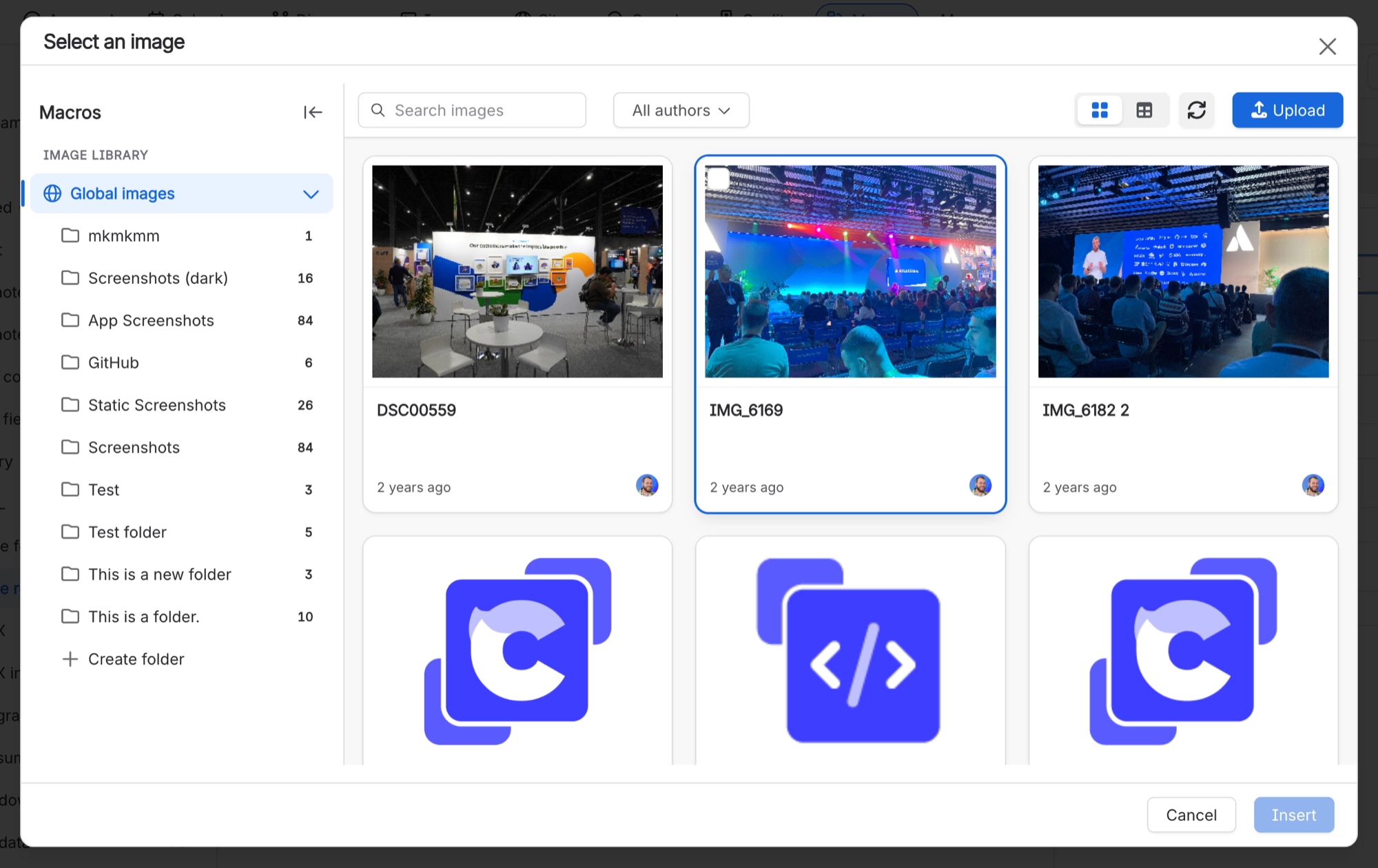
Any Capable screen with an image field can open the image library so you can pick an image. The picker is labelled 'Select an image'.
#Note
This picker shows library images only. Page attachments and Unsplash stock photos are hidden, because a link cannot point to them. If you try to pick one anyway, you will see 'Not a library image'.
#Where you do it
Task | Where |
|---|---|
Add a stock photo to the library | Images library → Stock images → search → drag a result onto a library folder |
Put a single library image on a page | Editor → type / → 'Image reference (Capable)' (Suite) or 'Image reference macro (Capable)' (standalone) |
Put a library image on a page by pasting a link | Editor → paste the image's Capable asset URL |
#Settings that affect this
Setting | Where | What it does |
|---|---|---|
Global settings → Asset access (Permissi | Capable settings → Asset access | - |
Global settings → Indexing | Capable settings → Indexing | - |
Global image library space | Confluence space with the key CAPABLEASSETSTORE, named 'Capable Asset Store' | - |
#Limits that apply here
Limit | Value | What happens |
|---|---|---|
Stored asset title length | 50 characters | The filename is shortened to fit when the title is stored. |
Stored asset description length | 250 characters | An Unsplash caption plus author credit can be cut mid-sentence. |
PDF/Word export default width | 760 px when the Image reference macro ha | - |
#Worth knowing
Long Unsplash captions plus credit can end mid-sentence, because descriptions are cut at 250 characters and titles at 50.
If you cancel the picker that opens automatically on a new 'Image (Capable)' placeholder, the macro stays on the page and shows a 'No Images Selected' card. Readers see it, not just you, and the picker will not reopen on its own for the rest of that browser session. Readers without a licence, and anonymous readers, see nothing there at all.
The legacy standalone image library macro cannot be migrated automatically. Migration covers the library, the Image reference macro and the Image folder gallery macro.
#Related
Better with company.






















