
Move an image
Drag a library image onto another folder to move it. If you drag something that isn't in the library yet, such as a page attachment or a stock photo, Capable imports a copy instead.
#Move an image
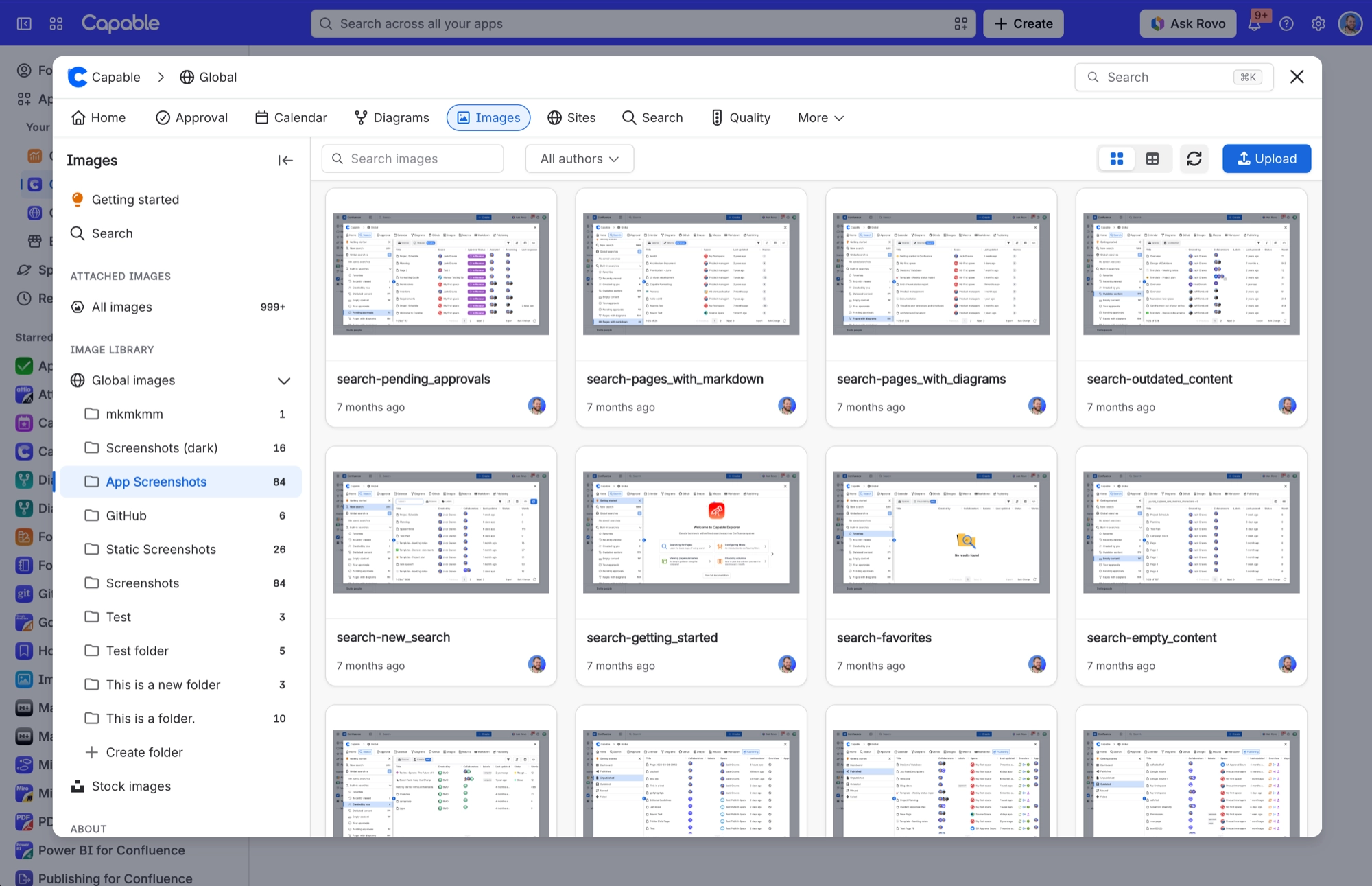
Open the image library from the apps menu. Choose 'Capable Images' (standalone) or 'Capable' (Suite).
Open Space images or Global images, so the folders show in the sidebar.
Drag the image onto the folder you want.
#Where you do it
Task | Where |
|---|---|
Open the image library | Confluence space or global apps menu → 'Capable Images' (standalone) or 'Capable' (Suite) |
Create a folder | Images library → Space images or Global images → new folder control |
Rename or delete a folder | Folder context menu in the library navigation |
#Settings that affect this
Setting | Where | What it does |
|---|---|---|
Global settings → Capabilities | Confluence admin → Apps → Capable → Settings → Capabilities | Hides a whole capability across your Confluence site. |
Global settings → Asset access (Permissions) | Capable settings → Asset access | Shows who can edit the assets in the shared Capable asset store. |
Global settings → Egress | Capable settings → Egress | Lets an admin approve their own domains, so images from them load directly. |
#Worth knowing
These aren't about moving images as such, but they catch people out once images are in place.
In Table layout, most Style options do nothing. Corner radius, Gap, Shadow, Border and Thumbnail Height only apply to the Grid layout. Table rows use a fixed 56 px preview and fixed styling. Only Image fit carries over. The Columns control disappears when you choose Table.
Image folder galleries don't publish. On a Capable Site the macro is replaced by a note reading 'Image folder galleries are not available on published sites.' Use Image reference macros for anything that has to appear on a published site.
Image reference sizing isn't carried to published sites. Alignment, caption, corner radius, shadow and border come through, but Width, Height and Aspect Ratio don't. The published image uses the site's own image styling.
An image with neither a full-resolution attachment nor a thumbnail can't be published or exported. The page shows an explanatory note instead of the picture.
An Image reference macro that points at a different Capable app's library won't appear on a published site. The page shows 'This image could not be exported (content not found or no longer available).' instead.
The Image folder gallery doesn't appear in a Confluence PDF or Word export.
#Related
How it actually behaves.






















