
Gallery I created by pasting a folder link looks different from one I inserted from the macro browse
What you are seeing
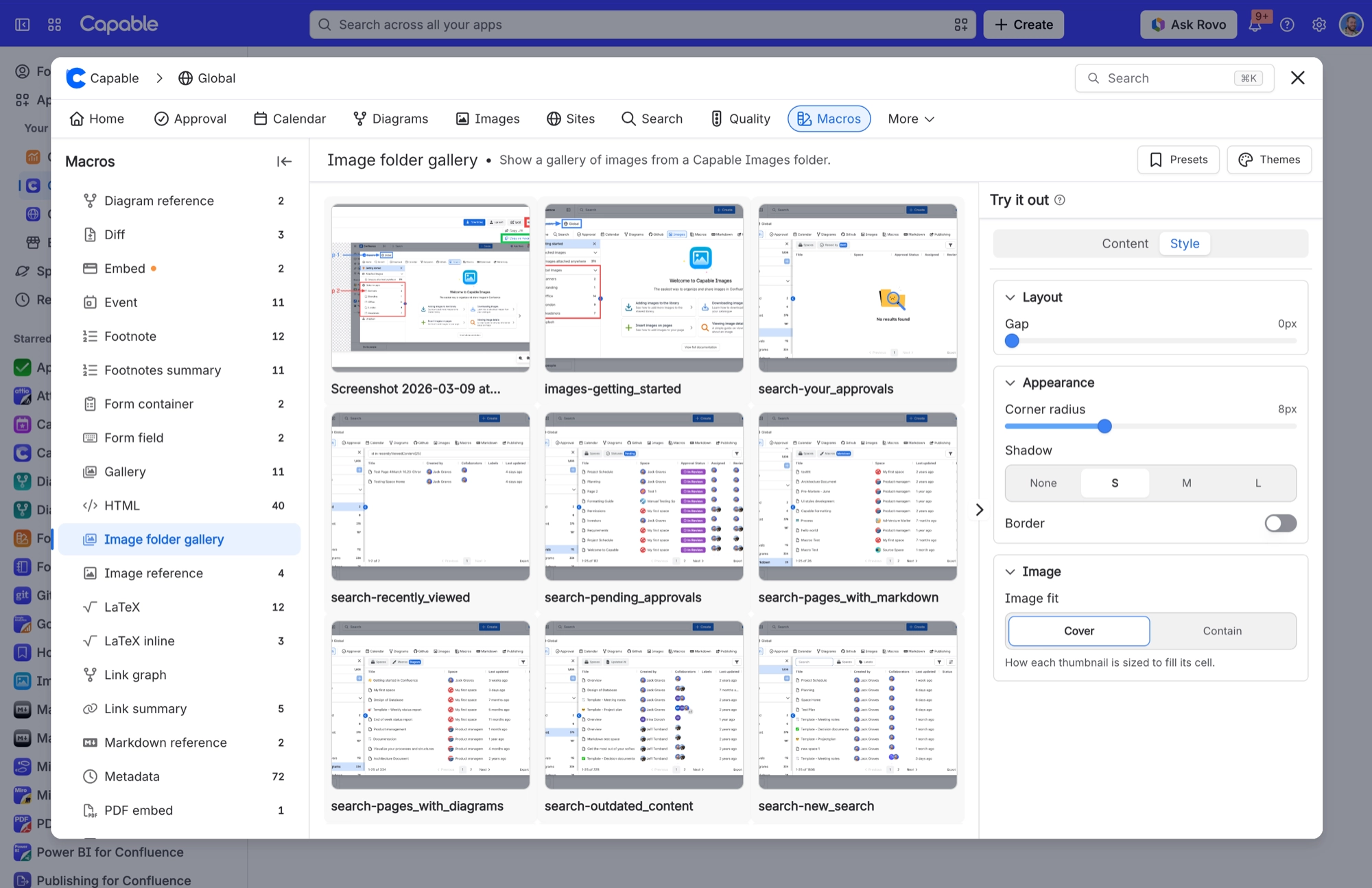
A gallery I created by pasting a folder link looks different from one I inserted from the macro browser
#Why it happens
Inserting from the macro browser applies Capable's nicer starting styles (corner radius 8, gap 16, small shadow), plus any brand guidelines set for your site. A pasted link doesn't get them.
#What to do
Open the pasted gallery's Style tab and set the values you want. A pasted link can't pick up the starting styles automatically.
#Settings involved
Setting | Where | What it does |
|---|---|---|
Global image library space | Confluence space with the key CAPABLEASSETSTORE, named 'Capable Asset Store' | - |
#Limits that apply here
Limit | Value | What happens |
|---|---|---|
Gallery page size | 25 images per page | A 'Show more' button loads the next 25 while more remain. |
Recently added images | 24 hours | Images added in the last 24 hours always appear, even if search hasn't caught up yet. Outside that window the gallery shows exactly what search has indexed. |
Minimum column width | 200 px | - |
#A few things that catch people out
Folders are flat. You can't create a folder inside another folder.
#Related
Gallery says 'No images in this folder' but the folder definitely has images
The reader most likely cannot see the folder's space. Confluence filters search results by
Width or Height is set to 500 but the image sizes itself automatically
500 was a legacy sentinel meaning 'auto-size', so a macro saved with 500 behaves as if the
Everything else
The rest of this family.
Found it? Good.






















