
Spaces, URLs and navigation
A site publishes whole spaces. The order you put them in is the navigation order, each gets a URL slug, and one of them is the homepage.
That's most of your site's structure decided in one step.
#What you control
You set these up in step 2 of creating a site, and can change them later under Settings > Spaces & URLs.
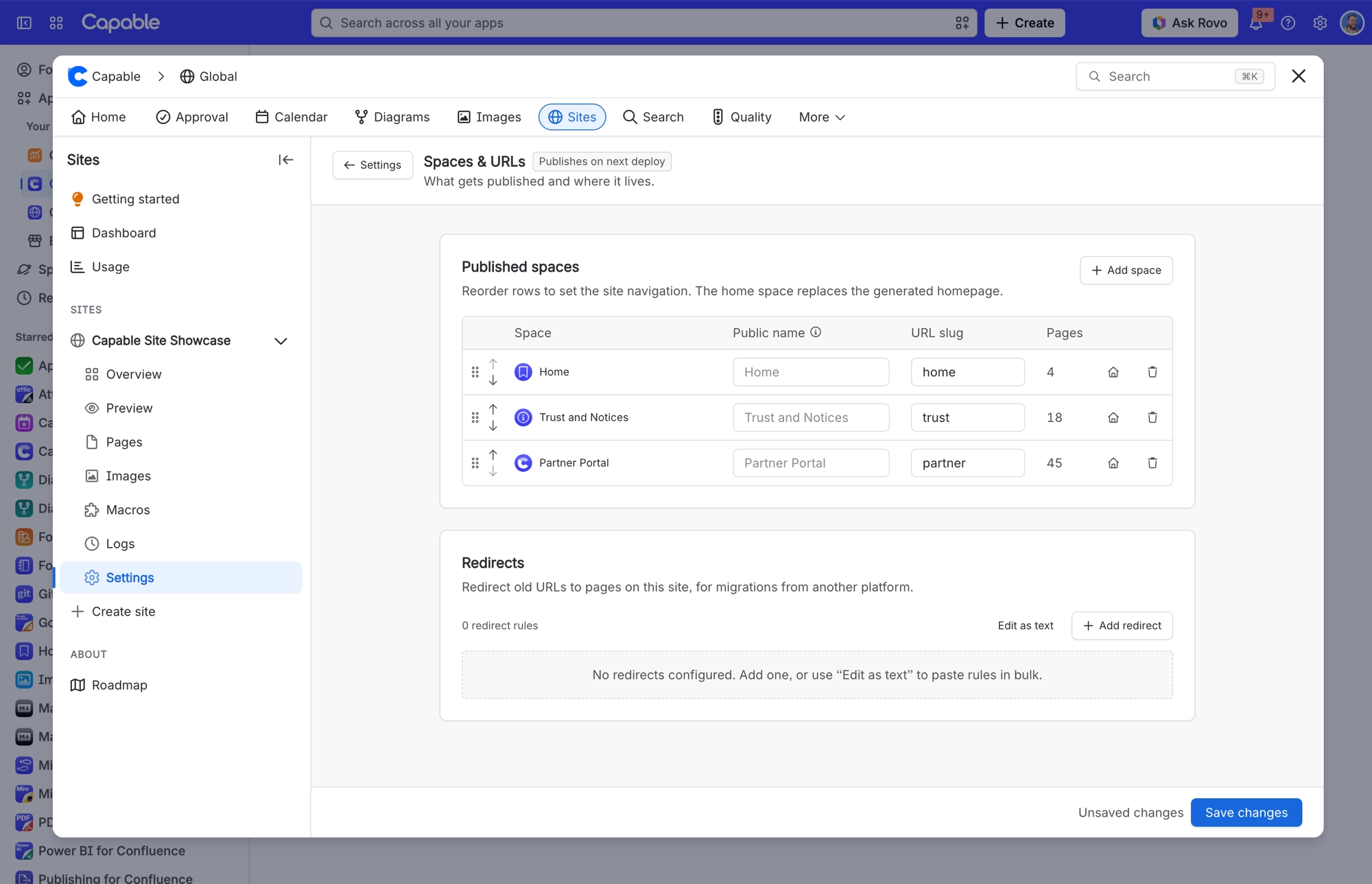
Control | What it does |
|---|---|
Space order | Drag, or use the up and down buttons. This is the navigation order. |
URL slug | The path each space publishes under. Two spaces can't share one. |
Homepage | One space is the site root, chosen with the house button. |
Published at preview | Shows the resulting URL live as you type. |
You can publish up to 100 spaces per site, though the navigation gets unwieldy long before that.
Two spaces can't share a slug. If they try, you can't continue until you change one. The message names both spaces: "X and Y both want the /slug URL".
#Page order within a space
Page order follows the Confluence page tree. Reorder pages in Confluence and the site follows on the next publish.
#A few things worth knowing
Changing scope or order is a settings change, so it needs an Update and a Promote like any other change.
Removing a space from a site removes its pages on the next publish, and they come off the live site when you promote.
Once a site has 100 spaces, the space picker greys out the rest.
#Related
Order the spaces. That is your navigation.






















