
Target page shows as Missing target only long after somebody deleted it
What you are seeing
The target page shows as Missing target only long after somebody deleted it.
#Why it happens
Capable does not notice when a target page is deleted. It only finds out the next time you publish that page, so the Missing target status can lag well behind the deletion.
#What to do
Republish the page. That finds the missing target and recreates the copy. To spot them in advance, run Publish all pages every so often.
#Settings involved
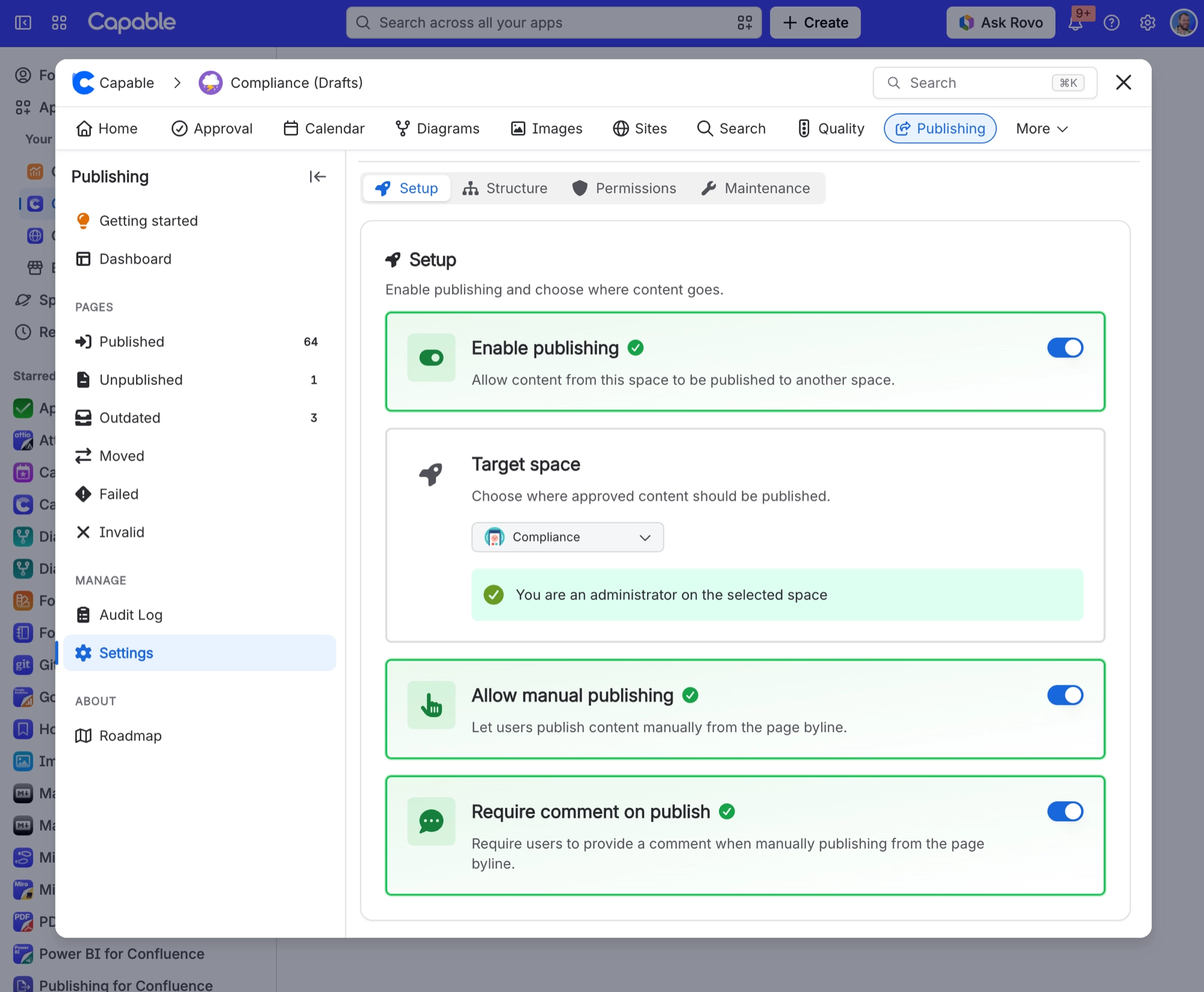
Setting | Where | What it does |
|---|---|---|
Enable publishing | Space settings → Publishing → Setup tab | - |
Target space | Space settings → Publishing → Setup tab | - |
Allow manual publishing | Space settings → Publishing → Setup tab | - |
#Limits that apply here
Limit | Value | What happens |
|---|---|---|
One target space per source space | A source space has exactly one target sp | - |
Target-page edit detection window | An edit to the target page within 5 minu | - |
#A few things that catch people out
If you administer the source space but not the target space, you can only keep a target that somebody else already chose. The settings screen shows a note and will not save a different target.
#Related
Publishing overwrote the wrong page in the target space
"Update existing pages by title" is on, and a different page in the target space happened
Publish button is missing from the byline on a page I can edit
Any of: publishing is not enabled for the space, or no target space is set; "Allow manual
Something is missing or looks wrong
The rest of this family.
Found it? Good.






















