
Saved the Setup tab and manual publishing turned itself off, even though I never touched that switch
What you are seeing
I saved the Setup tab and manual publishing turned itself off, even though I never touched that switch.
#Why it happens
Until your first save, the Setup tab shows the manual publishing switch as off. The value actually in use for an untouched space is manual and automatic publishing both allowed. So when you save the form, it writes what the screen showed, not what was in use.
#What to do
Before your first save on any space, set "Allow manual publishing" to the value you want. Check it again after every Reset to default too, which also switches manual publishing off.
#Settings involved
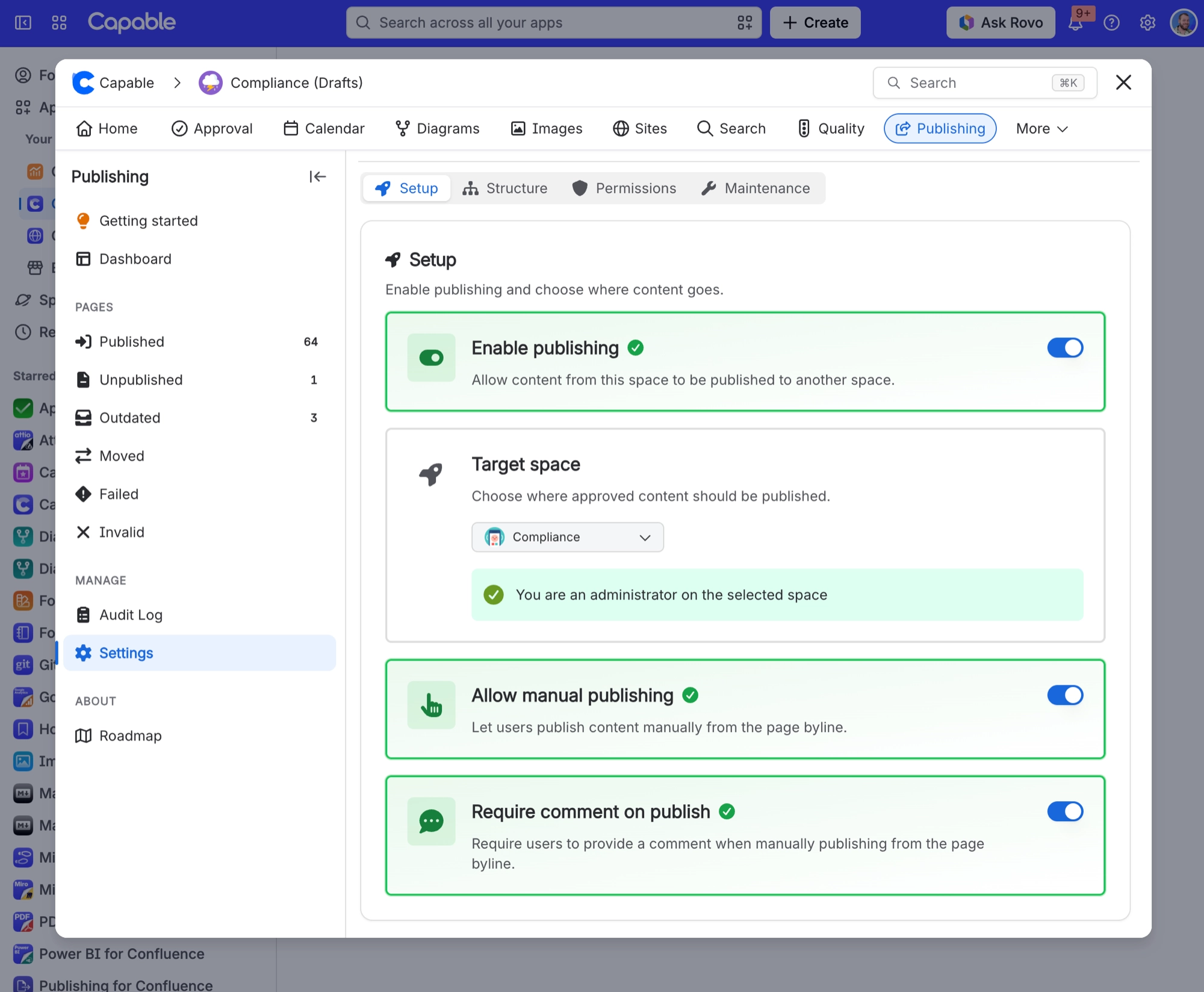
Setting | Where | What it does |
|---|---|---|
Enable publishing | Space settings → Publishing → Setup tab | - |
Target space | Space settings → Publishing → Setup tab | - |
Allow manual publishing | Space settings → Publishing → Setup tab | - |
#Limits that apply here
Limit | Value | What happens |
|---|---|---|
Publishable content types | Pages, blog posts and folders only. Anyt | - |
#Related
Page approved by the right people never published, and shows Failed with "Parent page is not publish
With "Preserve hierarchy", only a manual publish will automatically publish the ancestors
Nothing publishes when approvals are approved, and there is no "Publish approved pages" button
You are running the standalone Publishing app, which does not include the Approval capabil
Export and published sites
The rest of this family.
Found it? Good.






















