
Publishing settings
Most Publishing settings belong to one space and live on the four tabs of its Publishing Space settings: open the space's Publishing page and select Space settings under Manage, or open it from Confluence space settings. A few live elsewhere, as the table shows.
#Every setting
Setting | Where | What it does |
|---|---|---|
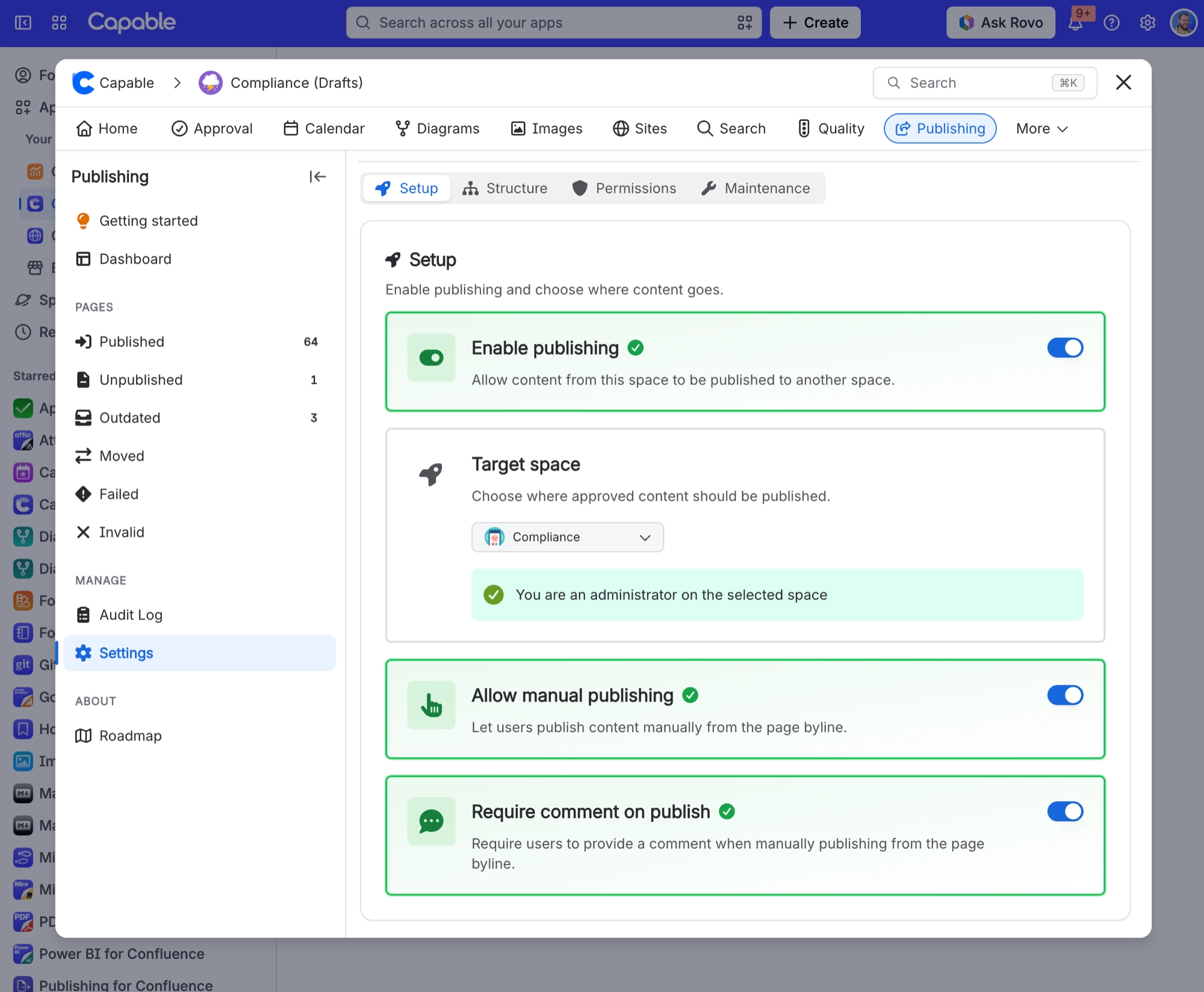
Enable publishing | Space settings, Setup | Allows content from this space to be published to another space. Nothing publishes while it is off. It cannot be saved as on without a target space. |
Target space | Space settings, Setup | The one destination space for everything published from this space. It can never be the current space, and you must administer it. Changing it disconnects every existing publish link. |
Allow manual publishing | Space settings, Setup | Lets people publish from the page byline. Turned off, the Publish button disappears and publishing on approval becomes the only route. |
Require comment on publish | Space settings, Setup | Makes people type a comment, up to 500 characters, before they publish from the byline. It becomes the version comment on the published page. |
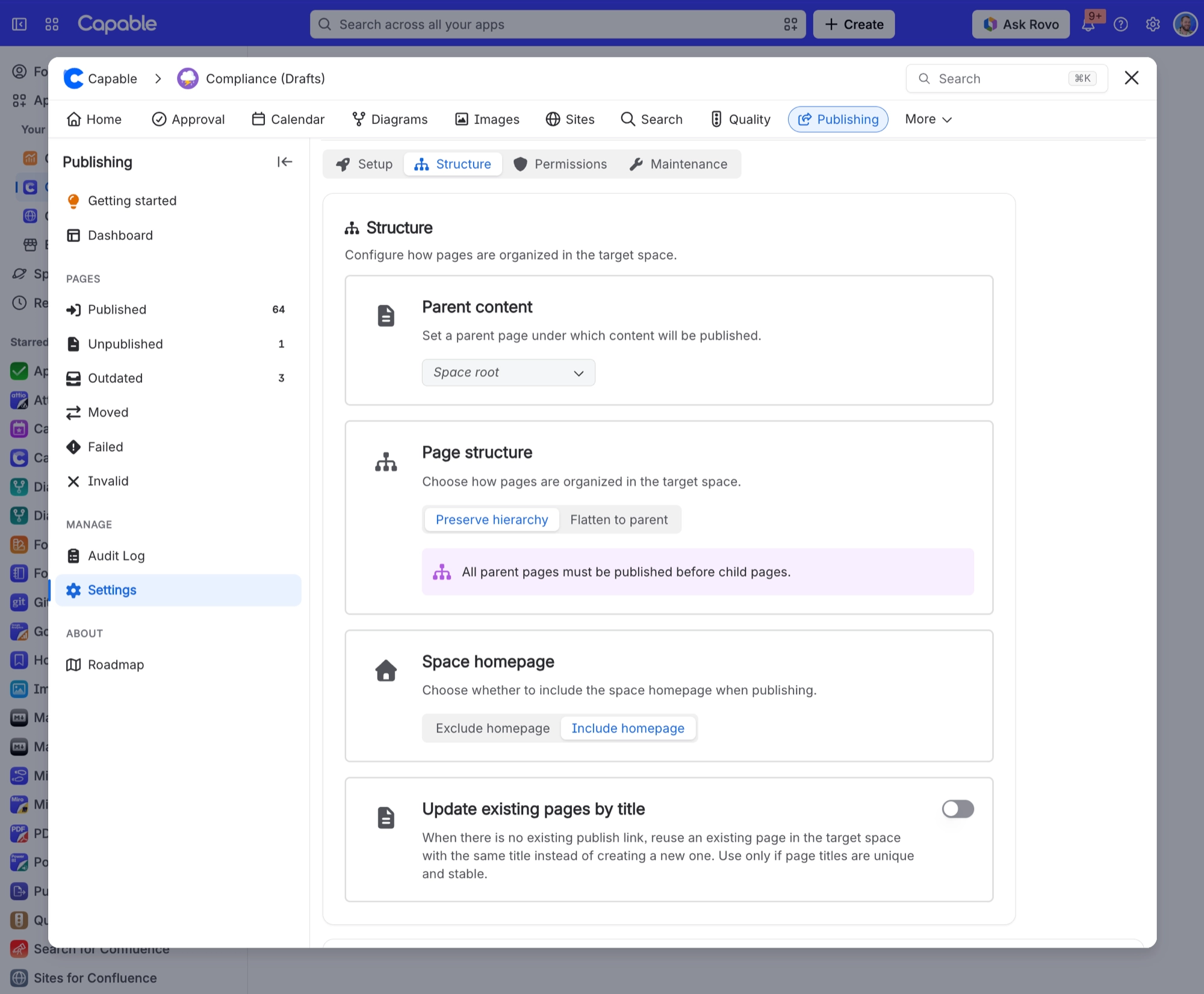
Parent content | Space settings, Structure | A page in the target space that published content goes under. Left empty, content goes to the target space root. |
Page structure | Space settings, Structure | Preserve hierarchy mirrors the source page tree under the parent. Flatten to parent puts every page directly under the parent. The note under Preserve hierarchy asks for parents to be published first; since 19 October 2026 pages move under their parent automatically once it is published. |
Space homepage | Space settings, Structure | Include homepage publishes the source homepage and overwrites the target space homepage. Exclude homepage skips it everywhere. |
Update existing pages by title | Space settings, Structure | When a page has no publish link yet, reuse a target page with the same title instead of creating a new one. Only safe when titles are unique and stable. |
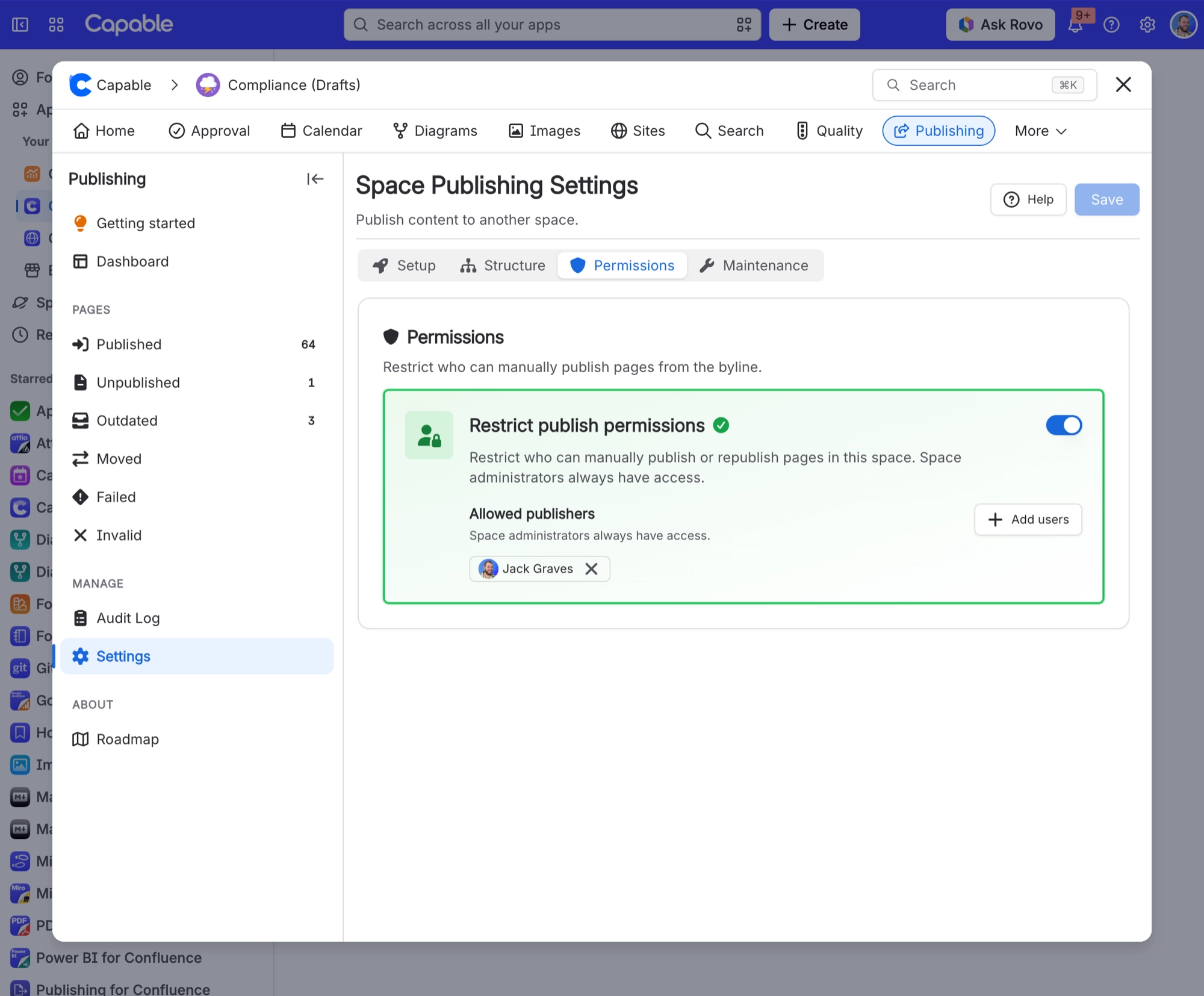
Restrict publish permissions | Space settings, Permissions | Limits manual publishing to the Allowed publishers list. Space administrators always keep access. With an empty list it has no effect. |
Allowed publishers | Space settings, Permissions | Up to 50 people who may publish by hand while the restriction is on. Individual users only, not groups. |
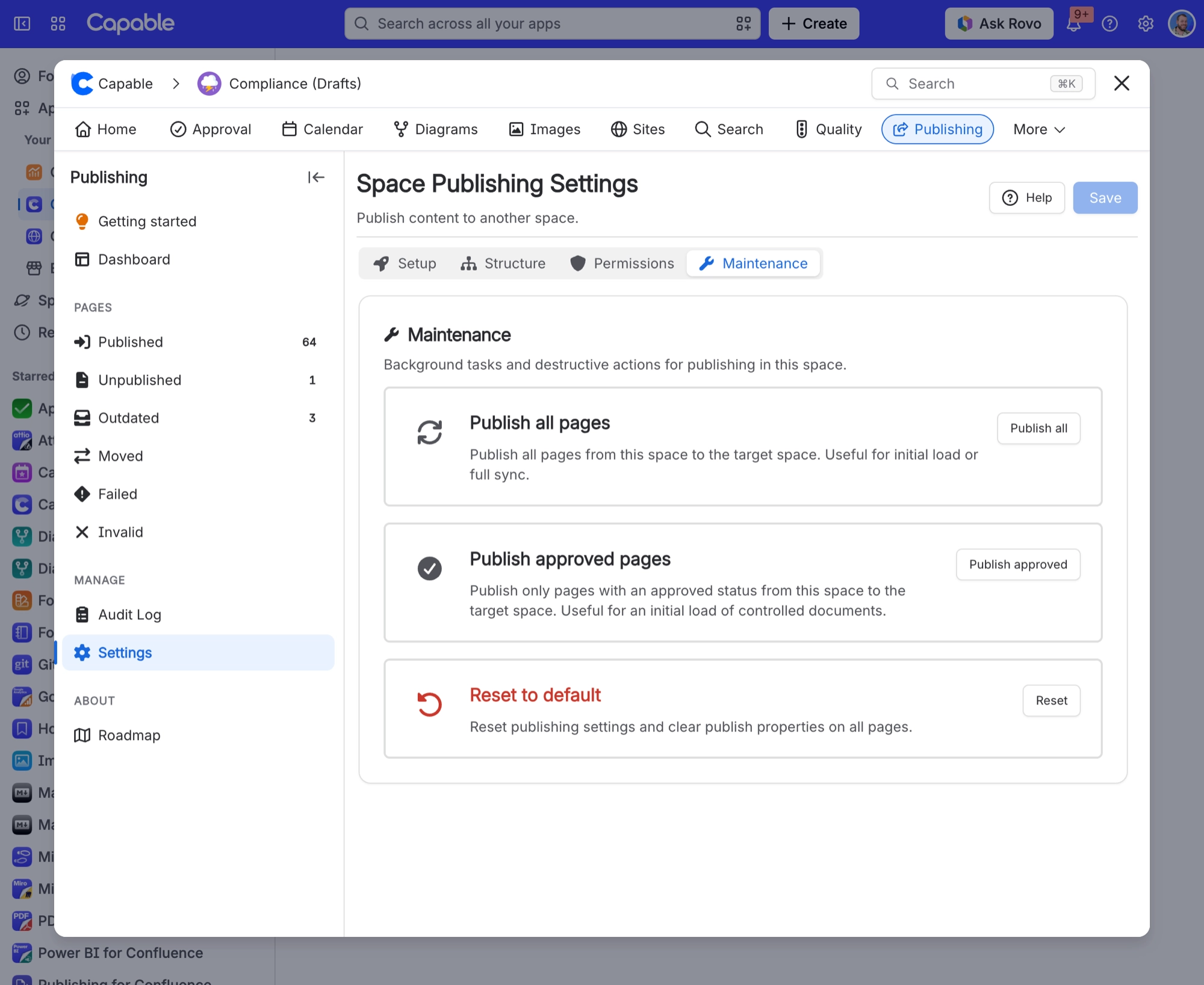
Publish all pages | Space settings, Maintenance | Action. Publishes every page and folder in the space in a background run, after you confirm Start Full Sync. Blog posts are not included. |
Publish approved pages | Space settings, Maintenance | Action. Publishes every page whose approval is Approved. Only in apps that also include Approval. |
Reset to default | Space settings, Maintenance | Action. Resets the settings and clears publish properties on every source and destination page, after you confirm Reset and clear. Published pages are not deleted. |
Clear state | Page byline, per page | Removes the publish link for one page. The published copy is not deleted. |
Publish on approval | Space settings, Approval, Overrides; also per team and per approval | Publishes a page automatically once its approval is approved. |
Database status | Confluence administration, Capable, Publishing | Confluence administrators only. Shows whether the publishing background tables are Healthy or Unavailable. |
Database recovery | Confluence administration, Capable, Publishing | Confluence administrators only. Clear and rebuild the processing tables deletes run history, logs and queued runs. Published pages and settings are untouched. |
Publishing visibility | Confluence settings, Capable, Capabilities | Hides Publishing for the whole site, or sets it to Auto, Always or Never for one space. |
| On the page | Permanently excludes the page from publishing. Attempts are recorded as Failed with Publishing disabled by label. |
#Where the space settings live
The four tabs of Publishing Space settings.
#A few things that catch people out
Changing the parent, the page structure, the homepage setting or the target space on a space that already publishes starts a rebuild or cleanup, whichever save button you press.
Only one maintenance task runs at a time, so settings cannot be saved while a bulk run or cleanup is in progress.
There is no Global settings entry for Publishing on the Publishing page; the database tools stay in Confluence administration.
Settings changes can take a minute to reach other people.
#Related
The complete list, in one table.






















