
Publishing space page
The Publishing space page shows what has gone out from a space, what needs attention, and the settings that control it. Open it from the space sidebar: Capable Publishing in the standalone app, or Capable then Publishing in the Suite and the Approval app.
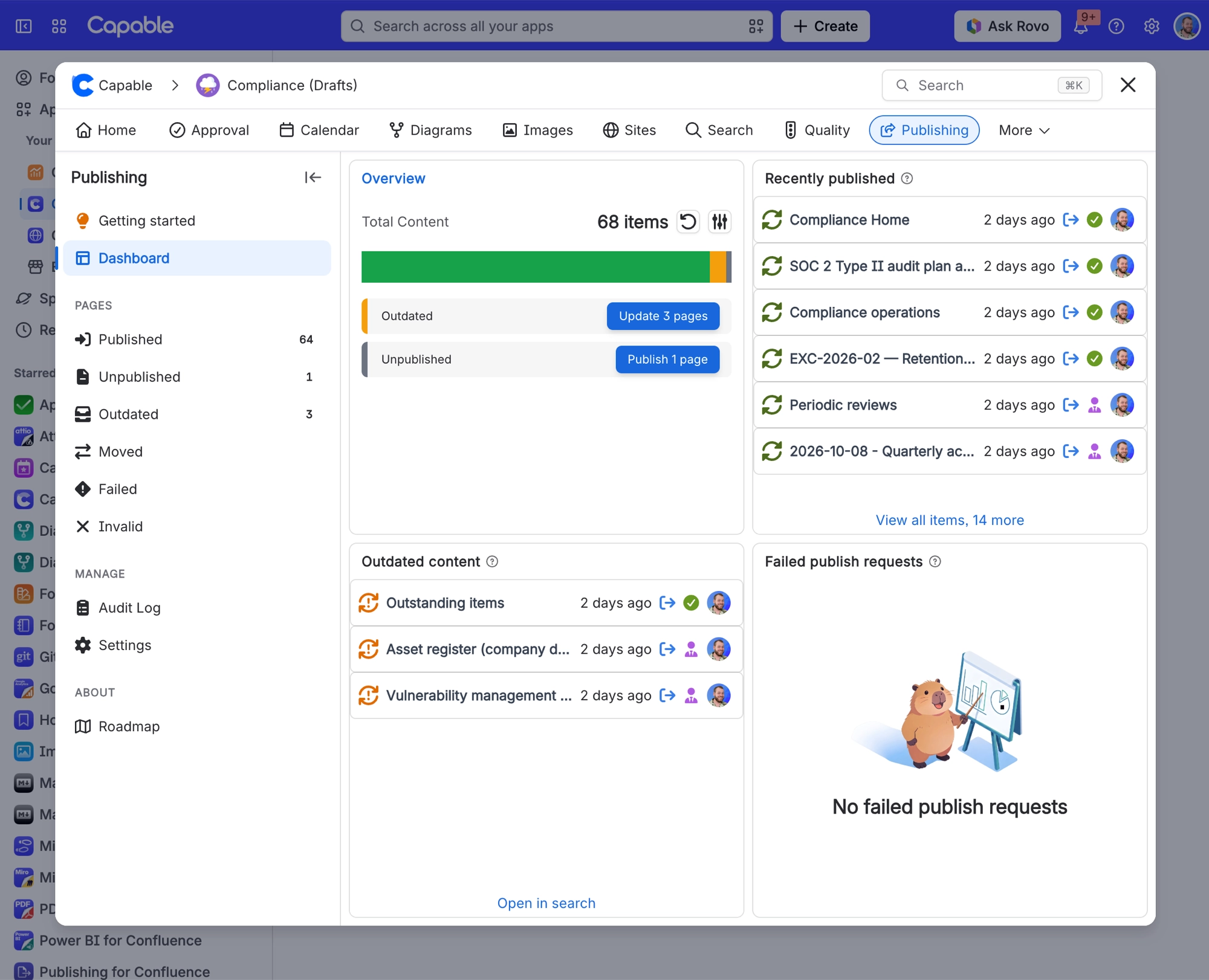
#What is on it
Section | What it shows | Who sees it |
|---|---|---|
Getting started | A short introduction. Dismiss it once you know your way around. | Everyone, until dismissed |
Dashboard | Counts by status, recently published pages, outdated and failed pages, the bulk publish buttons and the live progress of a running bulk publish. | Everyone. The bulk publish buttons only for space administrators |
Pages: Published, Unpublished, Outdated, Moved, Failed, Invalid | Lists of pages in each status, with publishing columns and filters. | Everyone. Invalid only on a space's page |
Manage: Audit log | The history of every bulk run, with its log. | Everyone, on a space's page |
Manage: Space settings | The four tabs of Publishing settings for this space: Setup, Structure, Permissions and Maintenance. | Administrators of the source space |
About: Roadmap | What is planned for Publishing. | Everyone |
The Manage entries were renamed on 14 October 2026: Audit Log is now Audit log, and Settings is now Space settings, because it only configures the current space. There is no Global settings entry for Publishing; its site-wide database tools stay in Confluence administration.
On the site-wide Publishing page you see Getting started, the Dashboard, five of the status lists and Roadmap. Invalid, Audit log and Space settings belong to a single space, so they only appear on a space's page.
#Space settings
Space settings is a second way into the same settings you reach from Confluence space settings. It opens on the Setup tab.
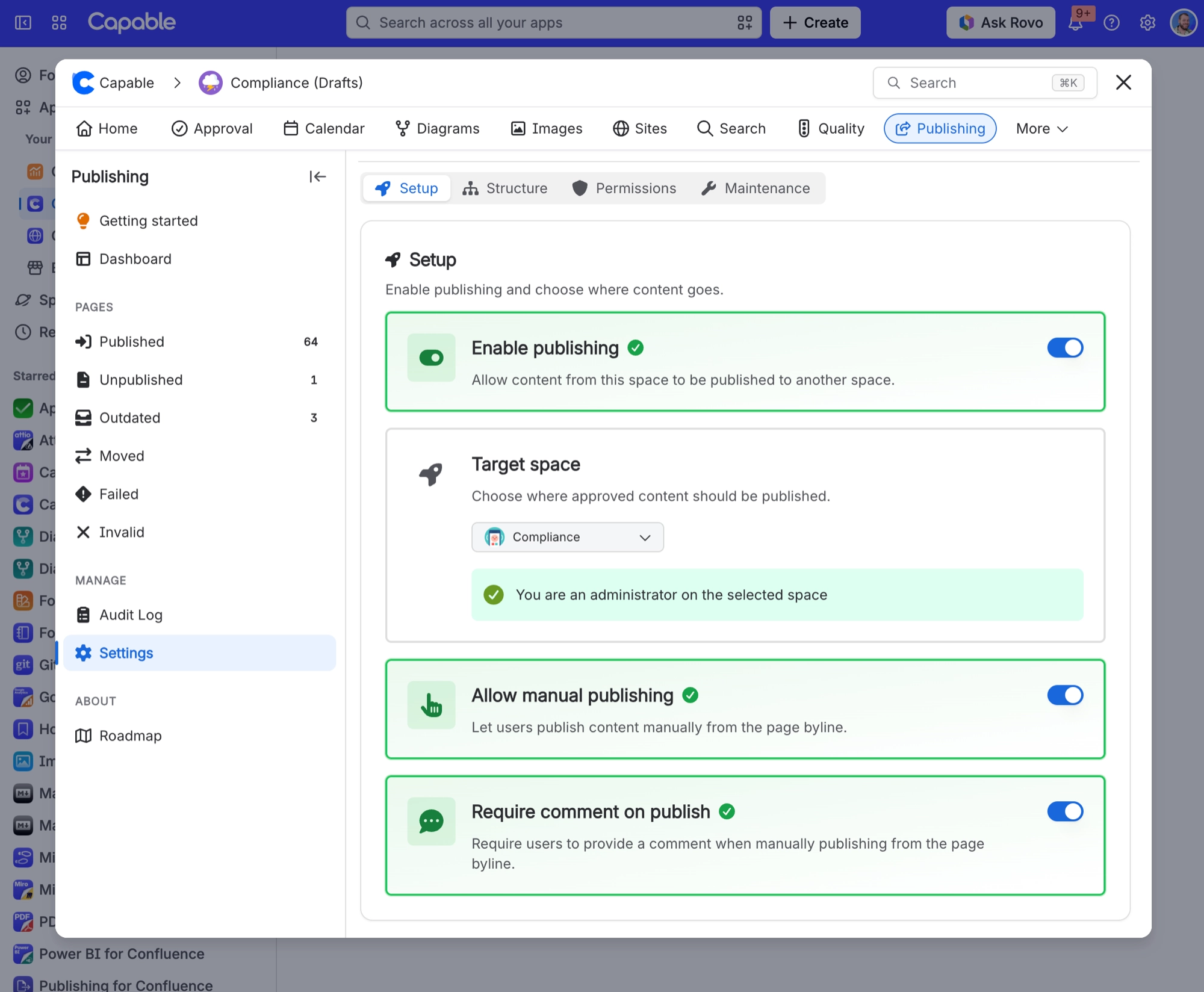
Tab | What you set there |
|---|---|
Setup | Enable publishing, the Target space, Allow manual publishing and Require comment on publish. |
Structure | Parent content, Page structure (Preserve hierarchy or Flatten to parent), Space homepage and Update existing pages by title. |
Permissions | Restrict publish permissions and the list of Allowed publishers. |
Maintenance | Publish all pages, Publish approved pages and Reset to default. |
See Publishing settings for each setting in detail.
#A few things that catch people out
There is no scheduled or timed publishing. You cannot set a page to publish at a particular time.
The lists and counts come from Confluence search, so very recent changes can take a few minutes to appear, and they only include pages, never folders or blog posts.
The Dashboard buttons publish every page in that status, however many there are. Their tooltips still say Limited to 1000 pages, which is no longer true.
Save without rebuild does not always prevent a rebuild. A rebuild starts whenever the saved settings change the hierarchy mode, parent page, homepage inclusion or target space on a space that already has publishing enabled.
Blog posts are never included in bulk runs, and edits to blog posts are not detected, so a published blog post never goes Outdated.
With Preserve hierarchy, an approved page whose parent is not published yet goes under its nearest published ancestor and moves under its parent once that parent is published. See Publish on approval.
#Related
One page for everything publishing in a space.






















