
What a publish actually copies
When you publish, Capable copies the page into the target space using Confluence's own copy. Attachments and labels come with it. Page restrictions, content properties and custom content do not.
Before the copy runs, Publishing checks the links in the page body:
A link to another page in the same source space that already has a published copy is rewritten to point at that copy.
A link to a source space that has its own publish configuration is rewritten to that space's target.
A link to a page that is not published yet is left pointing at the source page and recorded as a "missing link".
The Capable approval macro is removed from the published copy.
#Where to find it
Every publish, in every mode
#Where you do it
Task | Where |
|---|---|
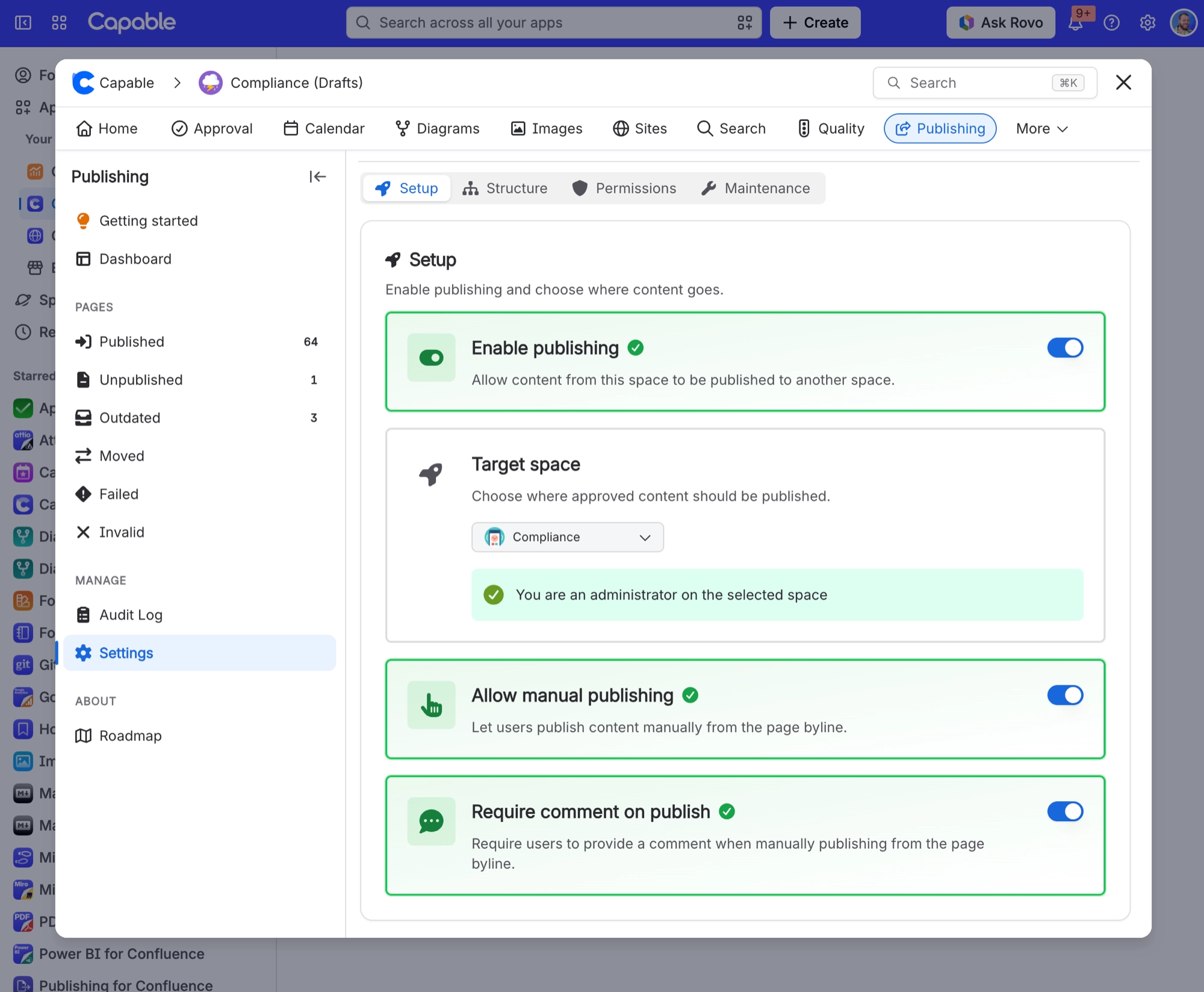
Turn on publishing for a space and choose where conten | Space settings → Publishing → Setup tab (or the Settings section inside the Capable Publishing space page) |
Decide whether people can publish by hand, and whether | Space settings → Publishing → Setup tab |
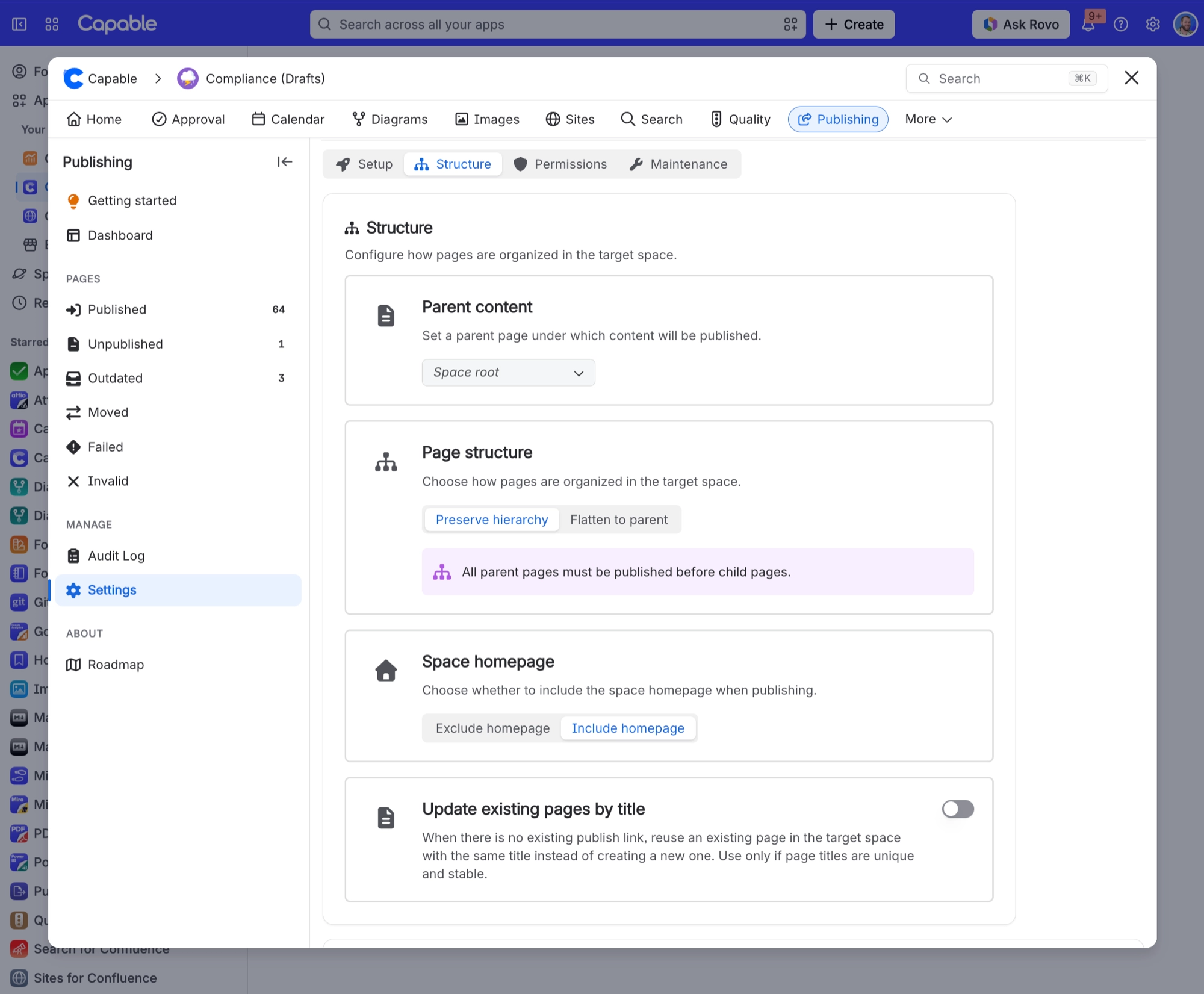
Choose where published pages land and whether the tree | Space settings → Publishing → Structure tab |
#Settings that affect this
Setting | Where | What it does |
|---|---|---|
Enable publishing | Space settings → Publishing → Setup tab | - |
Target space | Space settings → Publishing → Setup tab | - |
Allow manual publishing | Space settings → Publishing → Setup tab | - |
#Worth knowing
Saving settings only needs administrator rights on the source space, not on both spaces. If you change the target space, the Save button stays disabled until you also have administrator rights on the new target.
The Allowed publishers list takes individual users only. There is no group option, unlike Approval, which has both a user list and a group list.
If you administer the source space but not the target space, the Publish button can be hidden from you, even though Publishing would have let you publish.
The content types setting is only applied in the page byline. Behind the scenes, pages, blog posts and folders are all accepted, whatever the space setting says.
You cannot save settings while a clean-up or rebuild is running for the space, and bulk publish is blocked at the same time. This check is best effort: if the app cannot read its working data, the save goes through.
There is no setting for "publish as user", but the behaviour exists: if the app itself cannot write to the target space, it falls back to that nominated account.
#Related
How it actually behaves.






















