
"Publish all pages" finished but a lot of my space is still unpublished, and nothing said anything w
What you are seeing
Publish all (or Publish approved) finished, but a lot of your space is still in the Unpublished list, and nothing said anything was wrong.
#Why it happens
Before 19 October 2026, a bulk run read the space's pages with a single Confluence search, and Confluence returns at most 250 results to one search. In a space with more pages than that, each run published the same first batch and silently left the rest. Running it again picked up the same batch every time.
This is fixed. A bulk run now pages through every result of the search on the server before it starts publishing, however large the space is.
#What to do
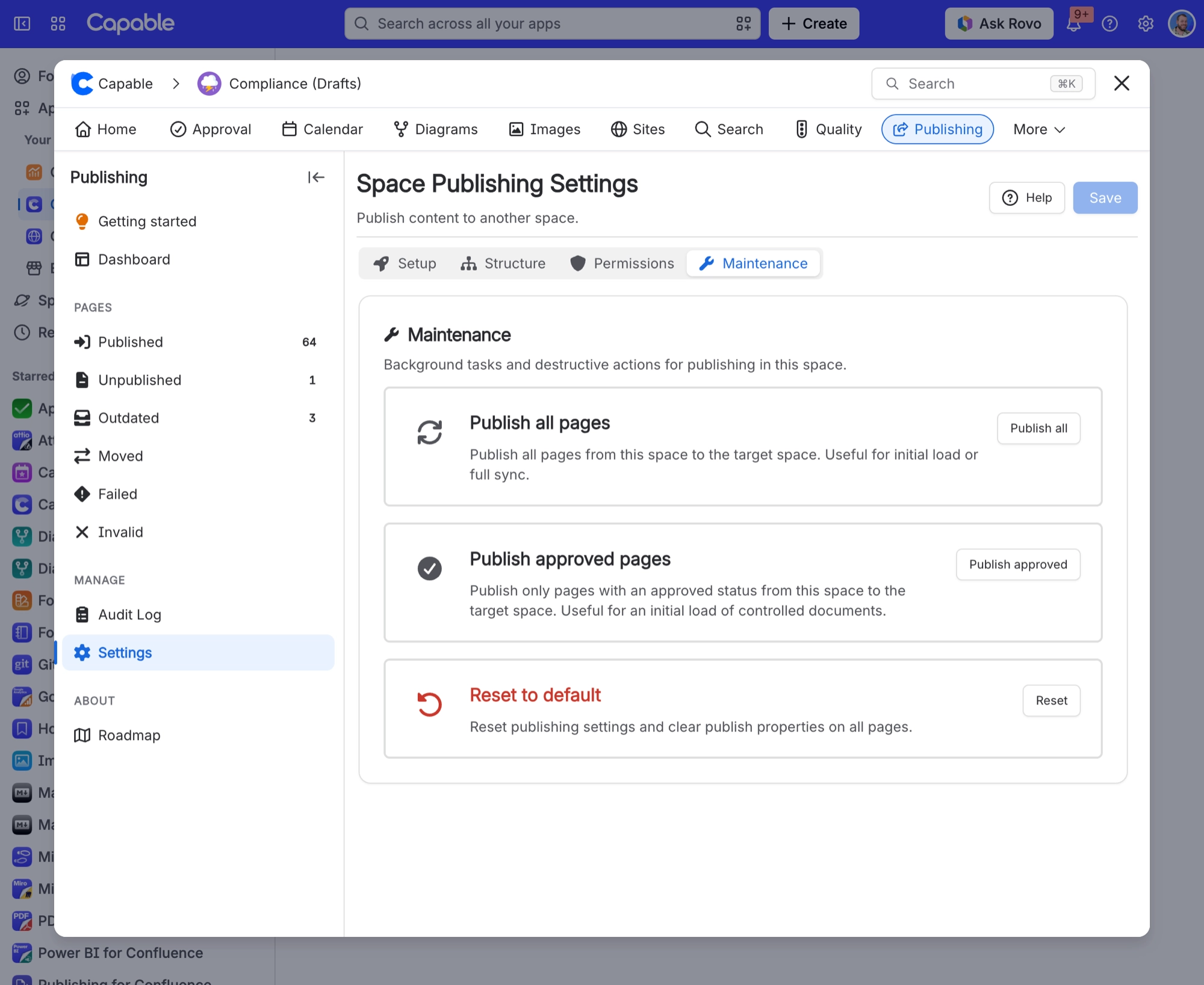
Open the Publishing space page and select Space settings under Manage.
Open the Maintenance tab.
Select Publish all (or Publish approved if you only publish approved pages).
Watch the run on the Dashboard, then check Audit log for anything that failed or was skipped.
Pages that are already published are republished in the same run, so expect it to take longer than a run over unpublished pages only. To publish only what is missing, use the Publish button with the page count next to Unpublished on the Dashboard instead.
#If pages are still unpublished afterwards
Open the run in Audit log. Pages that failed or were skipped are listed with a reason.
Pages with the
capable_never_publishlabel are never published. See capable_never_publish label.The space homepage is only published when Space homepage is set to include it on the Structure tab.
Blog posts are never part of a bulk run.
The Unpublished count comes from Confluence search and can take a few minutes to catch up after a large run.
#Related
Run it once more and it catches up.






















