
Publish button is missing from the byline on a page I can edit
What you are seeing
The Publish button is missing from the byline on a page I can edit.
#Why it happens
Any one of these can hide the button:
Publishing is not enabled for the space, or no target space is set.
"Allow manual publishing" is off.
"Restrict publish permissions" is on and you are not on the Allowed publishers list.
The content is a blog post or a folder that the space's content-type setting excludes (a Reset to default leaves folders excluded).
In the Suite, the page has never been published and the space's Publishing visibility is not set to "Always".
#What to do
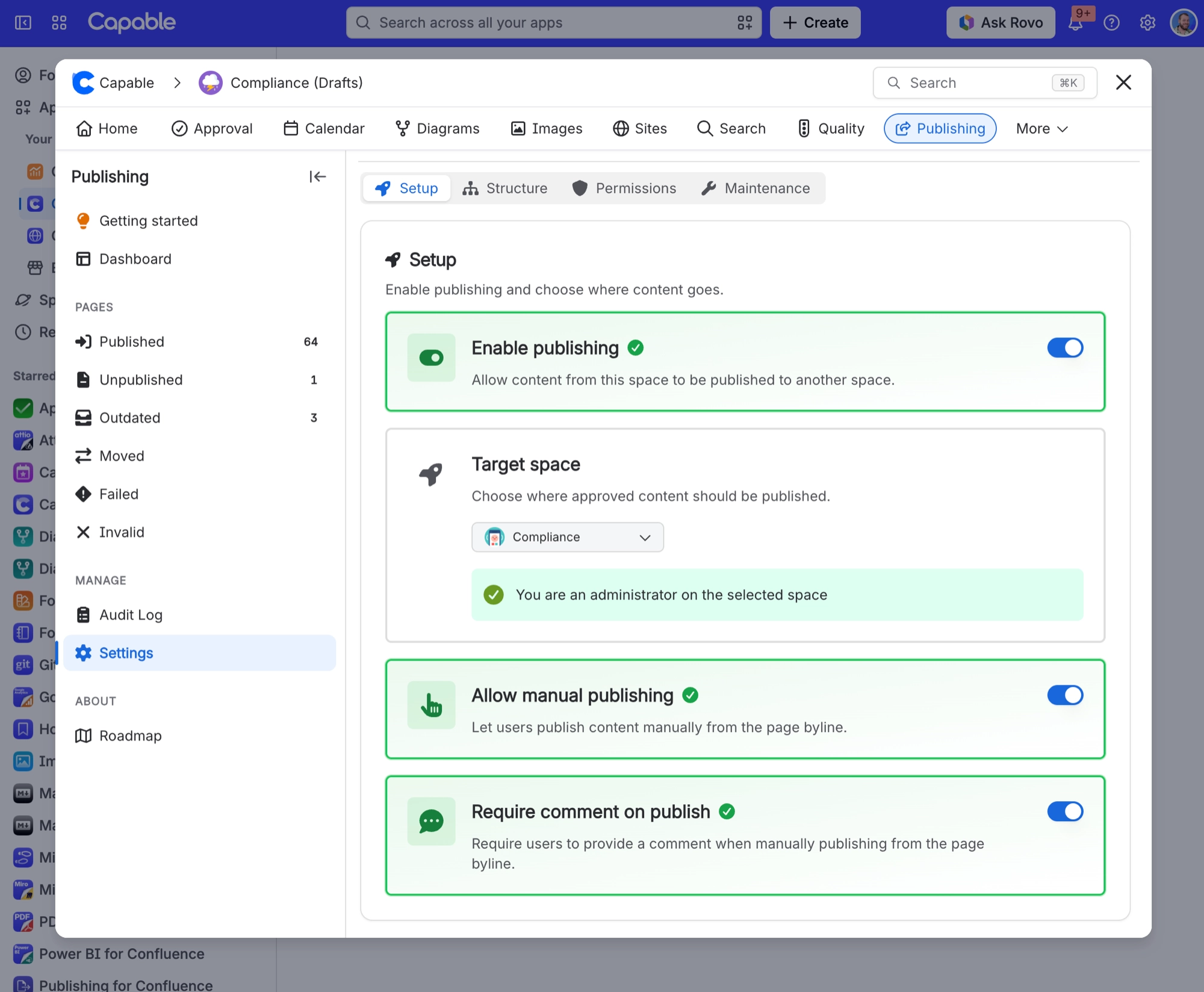
Go to Space settings, then Publishing, then Setup. Check that publishing is enabled, a target space is chosen and manual publishing is allowed.
Check the Permissions tab to see whether you need to be on the Allowed publishers list.
If the space was recently reset, save Setup again so folders become publishable.
In the Suite, set Space settings, then Capable, then Capabilities, then Publishing to Always if you want the byline on every page.
#Settings involved
Setting | Where | What it does |
|---|---|---|
Enable publishing | Space settings → Publishing → Setup tab | Allows content from this space to be published to another space. |
Target space | Space settings → Publishing → Setup tab | Where approved content is published. |
Allow manual publishing | Space settings → Publishing → Setup tab | Lets people publish content manually from the page byline. |
#Limits that apply here
Limit | Value |
|---|---|
Publish comment length | 500 characters maximum |
Allowed publishers list | 50 users maximum, individual users only |
"Publish all pages" / Full Sync | Handles at most 1000 items in a single run |
#A few things that catch people out
The Invalid list may show nothing even when pages really are in a missing-source or missing-target state.
Publishing does not automatically repair or remove stale publish records.
#Related
"Publish all pages" finished but a lot of my space is still unpublished, and nothing said anything w
Full Sync reads at most 1000 items in one go with no continuation, and a bulk job chain is
Page I just published is missing from the Published list, or the dashboard counts look wrong
Every list, count and bulk selection is a search-index query, not live data. Confluence ta
Something is missing or looks wrong
The rest of this family.
Found it? Good.






















