
Publishing a page produced a second copy instead of updating the existing one
What you are seeing
Publishing a page produced a second copy instead of updating the existing one.
#Why it happens
Capable keeps a link between each source page and its published copy. That link was lost, so the app created a new page rather than updating the old one.
#What to do
Delete the duplicate by hand in the target space. Then turn on "Update existing pages by title" in the Structure tab and republish. Capable will then pick up the existing page with the same title instead of making another copy.
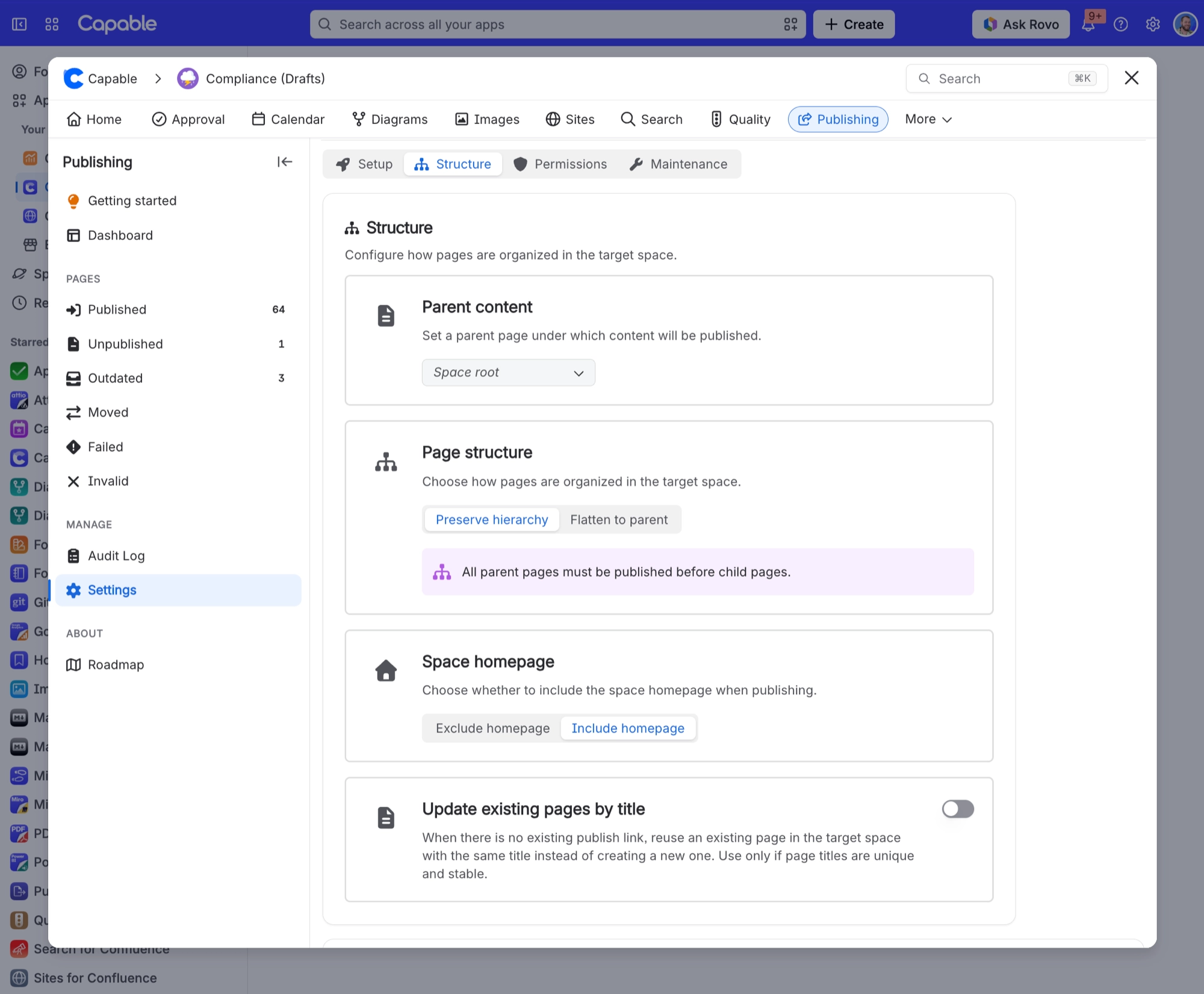
#Settings involved
Setting | Where | What it does |
|---|---|---|
Enable publishing | Space settings → Publishing → Setup tab | - |
Target space | Space settings → Publishing → Setup tab | - |
Allow manual publishing | Space settings → Publishing → Setup tab | - |
#Limits that apply here
Limit | Value | What happens |
|---|---|---|
Bulk publish throughput | - | - |
Folder children | Child pages and child folders are fetche | - |
#Related
Published page links to another page, but the link opens the original in the source space instead of
The linked page had not been published at the time. Links to unpublished pages are left po
Nobody was told that a publish failed
Publishing sends no notifications of any kind. No email, no Slack, nothing.
Export and published sites
The rest of this family.
Found it? Good.






















