
Common tasks
Here are the things people do most with Publishing, and where to find each one. Most of them start on the Publishing space page or in its Space settings. For step-by-step guides, see How-to guides and FAQ.
#What you can do
Task | Where | Notes |
|---|---|---|
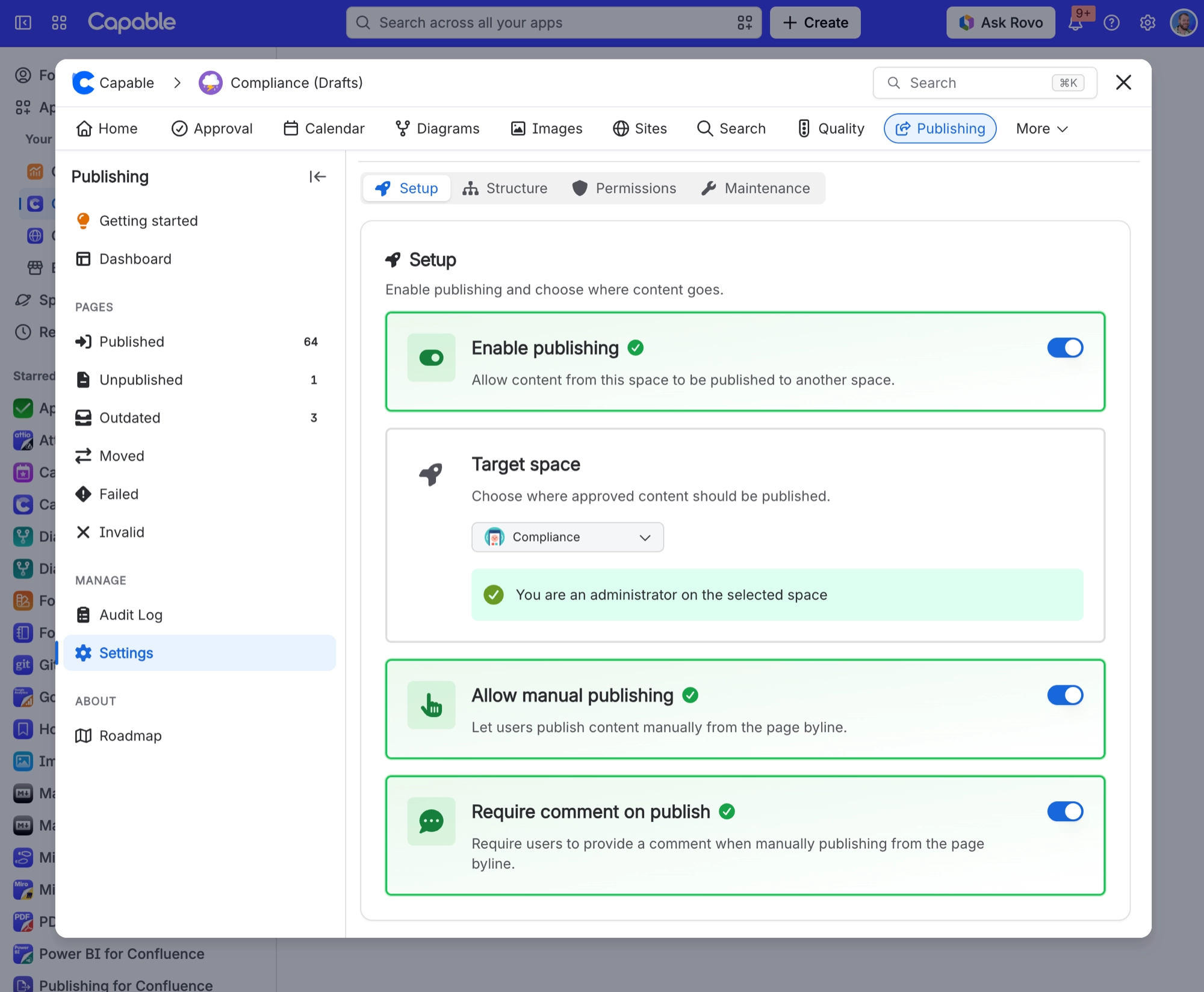
Turn on publishing for a space and choose where content goes | Space settings, Publishing, Setup tab (or Space settings under Manage on the Publishing space page) | You must be an administrator of the source space. Choose the Target space first. Enable publishing cannot be saved without one, and the target can never be the current space. |
Decide whether people can publish by hand, and whether they must leave a comment | Setup tab | Allow manual publishing controls the byline Publish button. Require comment on publish forces a comment of up to 500 characters, which becomes the version comment on the published page. |
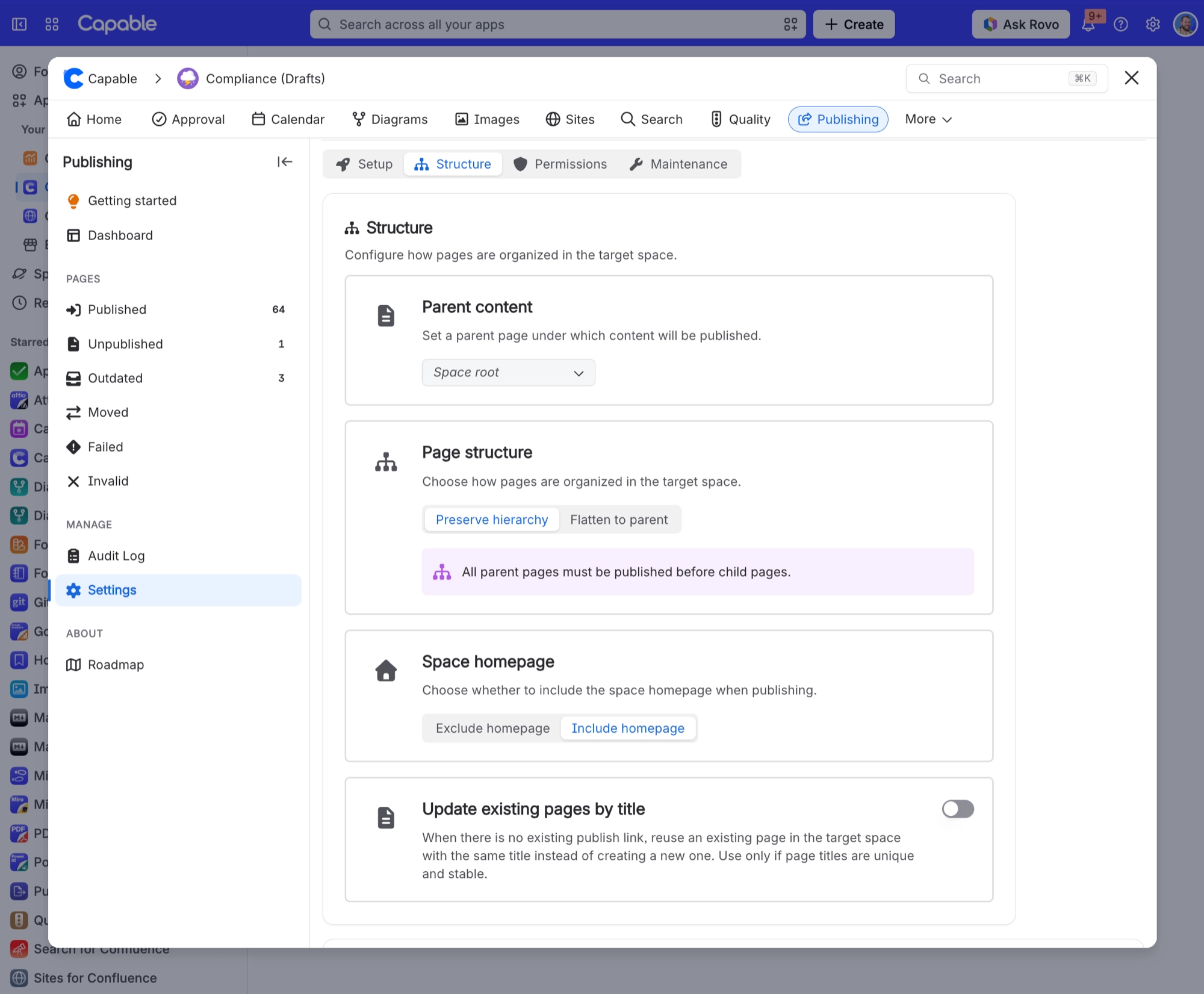
Choose where published pages land and whether the page tree is preserved | Structure tab | Set Parent content (or leave it at Space root), pick Preserve hierarchy or Flatten to parent, and include or exclude the space homepage. A live Preview shows the result. |
Reuse pages that already exist in the target space instead of creating new ones | Structure tab | Turn on Update existing pages by title. Only safe when titles are unique and stable. It will overwrite and re-link a same-titled page and clear any previous publish link on it. |
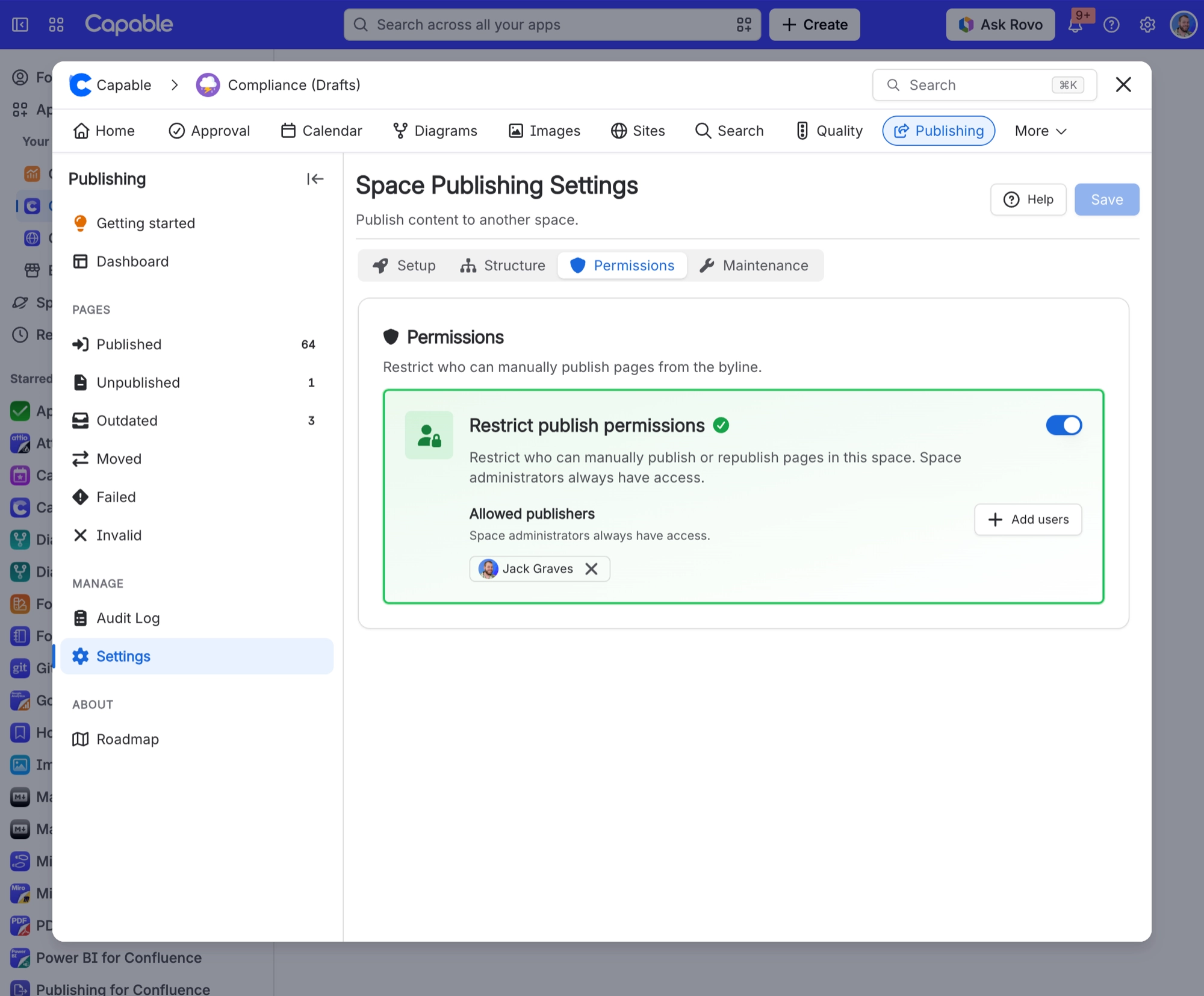
Limit who may publish | Permissions tab | Turn on Restrict publish permissions and add up to 50 Allowed publishers. Space administrators always keep access. Leaving the list empty means the restriction does nothing. |
Publish or update a single page on demand | The page's Publishing byline item | Select Publish (first time), Republish (already published) or Update (Outdated or Moved). You need edit permission on the page. Unpublished parent pages are offered with Publish page tree?. |
See the published copy of a page (or jump back to the source) | The page's Publishing byline item, View published or View source | The byline works on both sides of the link. |
Publish automatically when a page is approved | Space settings, Approval, Overrides tab, Publish on approval | Needs an app that includes both Approval and Publishing. Approvals can arrive in any order; pages move under their parent once it is published. |
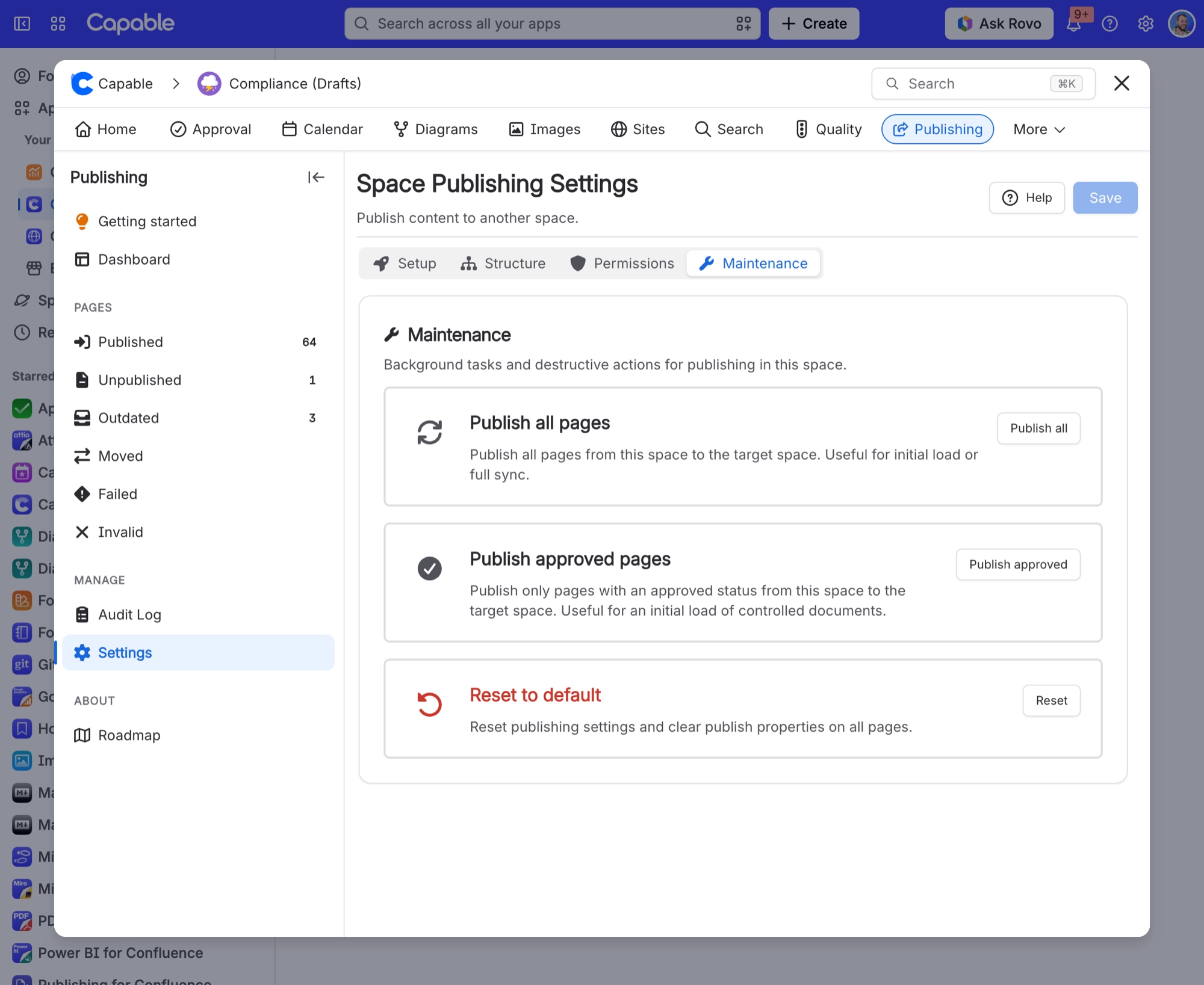
Do an initial load or a full re-sync of a whole space | Maintenance tab, Publish all | Confirm with Start Full Sync. Needs space administrator on both spaces, and is blocked while another maintenance task runs. Every page and folder is included; blog posts are not. |
Publish only the approved (controlled) documents | Maintenance tab, Publish approved | Only in an app that also includes Approval. Pages with no approval, or a pending or rejected one, are skipped. Folders are only created where approved pages need them. |
Publish everything in one status, such as all Unpublished or all Outdated pages | Publishing space page, Dashboard | Use the button next to the count, for example Publish 120 pages or Update 8 pages. Every page in that status is included, however many there are. |
Watch or cancel a running publish job | Publishing space page, Dashboard | The progress panel shows what is published, processing and needing attention, and offers Cancel. |
Read the history and logs of past bulk runs | Publishing space page, Audit log under Manage | Select a run to open Process Details with its log. |
Move already-published pages after changing the parent or hierarchy | Structure tab | Choose Save and rebuild. A rebuild is started for any change to the parent, hierarchy mode, homepage setting or target space regardless of which button you press. |
Point a space at a different target space | Setup tab, Target space | Confirm Change target space?. A background cleanup clears the publish properties on both sides. Pages already published stay where they are in the old target space. |
Stop tracking one page | The page's Publishing byline item, Clear state | Removes the link between the source page and its published copy. It does not delete the published copy. |
Exclude a page from publishing permanently | On the page itself | Add the label |
Start over for a whole space | Maintenance tab, Reset to default | Resets settings to disabled and runs a background cleanup that strips publish properties from all source and destination pages. Published pages are not deleted. |
Find pages by publishing state across the whole site | Capable Search, Publishing panel | Columns: Overview, Status, Approvers, Method, Publisher, Published at. Filters include Published date, Status, Publisher, Approvers, Method and Direction. |
Recover publishing when its background jobs stop working | Confluence settings, Capable, Publishing tab | Confluence administrators only. This permanently deletes process history, logs and any queued or running background publishing tasks, but not published pages or settings. |
Hide Publishing from the whole site or from one space | Confluence settings, Capable, Capabilities | Site-level needs a Confluence administrator; space-level needs a space administrator. |
#Where the settings live
Most of the tasks above start in the four tabs of Publishing Space settings. Here is what each one looks like.
#Setup
#Structure
#Permissions
#Maintenance
#A few things that catch people out
Some tasks need an administrator of the source space, and bulk runs need one of the target space too.
Anything that relies on search needs the page to have been indexed first, so very recent changes can take a few minutes to show.
The Dashboard button tooltips still say Limited to 1000 pages. Runs are no longer limited.
Item names differ slightly between the standalone app and the Suite: Capable Publishing in the standalone space sidebar, Capable then Publishing in the Suite.
#Related
What people actually do.






















