
What re-publishing does
Re-publishing overwrites the existing target page in place. You get a new version of that page, never a second copy. If the parent has changed, the target page is then moved (folders are recreated or moved). If you gave a publish comment, it is written as the Confluence version comment on the target page.
A second copy is only created if the link between the two pages was lost, in which case a new page is made. An existing page with the same title is reused instead when "Update existing pages by title" is on.
#Where to find it
Use Republish or Update on a page that is already published.
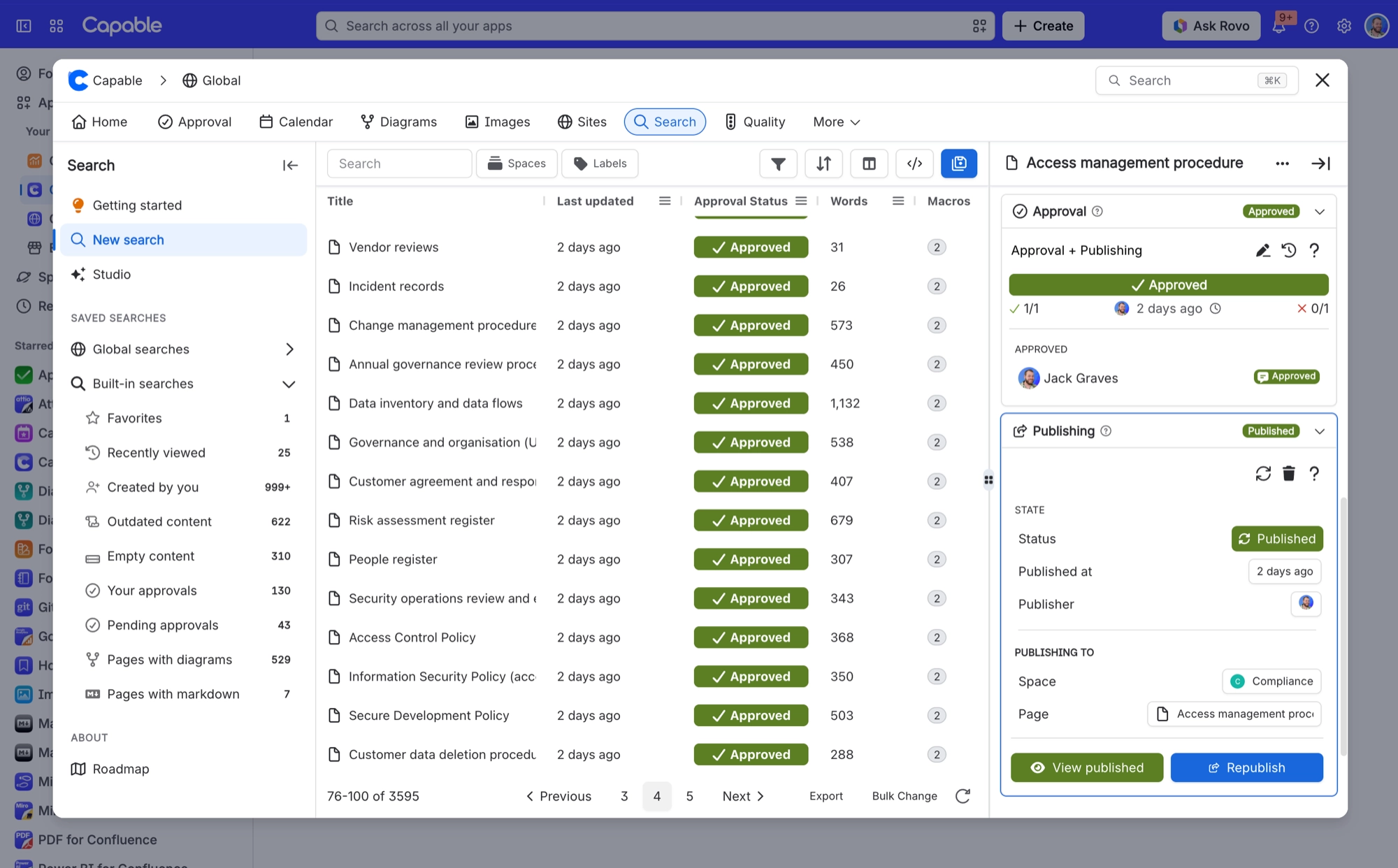
#Where you do it
Task | Where |
|---|---|
Turn on publishing for a space and choose where conten | Space settings → Publishing → Setup tab (or the Settings section inside the Capable Publishing space page) |
Decide whether people can publish by hand, and whether | Space settings → Publishing → Setup tab |
Choose where published pages land and whether the tree | Space settings → Publishing → Structure tab |
#Settings that affect this
Setting | Where | What it does |
|---|---|---|
Enable publishing | Space settings → Publishing → Setup tab | - |
Target space | Space settings → Publishing → Setup tab | - |
Allow manual publishing | Space settings → Publishing → Setup tab | - |
#Worth knowing
Three Capable apps include Publishing: Publishing for Confluence, the Capable Suite, and Approval for Confluence. If more than one is installed, a page can carry two independent publish states and show two Publish buttons, and nothing in the product decides between them.
Each app keeps its own publish record and search fields. A search or CQL query written for the standalone Publishing app will not match the Suite or the Approval app. Moving between apps loses existing publish search data, and installing two Capable apps that include Publishing gives you two independent publish records on the same page.
In the standalone Publishing app, Capable content indexing is switched off. Its publish search fields exist only because they are written when you publish.
If the app itself lacks write permission on the target space, publishing fails. The settings screen shows an error banner, but the configuration can still be saved.
#Related
How it actually behaves.






















