
Publishing overwrote the wrong page in the target space
What you are seeing
Publishing overwrote the wrong page in the target space.
#Why it happens
"Update existing pages by title" is on, and a different page in the target space happened to have the same title. Capable treated it as the copy, so it updated that page, moved it into place and linked it to your source page. Any publish link it had before is cleared.
#What to do
Turn "Update existing pages by title" off unless every title in the target space is unique and stable. Restore the overwritten page from its Confluence version history.
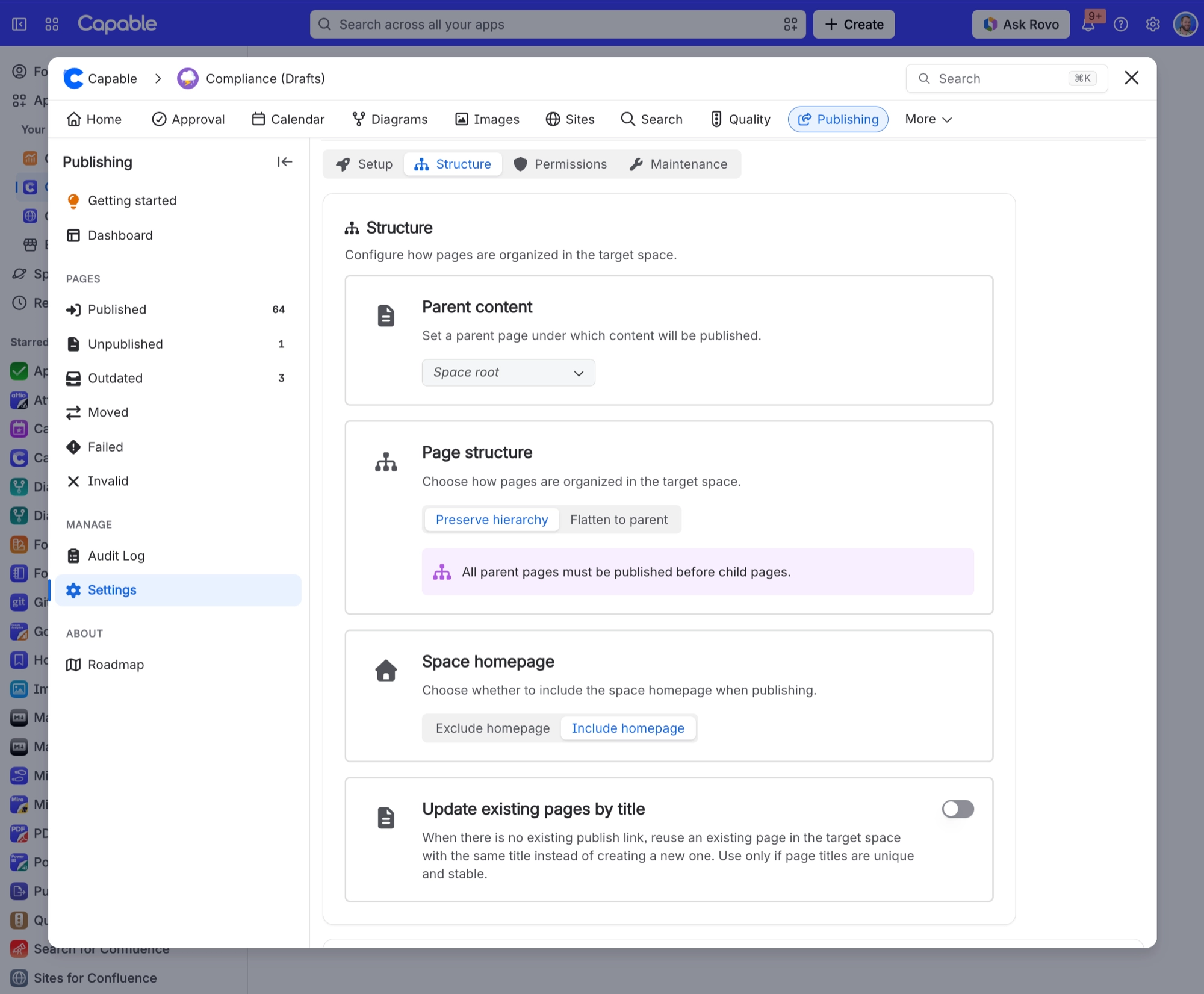
#Settings involved
Setting | Where | What it does |
|---|---|---|
Enable publishing | Space settings → Publishing → Setup tab | - |
Target space | Space settings → Publishing → Setup tab | - |
Allow manual publishing | Space settings → Publishing → Setup tab | - |
#Limits that apply here
Limit | Value | What happens |
|---|---|---|
Folder children | Child pages and child folders are fetche | - |
#Related
Publish button is missing from the byline on a page I can edit
Any of: publishing is not enabled for the space, or no target space is set; "Allow manual
"Publish all pages" finished but a lot of my space is still unpublished, and nothing said anything w
Full Sync reads at most 1000 items in one go with no continuation, and a bulk job chain is
Something is missing or looks wrong
The rest of this family.
Found it? Good.






















