
Publishing byline panel
Every page in a publishing-enabled space carries a Publishing item in its byline, just under the title. It tells you at a glance whether the page has been published and whether the copy is current, and opening it gives you the buttons to act on it.
#Where to find it
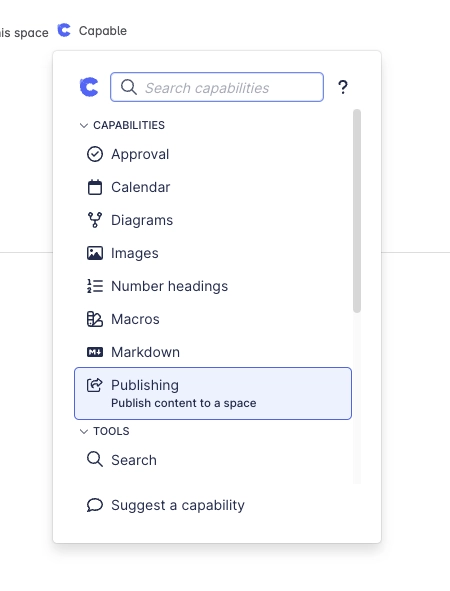
Open any page and look at the byline. In the standalone app the item reads Publishing (tooltip Publish pages to a space) until the page's status loads, then shows the status. In the Suite and the Approval app it is in the Capable menu.
#What the byline shows
Byline label | What it means |
|---|---|
Published | The published copy matches this page. The tooltip says who published it and how: by hand, Published via Approval or Published automatically. |
Published page | You are looking at the published copy in the target space. |
Outdated | This page has been edited since it was published. |
Desynced | Someone edited the published copy in the target space. The panel calls this Out of sync. |
Moved | This page has a new parent since it was published. |
Missing source or Missing target | The other side of the link could not be found. |
Publish Failed | The last publish failed. The panel shows why. |
Unpublished | The page has not been published yet. |
Unpublishable | The page cannot be published as things stand, for example because its parent page is not published. |
If the item cannot load, it shows Publish: error, and its tooltip gives the reason, such as the HTTP error Confluence returned.
#What you can do from the panel
Publish the first time, Republish once a copy exists, or Update when the page is Outdated or Moved. You need edit permission on the page, and manual publishing must be allowed.
Add a Comment. When Require comment on publish is on, you must. It becomes the version comment on the published copy.
Open View published to see the copy, or View source when you are on the copy.
Use Clear state to stop tracking the page. The published copy is not deleted.
Publishing runs in the background. After you confirm, you see Page sent to publishing queue with Publishing may take a few minutes., and you can carry on working.
If the page's parent pages are not published yet and you preserve hierarchy, you are asked Publish page tree? with a list of the parent pages that will be published first. Select Continue to publish them all, or Cancel.
#A few things that catch people out
The byline needs the viewer to be signed in. Anonymous readers do not see it.
There is no scheduled or timed publishing.
Deleting the published copy does not clear the source page's link. The source keeps showing Published until it is next published.
The byline shows a Content not yet indexed warning while Confluence search catches up after a publish.
The Publish button is hidden on blog posts, and edits to blog posts are not detected.
#Related
Status at a glance, publish in a click.






















