
Respond to a request
Somebody has asked you to look at a page. You have three answers available, and only two of them move the decision.
#How to
Open the request from wherever you saw it. All four routes write to the same record, so pick whichever suits.
Where | Best for |
|---|---|
The approval panel under the page title | Reading the page first, which is usually the point |
Your inbox on the Capable dashboard | Working through several in one sitting. |
The approvals table in Capable Search | Answering in bulk. See Search and reporting. |
Slack | Answering without opening Confluence. |
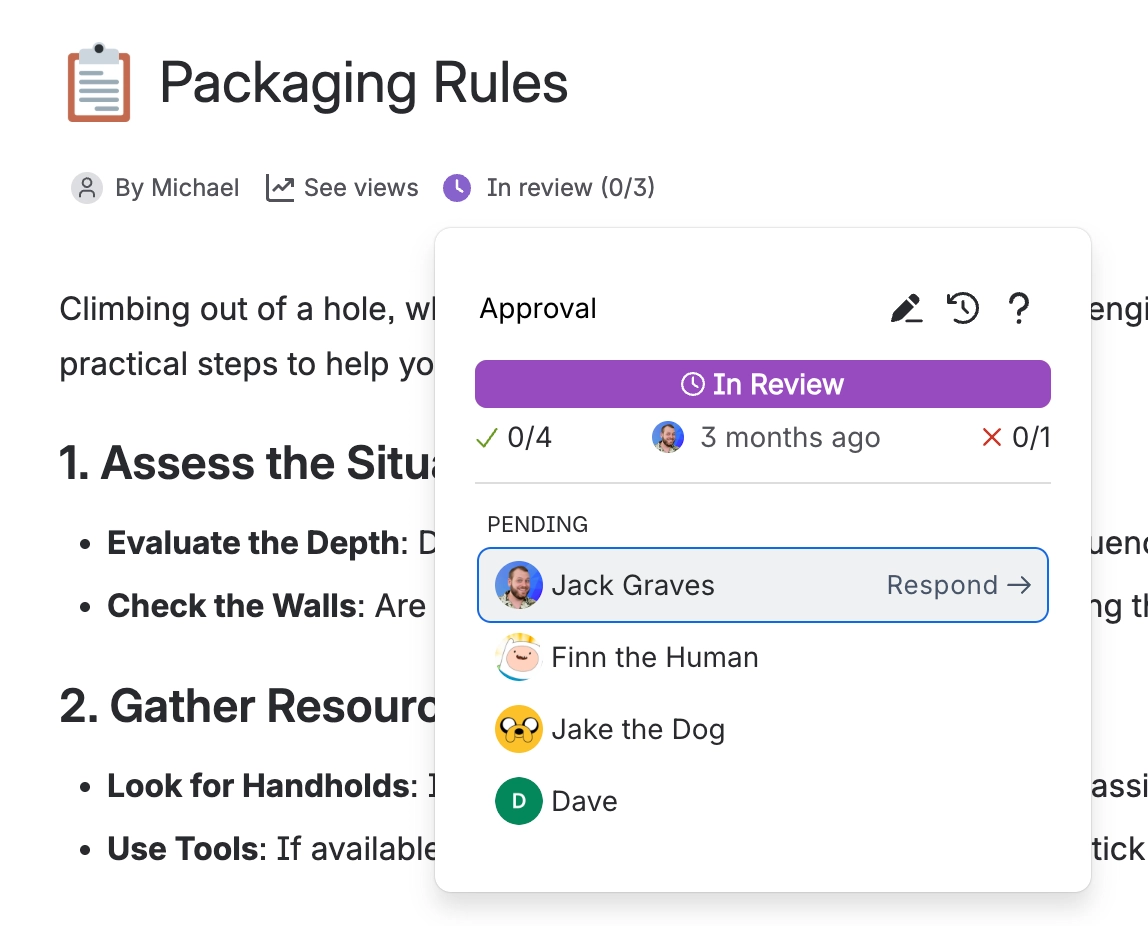
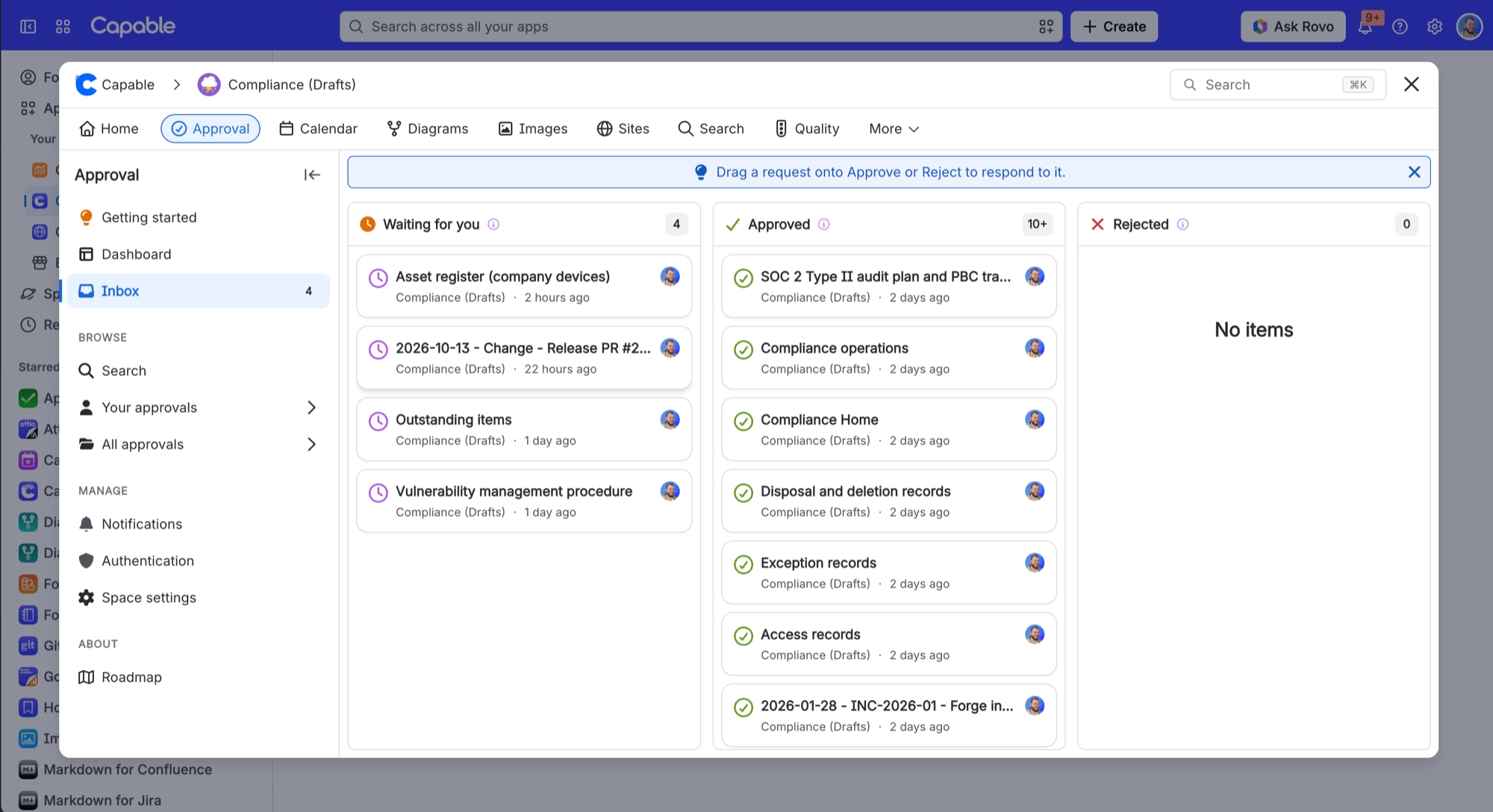
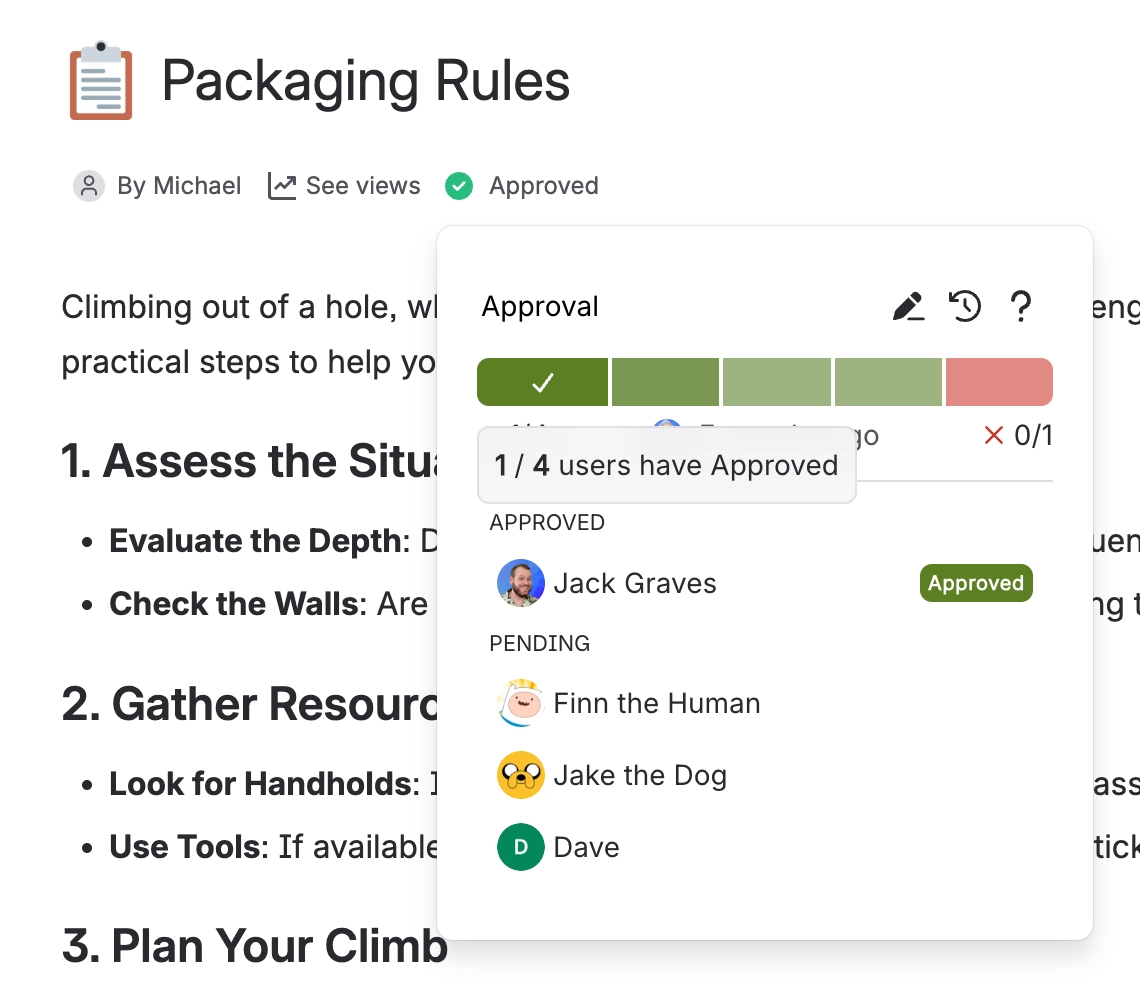
Read the page. Your answer is recorded against this exact version of it, so if it is edited later the review starts again and you will be asked afresh.[1]
You can see what everyone else has said in the panel before you commit, which is often useful when a colleague has already raised the thing you were going to.
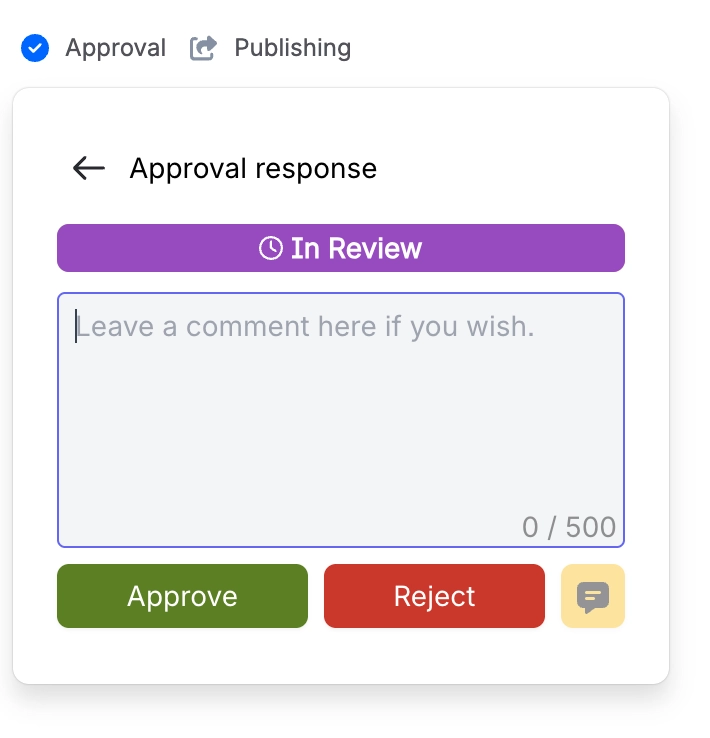
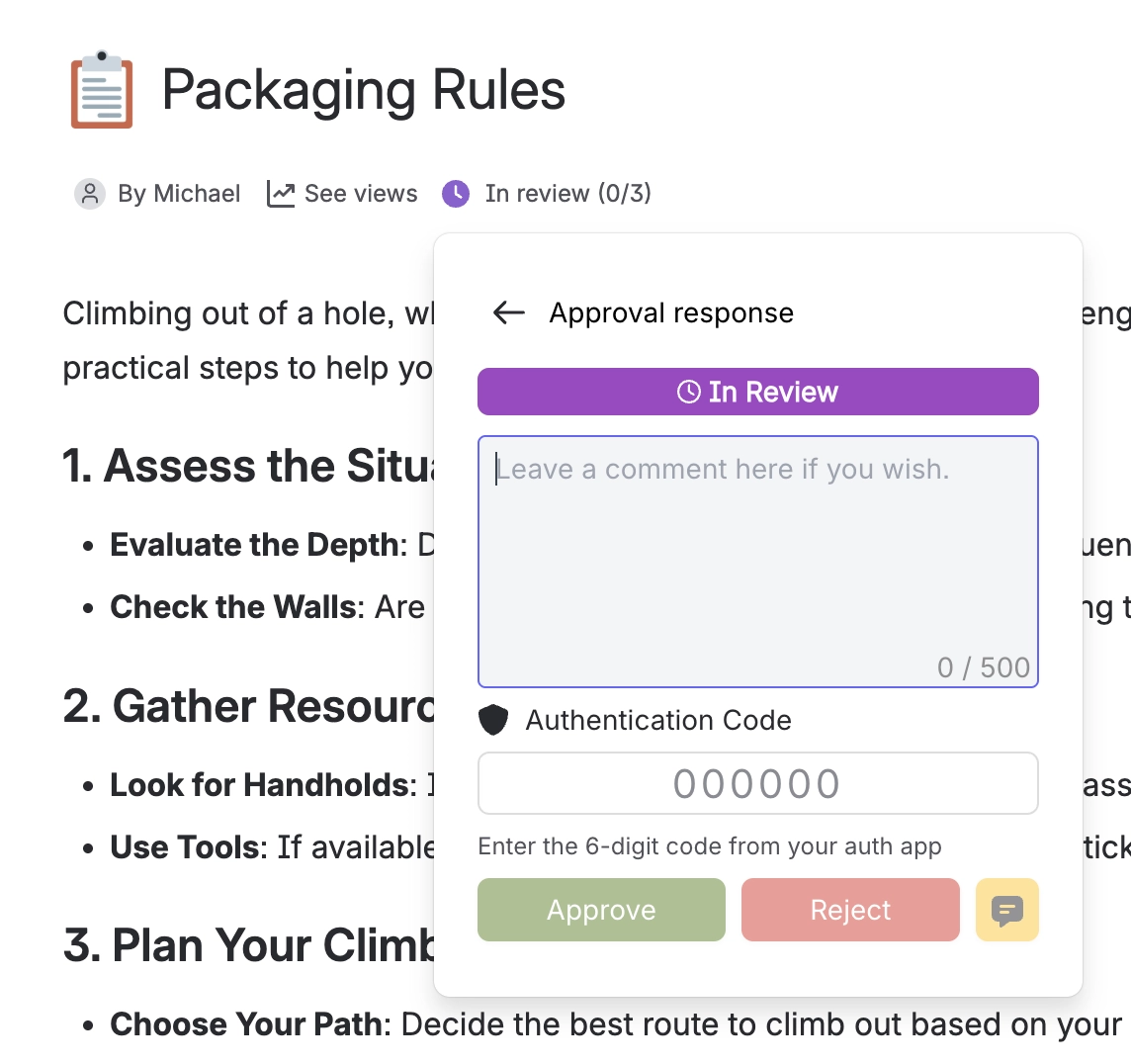
Choose your answer, add a note if you like, and submit. If your space administrator has made codes required, enter the code from your authenticator app too.
Answer | Moves the page to | What it does |
|---|---|---|
Approve | APPROVED | Counts toward the minimum approvers |
Reject | REJECTED | One rejection refuses the page by default |
Comment | REVIEW | Nothing. The page stays in review. |
A comment is not an answer. It takes you off the waiting list, so the request stops chasing you, but it counts toward nothing. If everyone only comments, the approval waits forever and never expires. This is the single most common reason a request looks stuck.
Notes can be up to 500 characters and are kept permanently in the history. The comment-only button stays disabled until you have typed something, which is why it can look broken on an empty form.
#If your space asks for a code
Some spaces require a six-digit code from your authenticator app on every response, which turns your answer into a signature. The history then records that it was authenticated. See Sign approvals with a code.
If you have not enrolled yet, you cannot respond at all until you do. Slack buttons and bulk actions are also unavailable in those spaces, because neither can collect a code.
#Changing your mind
You can change your answer at any time, including after the page has already been approved or rejected. Your entry is overwritten, another history entry is added, and the decision is recalculated. One person switching to reject will un-approve a finished page.
That is deliberate. If you spot a problem the day after sign-off, you should be able to say so. The permanent record is the history, which keeps every answer anyone ever gave, including the ones they changed.
#A few things that catch people out
Only people on the reviewer list can respond. Being a space administrator does not grant it. Ask the requester to add you, which they can do without restarting the request.
If two people have the same approval open, neither sees the other's answer appear live. Reload to see what a colleague just did.
Your note is visible to everyone on the notification list, in full, including in Slack.
- Your original answer is not lost. It stays on the record for the version you gave it against, which is what makes the history useful to an auditor. ↩
#Related
Approval statuses explained
What each label means, and why yours differs from the page one.
How approvals work
How your answer turns into a decision.
Sign approvals with a code
When your answer needs to count as a signature.
Slack
Answer without opening Confluence at all.
Track approvals
Everything waiting on you, in one place.
View approval history
Every answer ever given on a page.
Answered. That is one less thing sitting in somebody else's inbox.






















