
Install Capable Approval
Capable Approval installs from the Atlassian Marketplace like any other Confluence app. There is nothing to host, nothing to configure first, and you can be sending approvals within a couple of minutes of it landing.
#Two ways to get it
Option | Best when |
|---|---|
Approval on its own | Approvals are the only thing you need. |
Capable for Confluence, the full suite | You also want diagrams, markdown, search, images, calendars and the rest. Approval is included, and one app is easier to administer than eight. See Plans and pricing. |
#Installing it
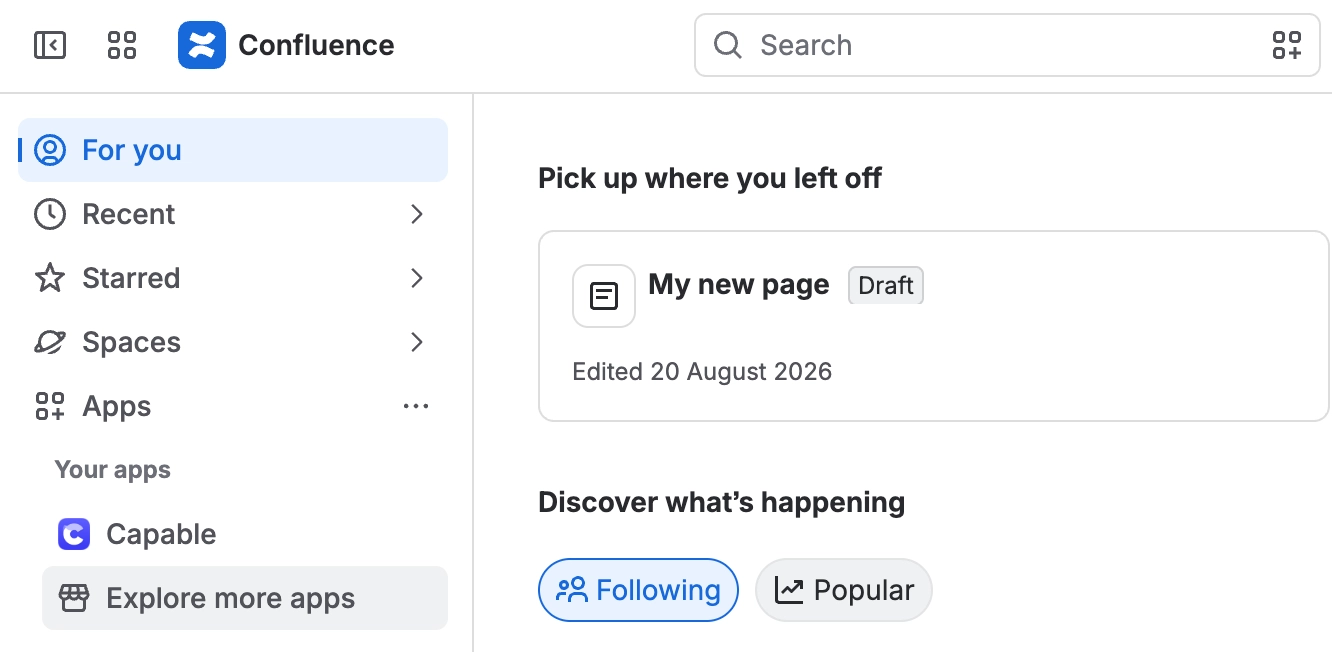
As a Confluence administrator, open Apps → Explore more apps.
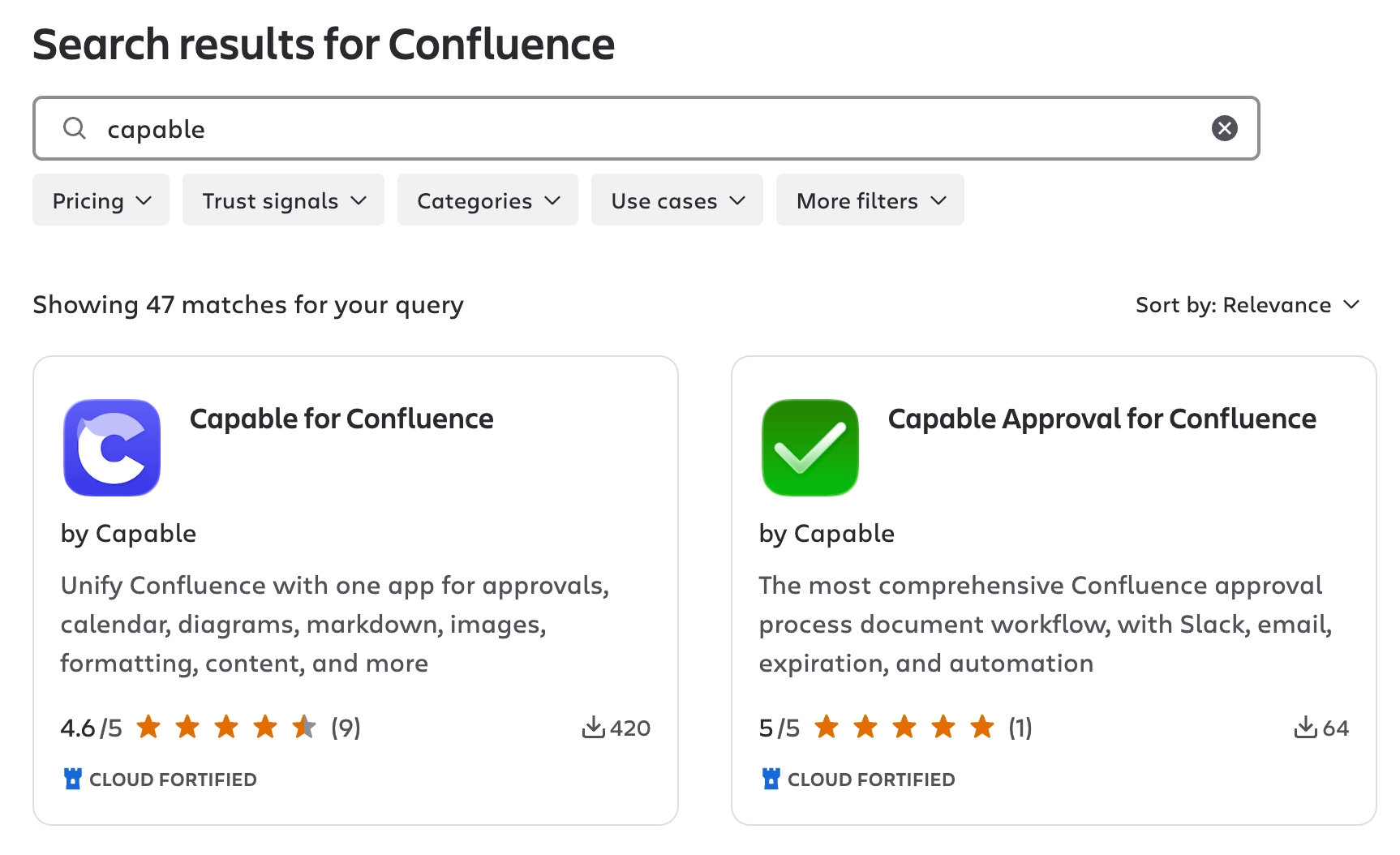
Search for Capable, then choose Capable Approval for Confluence or Capable for Confluence.
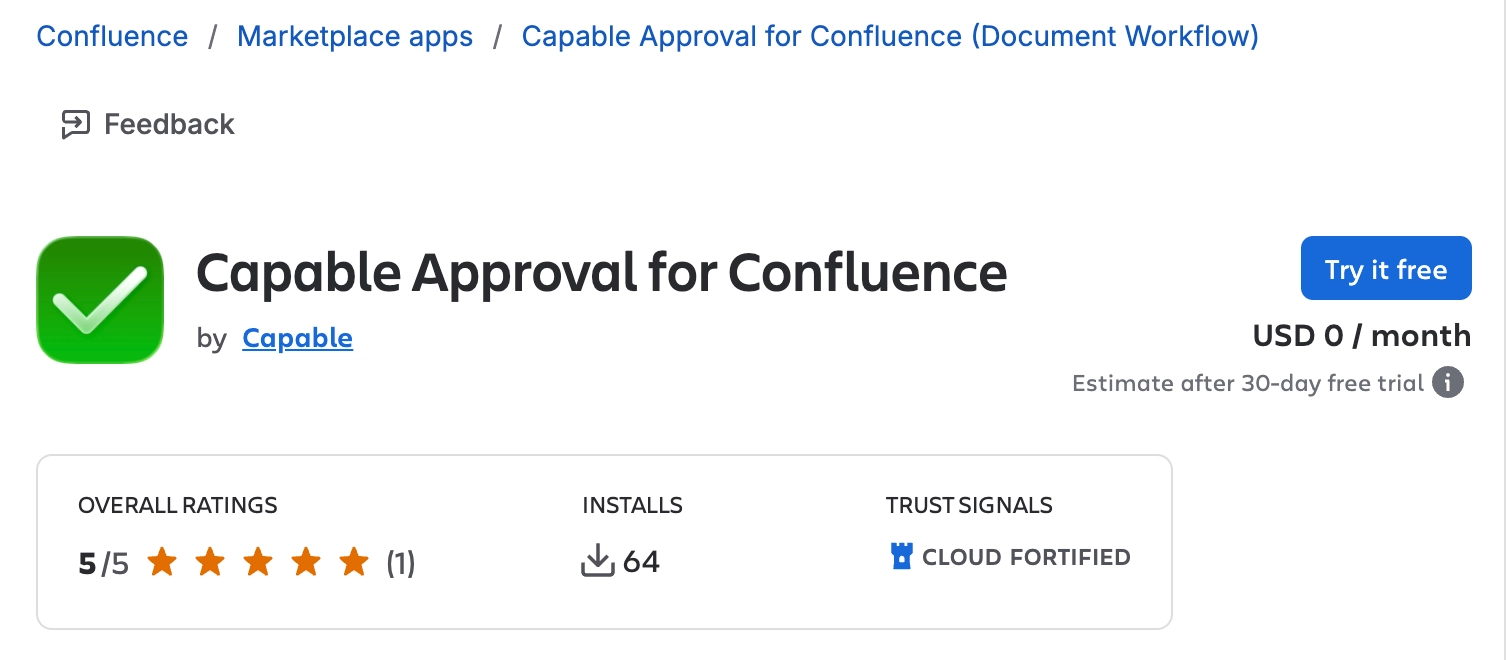
Click Try it free.
Approve the permissions the app asks for, then click Start free trial.
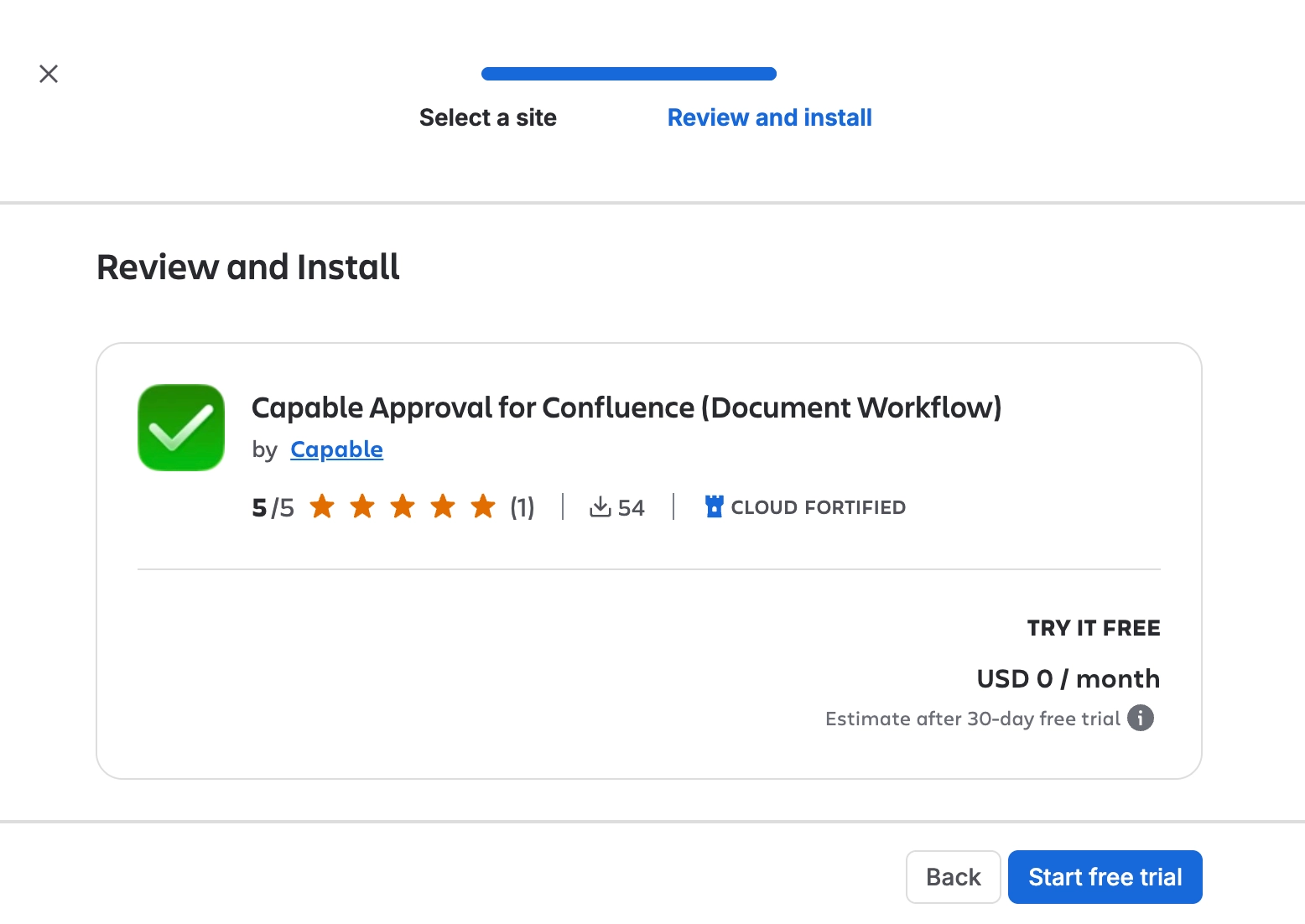
A free trial starts automatically and nothing is charged until it ends.
Open any page you can edit. Approval should appear in the Capable row just under the page title.
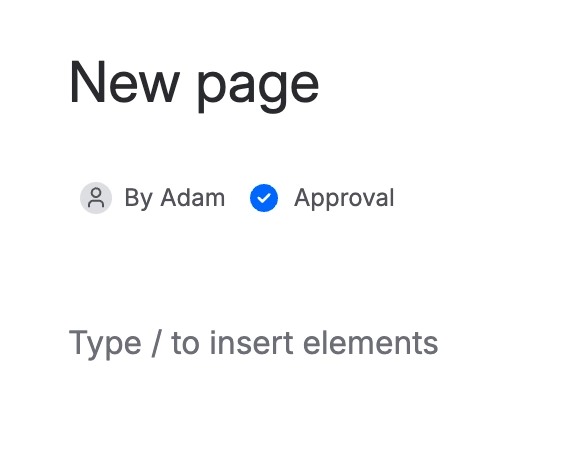
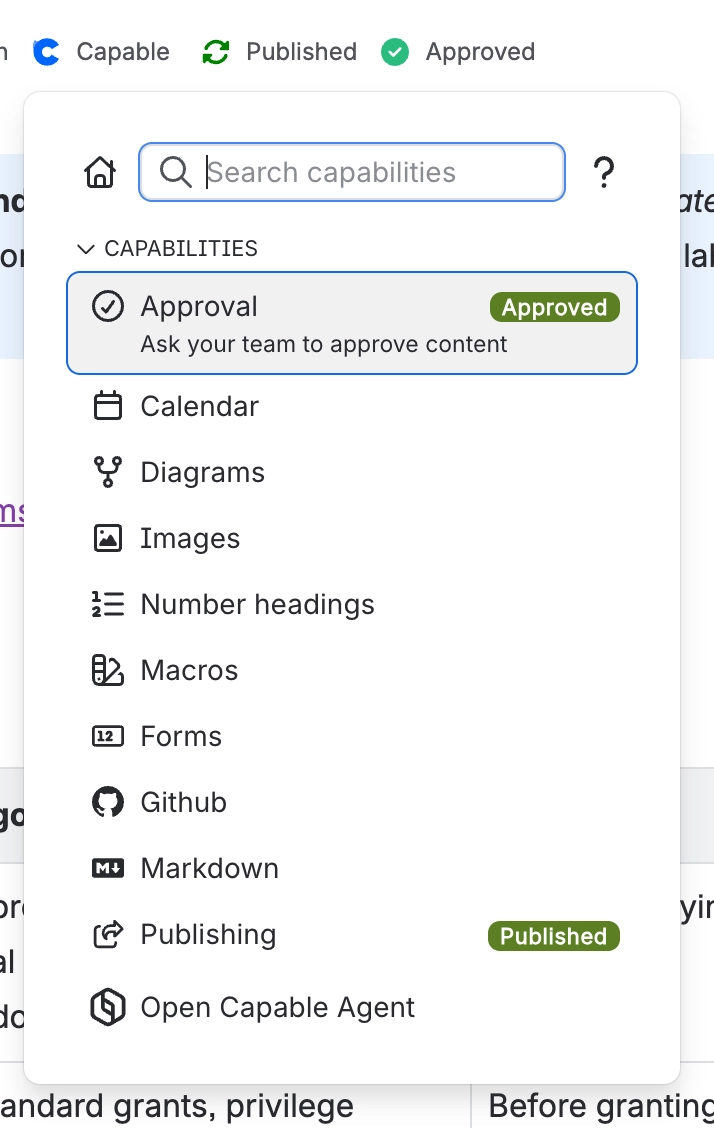
If you installed the suite and cannot see it on a fresh page, nothing is broken. In the suite, the Approval entry only appears on pages that already have an approval. To add one, open the unified Capable menu just under the page title and choose Approval. In the standalone app it is always there.
#What to do next
If you want to | Go to |
|---|---|
Try it immediately, with no configuration | |
Roll it out to a whole team | |
Reach people where they already work | |
Understand what happens after you hit send |
#Updates, and what happens if you uninstall
Updates arrive automatically, so there is no upgrade to schedule.
Uninstalling deletes your approvals, their history and your approval teams, because they are held in Forge storage, so uninstall and reinstall is not a safe troubleshooting step. Atlassian can restore it for up to two weeks after the uninstall. If you uninstalled by mistake, contact Capable support straight away. After two weeks it is gone for good. Before you uninstall, keep a record of any approval history you need for audits. A lapsed licence is different: nothing is deleted.
#A few things that catch people out
You need to be a Confluence administrator to install. See Who can do what.
Do not install the standalone app and the suite together. Pick one.
Nothing needs configuring before first use. Space settings are for when you want to tighten things up, not to get started.
Slack is connected once for the whole site, by a Confluence administrator, not per space.
#Related
Your first approval
Five minutes, one page, no settings.
Plans and pricing
How it is licensed, and whether the suite is better value.
Set up a space for approvals
Rolling it out to a team properly.
Slack
Requests where people already work.
Who can do what
Which permission each action needs.
Site settings
Site-wide settings and integrations.
Installed and ready. Now go and get something signed off.






















