
Manage approval teams
Teams are the piece that makes approvals scale. Once they exist, authors pick reviewers in one click, automation has something to assign to, and nobody has to remember who is supposed to sign off what. Using them day to day is covered in Teams and assignment.
#Where to create them
Kind | Where | Who |
|---|---|---|
Global, offered in every space | Confluence settings, Apps, Capable Approval, Teams | Confluence administrator, or somebody delegated |
Space, one space only | Space settings, Capable Approval, Approval teams | Space administrator |
Both are also reachable from the space settings screen, which is usually the easier route in.
#Enabling a team where it will be used
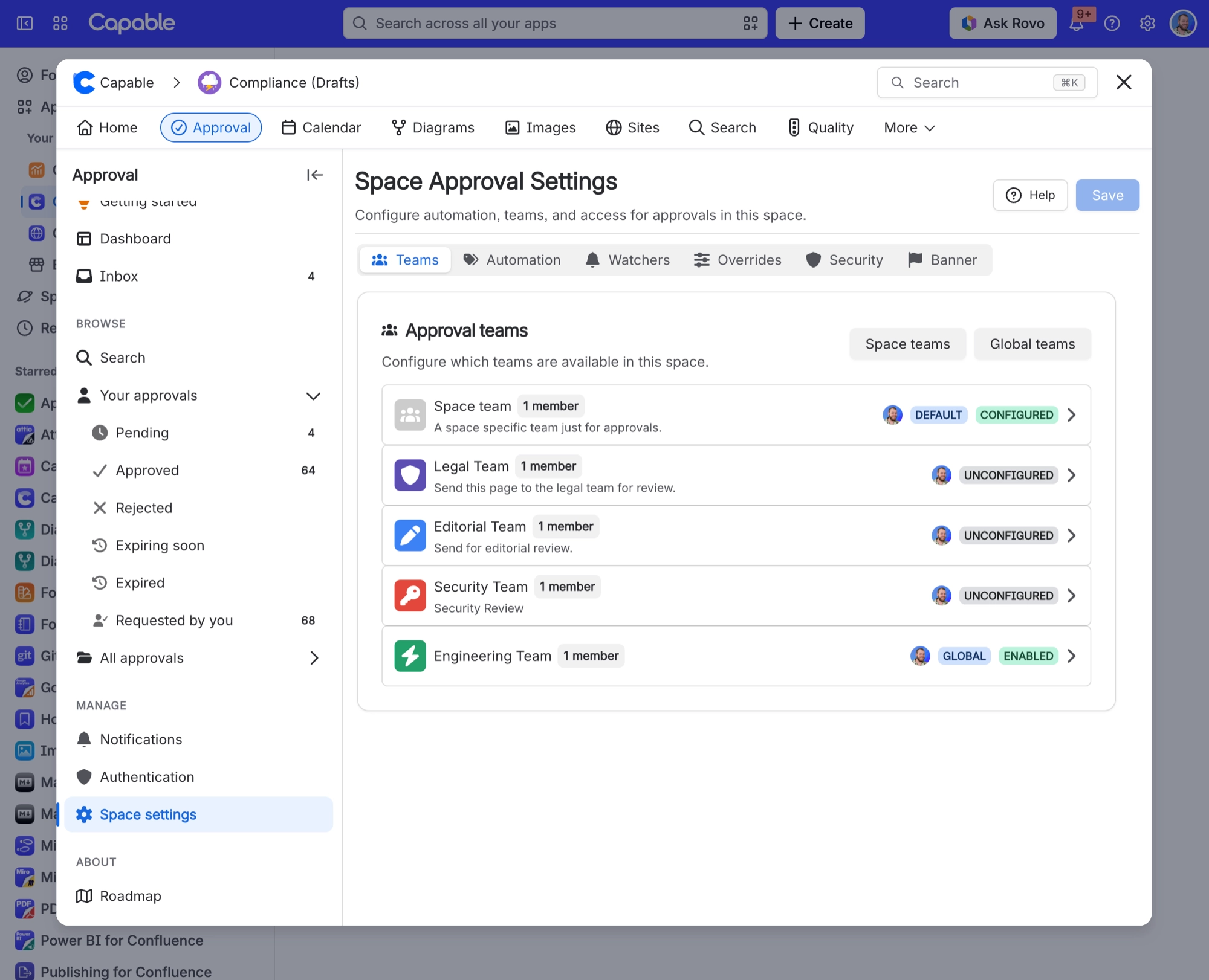
A global team is not automatically usable everywhere. Each space enables the teams it wants and sets their rules, which is exactly what lets one team need two approvals in one space and four in another.
State in a space | What happens |
|---|---|
| UNCONFIGURED | Never set up here. It does not appear on pages in this space at all. |
| DISABLED | Set up but switched off. Also unavailable. |
| EMPTY | Enabled but nobody is in it. Automation using it does nothing, silently. |
| CONFIGURED | Working. Authors can pick it and automation can assign to it. |
If you would rather not configure a team space by space, switch on show in all spaces. It becomes usable everywhere with sensible defaults: enabled, everyone must approve, one rejection refuses, no expiry.
A team switched on for all spaces cannot then be configured per space. If even one space needs different rules, leave it off globally and let each space enable it. See Space settings.
#Teams backed by a Confluence group
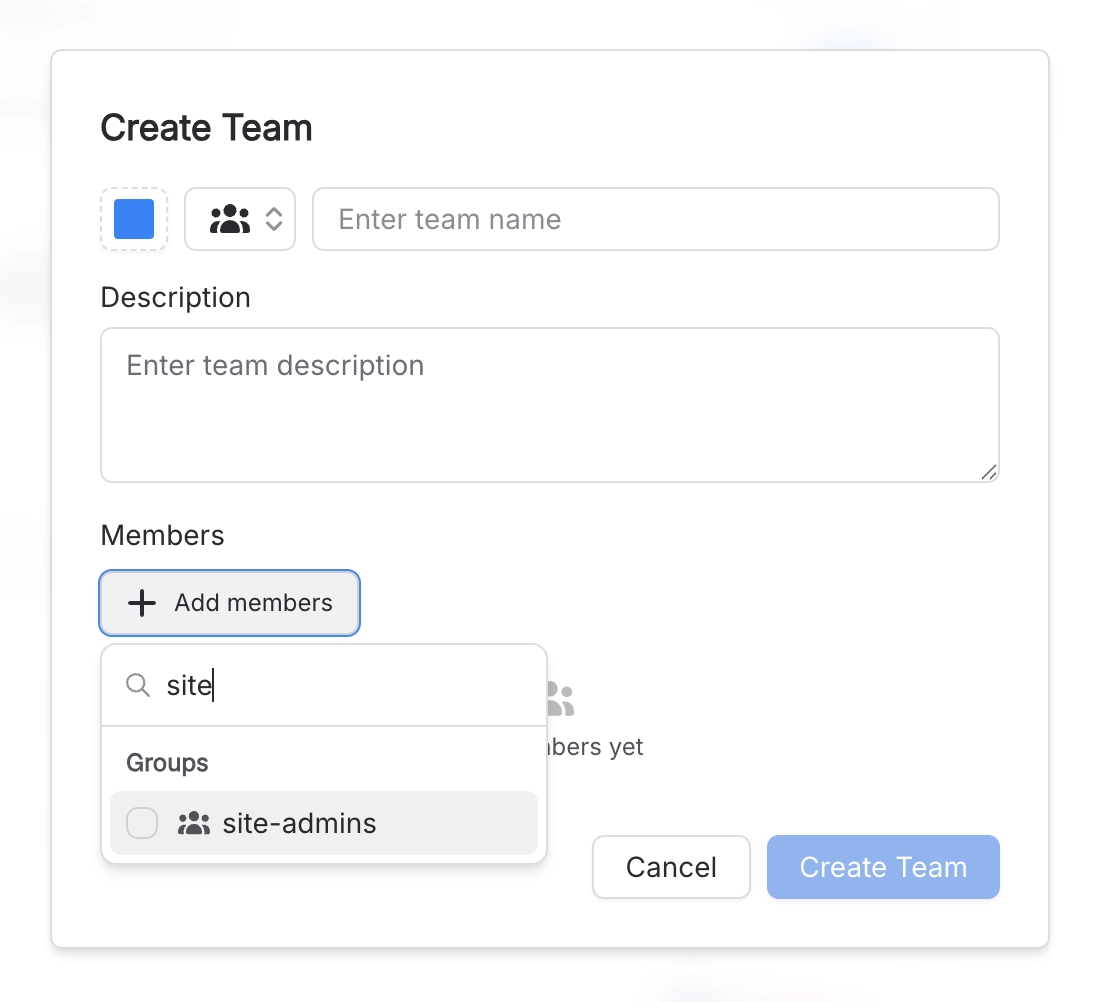
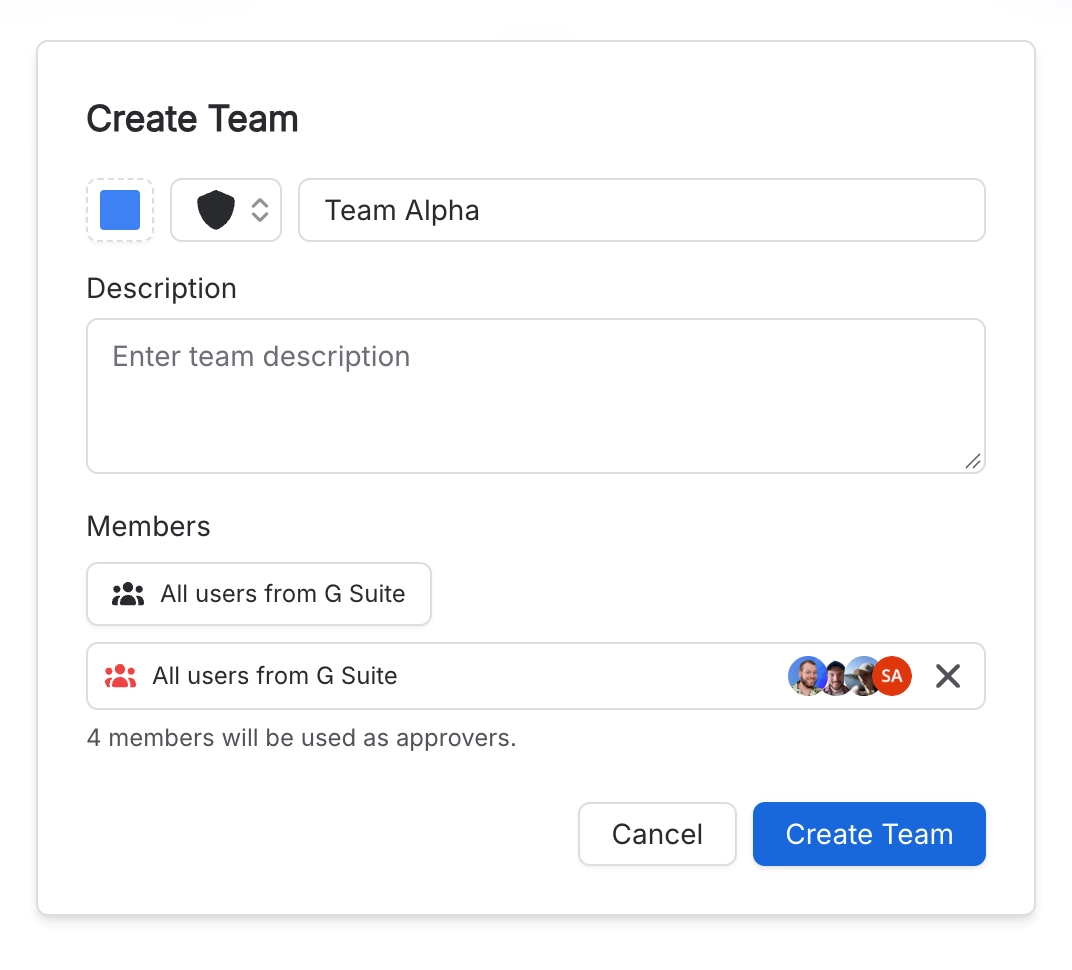
Point a team at a group and membership follows the group with no maintenance at all. New starter joins the group, new starter reviews documents.
Limit | Detail |
|---|---|
Members used | Up to 30 people |
How they are chosen | By display name, from the first 150 people in the group |
Excluded | App and service accounts |
For a group larger than 30, either narrow the group or list people directly.
#Letting other people manage teams
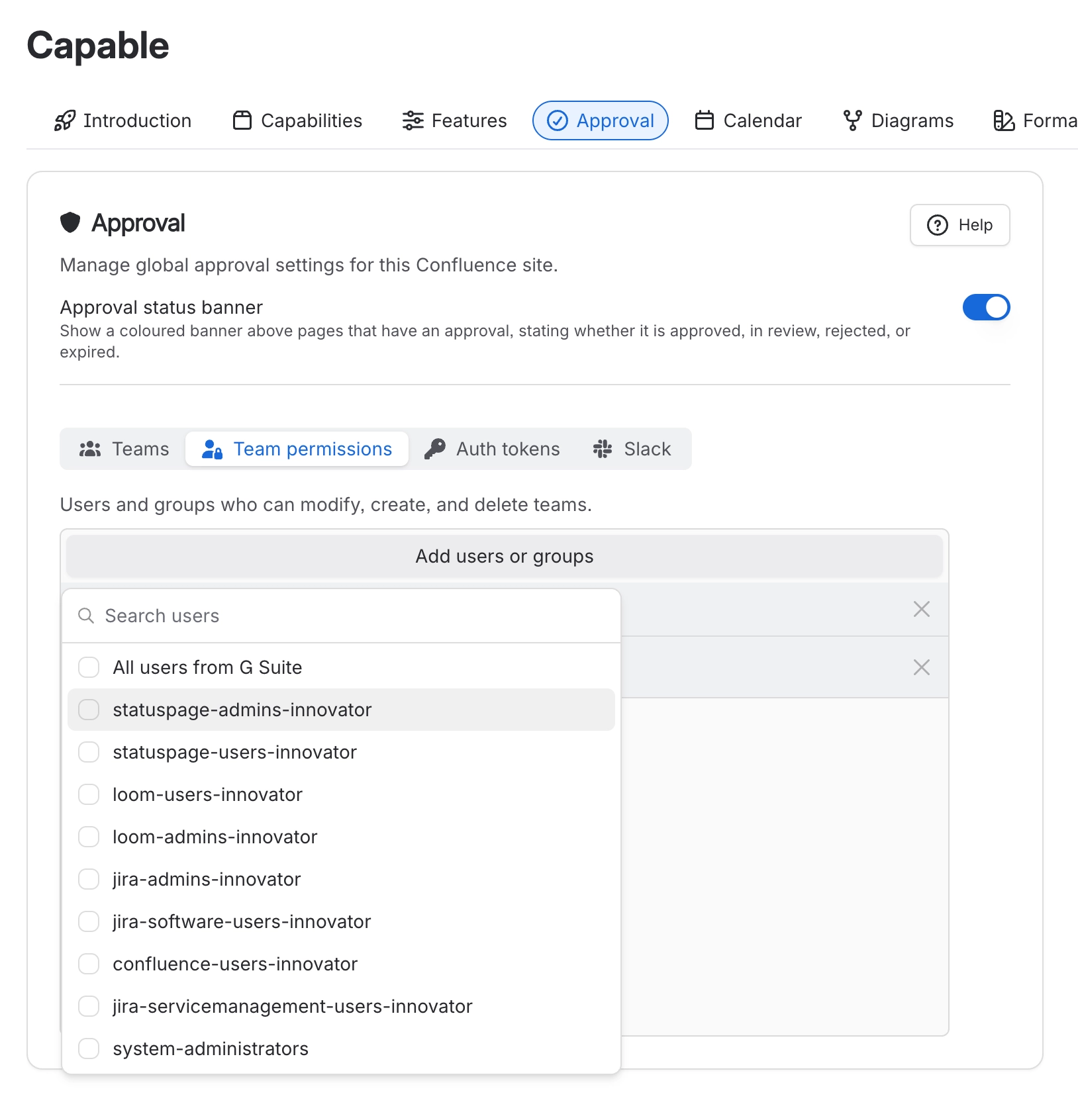
By default only Confluence administrators manage global teams. Add named users or groups in Team permissions to delegate it, typically to a quality or compliance lead who should not be a full Confluence administrator. See Site settings.
Confluence administrator groups and your own account are locked into that list, so nobody can lock everybody out.
The list governs global teams only. Space administrators can always manage teams inside their own space, whatever is set here. See Who can do what.
#A few things that catch people out
A team that is Unconfigured in a space will not appear on pages there, however well set up it looks globally.
A team with no members and no group cannot be used, and automation using it does nothing without saying so.
Deleting a team configuration in a space removes it from that space but leaves the team itself intact.
Team names are 3 to 75 characters and unique within their own kind, so a global and a space team may share a name.
#Related
Teams and assignment
Using teams day to day.
Space settings
The per-team options and defaults.
Automatic approvals
Which depends on an enabled team.
Site settings
Global teams and delegated management.
Set up a space for approvals
Setting a whole space up in order.
Who can do what
Who is allowed to manage what.
Set the teams up once, and every space that needs them just switches them on.






















