
Notifications
Microsoft Teams support is coming soon.
Nothing here needs setting up. Ask somebody to approve a page and they are notified by email, and in Slack or Microsoft Teams too if your site is connected. This page is for when you want to know exactly who hears about what, and how each person chooses where they hear it.
#Who hears about what
Event | Reviewers | Requester | Watchers |
|---|---|---|---|
New request | YES | NO | NO |
Added as a reviewer | YES | NO | NO |
Somebody responds | NO | YES | YES |
Approved or rejected | YES | YES | YES |
Expired | YES | YES | YES |
Reviewers are the people on the list. The requester is whoever raised it. Watchers are named per space in Space settings. The same events go out on every channel a person has switched on: email, Slack and Microsoft Teams.
#Choosing your own channels
Each person decides for themselves where they hear about approvals. There is one switch per channel, and nothing you change here affects anybody else.
Where | What you see |
|---|---|
Notifications, under Manage in the Approval sidebar | A card per channel: Send me email notifications, Send me Slack notifications and Send me Microsoft Teams notifications |
Your Capable settings, in the Notifications section | The same three switches: Email, Slack and Microsoft Teams |
Your choices apply to this Confluence site only. The Slack and Microsoft Teams switches say Applies once your admin connects until an administrator connects that channel, so you can set them in advance.
Each switch is all approval messages on that channel or none. There is no per-event choice. If an administrator has turned a channel off for the whole site, its switch is greyed out and says so.
#For administrators
Site-wide settings for every channel live together on the Notifications tab in Global settings. You reach it from Global settings under Manage in the Approval sidebar, from Confluence administration, or from Manage notifications in your Capable settings.
Card | What it holds |
|---|---|
Email notifications, which turns approval emails off for everybody on the site | |
Slack | Whether Slack is connected and the switch to connect it, Slack integration, Slack approval actions, and Set up for Slack channels. See Slack. |
Microsoft Teams | Whether Teams is connected and the switch to connect it, Microsoft Teams integration and Microsoft Teams approval actions. See Microsoft Teams. |
A site-wide switch beats a personal one: turn a channel off here and nobody gets it, whatever their own setting says.
#Emails
Approval emails come from Capable Approval, and the reply-to address is the person who asked. Replying goes to a human rather than into a void, which is worth knowing the first time somebody hits reply out of habit.
Each email carries the page title, who asked, and a button that opens the right place: Respond to request, View response, View approved page or View page, depending on why you got it.
#Watchers
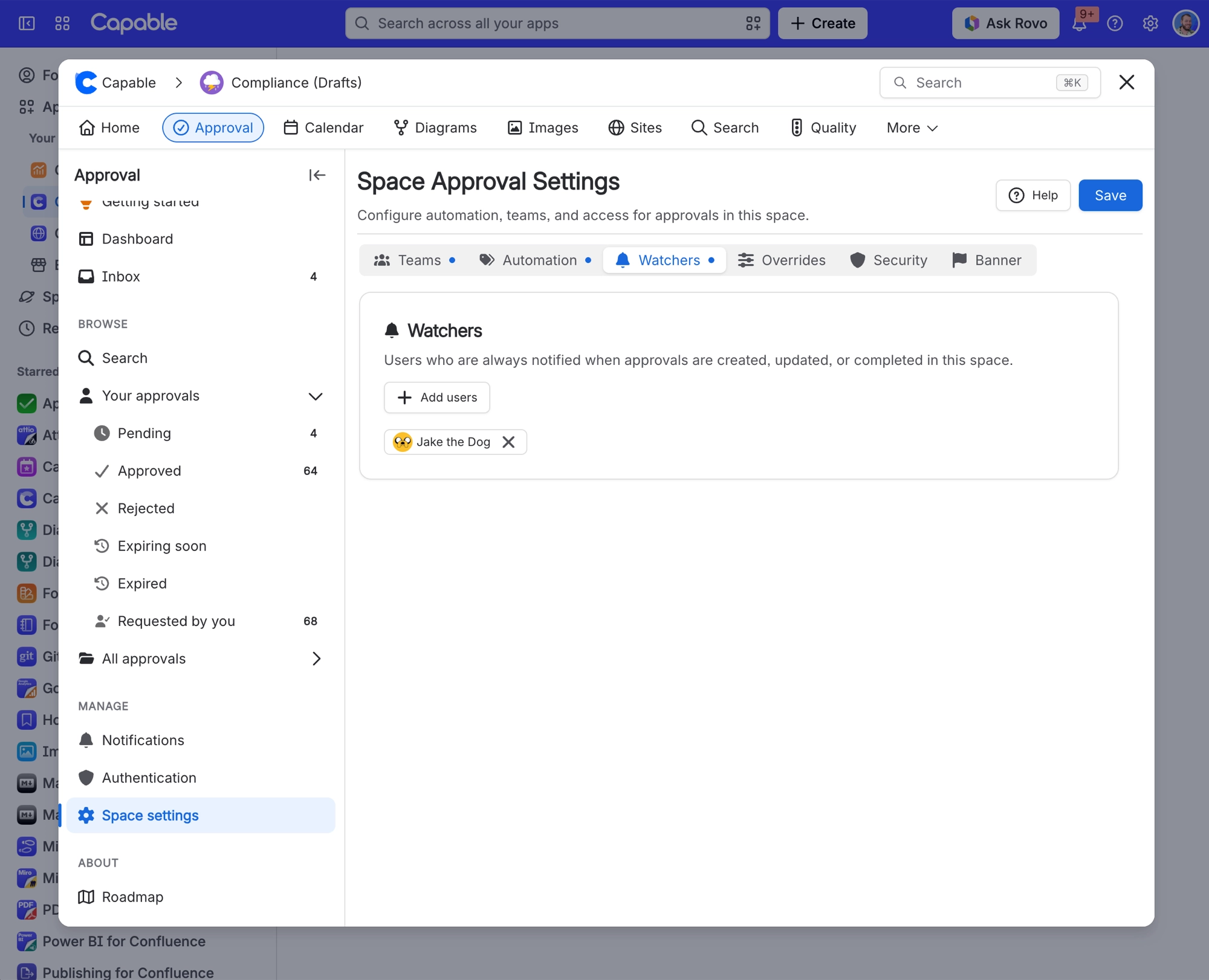
A space administrator can name up to 50 people who hear about every approval outcome in the space, whether or not they are reviewers. It is aimed at a compliance lead who needs to know what got signed off without sitting in every review.
Watchers hear about outcomes only, never about a request being raised. A watcher who cannot read the page gets nothing at all.
#Slack and Microsoft Teams
Direct messages, one-click Approve and Reject buttons, and Slack channel notifications are covered in Slack and Microsoft Teams.
#A few things that catch people out
Expiry notices can arrive up to an hour late, because expiry is checked once an hour rather than on the minute. When a team's approval expires, people still on the team get the expiry notice, people who joined since get a normal request, and people who left get nothing. See Expiry and re-approval.
Editing a page sends no notification even though it resets the approval. Reviewers find out next time they look, or when the request is raised again.
Withdrawing a request notifies nobody. If you cancel one, go and tell the people you asked. See Remove or restart an approval.
Comments are included in full in emails, Slack and Microsoft Teams messages, so everyone on the list reads them. Write them accordingly.
Watcher emails can look like your own request. They use the same wording as the requester's copy, so they can read as though you asked when you did not.
People who cannot read the page are skipped silently, which is the usual reason somebody says they heard nothing. See Who can see what.
Turning off Slack for yourself does not stop channel posts. Your switch covers messages sent to you, not the Slack channels an administrator set up.
#Related
Now you know exactly who hears what, and when.






















