
Expiry and re-approval
A policy signed off two years ago and never looked at since is worse than no policy, because people trust it. Expiry brings approved pages back around on a schedule and tells everyone when they are due.
Expiry is a re-review clock, not a response deadline. It has no effect on a request still waiting for answers. The clock starts once the approval reaches approved or rejected.
#Two ways a page comes back
Trigger | When | Who is asked again |
|---|---|---|
The page is edited | Immediately, on publish | The same reviewers, same thresholds |
The deadline passes | At the next hourly check | The same reviewers, all reset |
Editing is covered on How approvals work. If the approval came from a team, the team's current members and settings are read again first, so somebody who joined last week is included.
Only an exact date at least a day ahead carries across an edit. Period-based expiry is worked out again when the new round completes, so the clock runs from the new sign-off rather than the old one.
#Setting an expiry
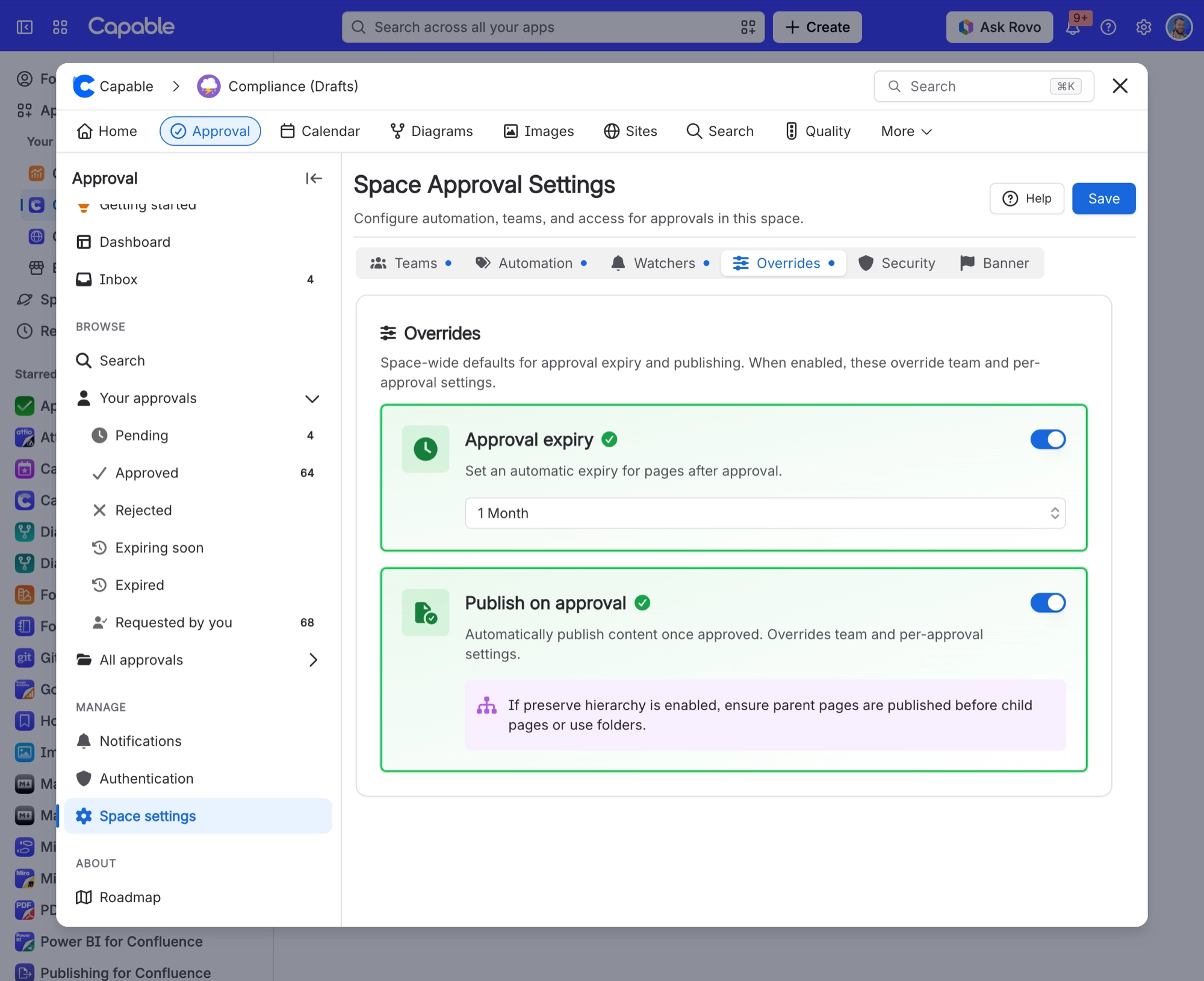
Three places, and the more specific one wins.
Where | Applies to |
|---|---|
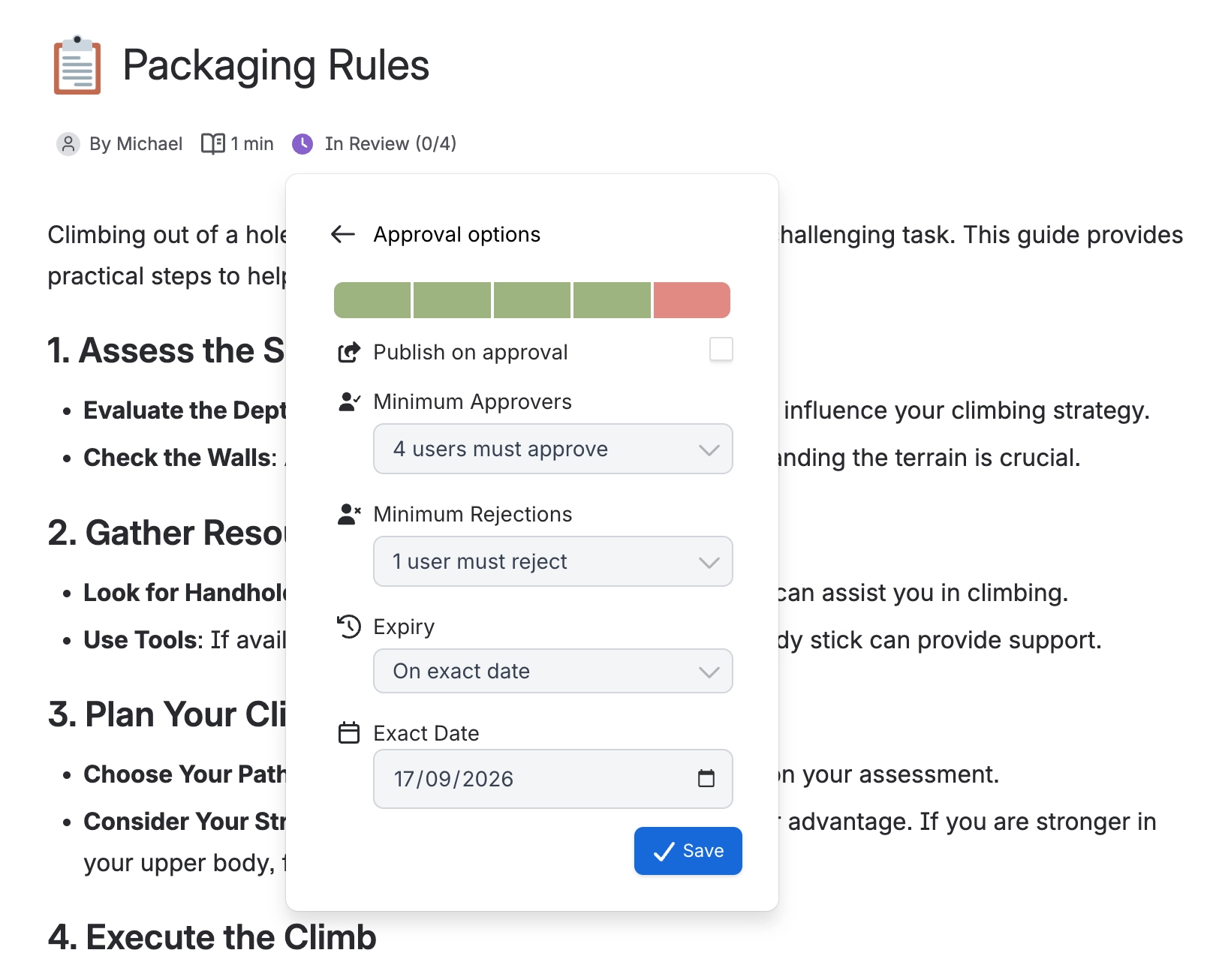
The approval panel, on one page | That page. See Request an approval. |
A team configuration | Everything that team approves in that space. See Teams and assignment. |
Space settings | Every approval in the space. See Space settings. |
#The options
Option | Notes |
|---|---|
No expiry | The default. Stays approved until edited. |
1 month, 3 months, 6 months, 1 year | Counted from when the approval completes. |
Custom interval | Days, weeks, months or years. If you count in days, the minimum is 7. |
Exact date | A fixed calendar date. Pick today or earlier and it moves to tomorrow. |
#What happens when it expires
Once an hour, Capable looks for approvals past their deadline. Each one it finds has every reviewer reset to in review, and everyone is notified. The page is no longer approved.
Before the deadline | After it expires |
|---|---|
| APPROVED | REVIEW |
#Rejected pages expire too
An approval counts as complete once it is approved or rejected, and the clock treats both the same. A rejected page comes back for re-review on the same schedule as an approved one.
#Finding what is about to lapse
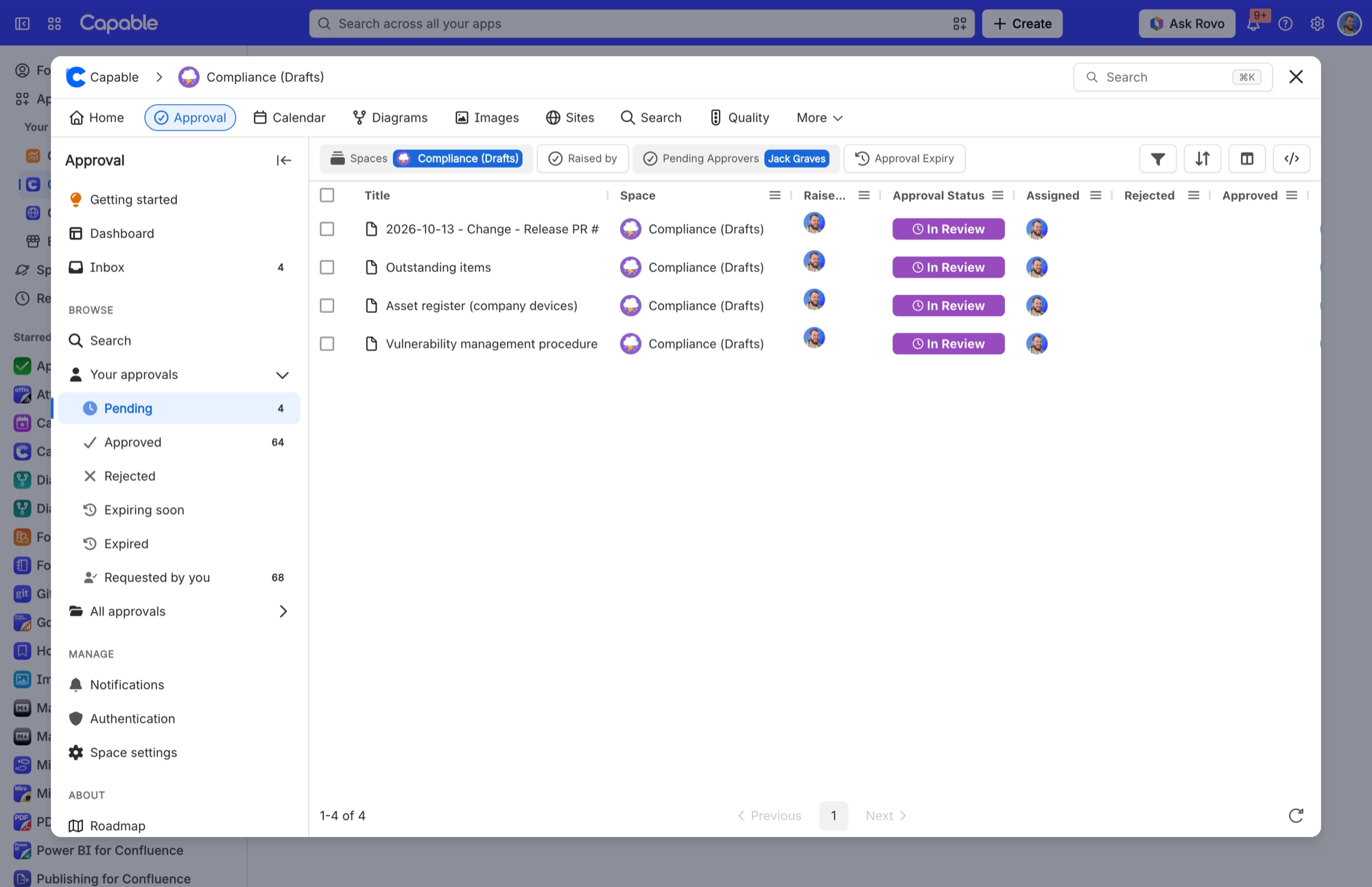
Expiry dates are searchable and sortable, so you can build a standing view of everything due next month and work through it at a monthly meeting. See Search and reporting.
#A few things that catch people out
Expiry is processed hourly. Don't build a process that relies on it happening at an exact minute.
An approval that never completes never expires, including one where everybody only commented.
A pending approval only ever expires on an exact date. Relative periods need a decision first.
Automatic publishing happens on approval only, never on rejection or expiry. See Publishing.
#Related
Nothing goes stale without somebody being told.






















