
Publish on approval
Publish on approval is the only way pages publish without someone clicking Publish. When an approval reaches Approved, the page is queued for publishing with the method "Approval", and the people who approved it are shown as "Approved by" in the Publishing byline.
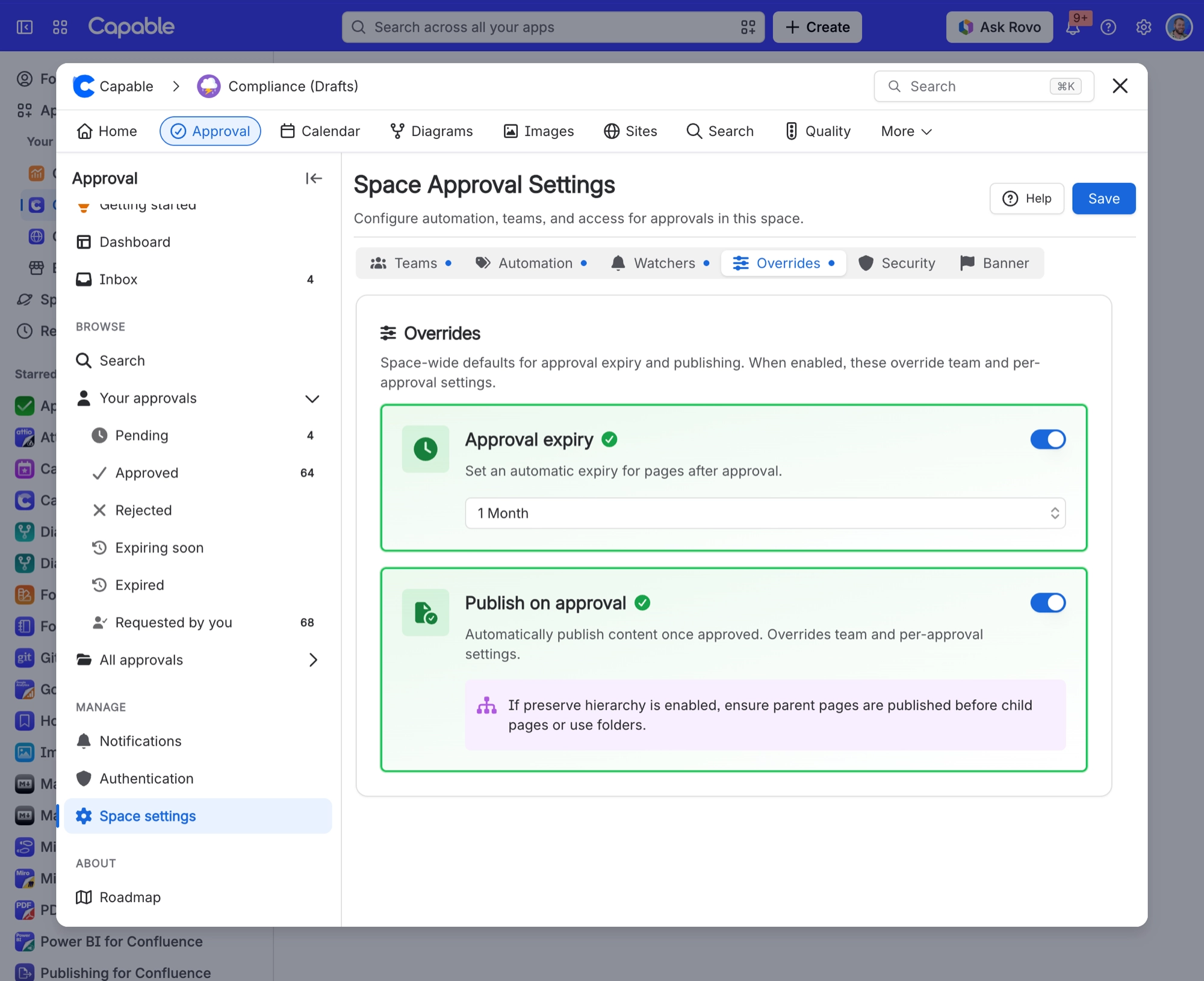
You can switch it on for a whole space. The space-level setting is labelled "Publish on approval. Automatically publish content once approved. Overrides team and per-approval settings". When it is on, the per-approval checkbox is locked on.
#Where to find it
Space settings → Approval → Overrides tab. You can also set it per approval team, and per approval from the approval byline options.
#Settings that affect this
Setting | Where |
|---|---|
Enable publishing | Space settings → Publishing → Setup tab |
Target space | Space settings → Publishing → Setup tab |
Allow manual publishing | Space settings → Publishing → Setup tab |
#Worth knowing
"Missing target" only shows up on the next publish attempt, not when the target page is deleted. The status can be out of date for a while.
Page restrictions are not carried onto the published copy, so a restricted source page becomes an unrestricted page in the target space.
To read restricted source pages, the app adds its own app user to the source page's restrictions every time it publishes, and whenever restrictions are edited in a publish-enabled space.
Status lists, dashboard counts and bulk-selection counts rely on Confluence's search index, so freshly published or changed pages can be missing from them for a while. The byline shows a "Content not yet indexed" warning during that time.
The status lists and dashboard counts only include pages. Folders and blog posts never appear in Published, Unpublished, Outdated, Moved, Failed or Invalid, even though folders are published and tracked.
#Related
How it actually behaves.






















