
The Capable byline
Every page gets a single "Capable" entry in its byline, next to the author and the date. That menu is the front door to everything the suite can do with the page you are looking at.
It matters more than it sounds, because several capabilities have no macro and no navigation item. The byline is the only way to reach them.
#Opening it
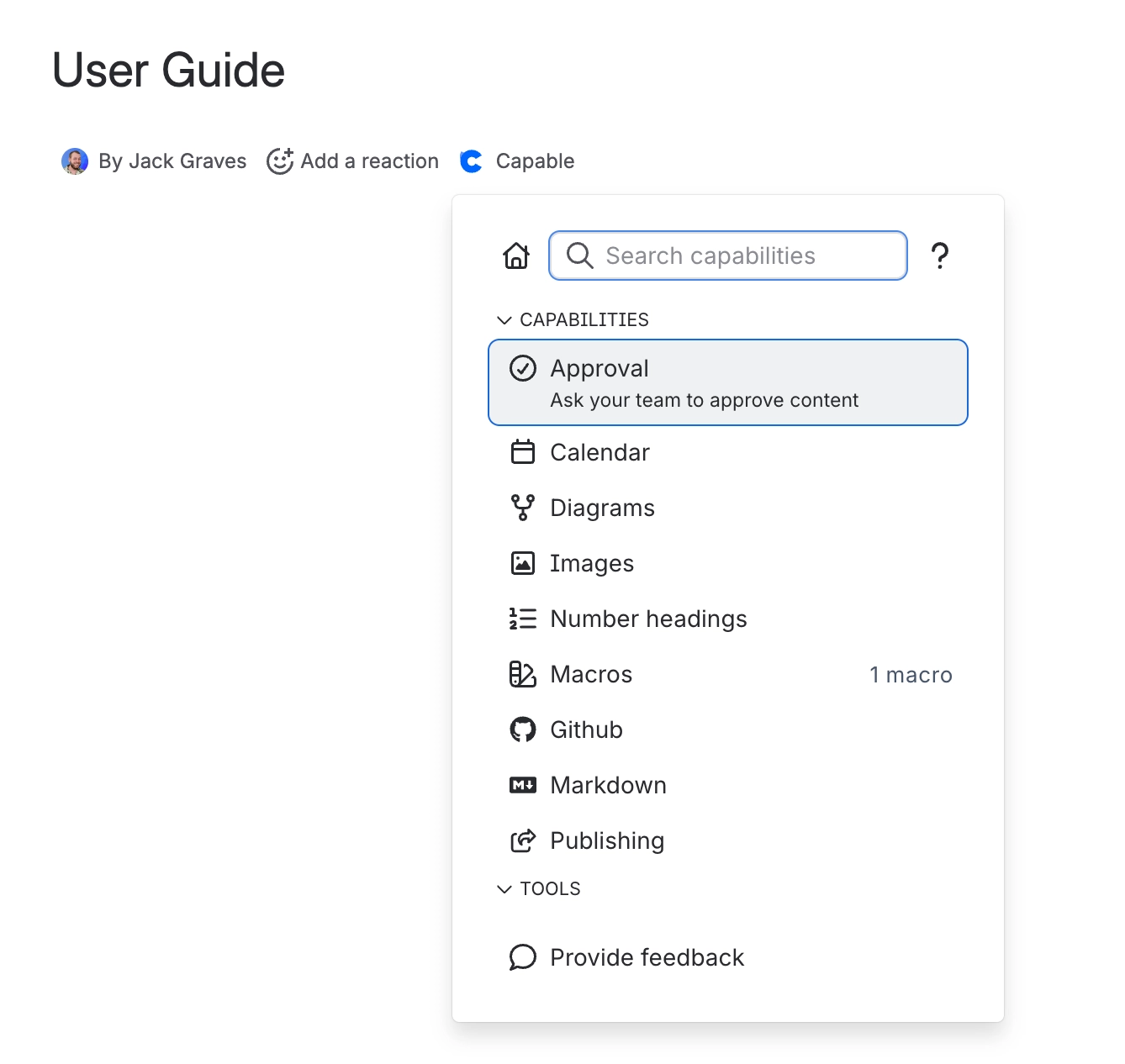
Route | Detail |
|---|---|
Click | The "Capable" entry in the page byline |
Keyboard | Press the comma key |
#What is only in here
Source, Export, Tasks and numbered headings have no other entry point in the product.
#Searching from it
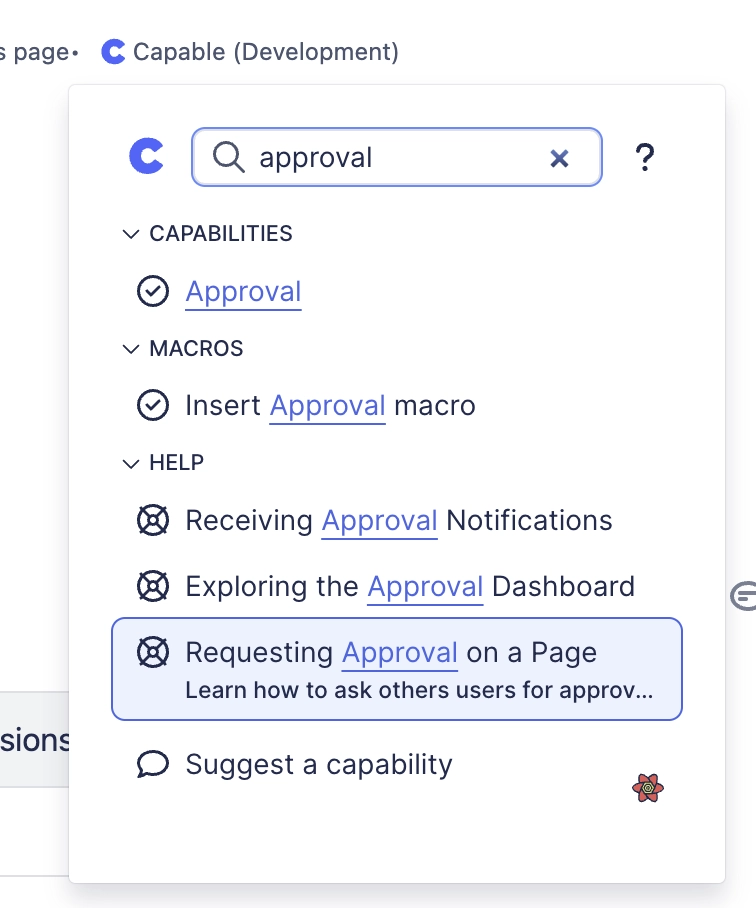
Typing in the byline panel queries every installed capability at once, and returns each one's matches under its own heading. It is the fastest way to find something related to the page you are on.
#Templates and diagram libraries
The same box also finds things to insert. Results arrive in two extra sections, below the capabilities and above help:
Section | What it finds |
|---|---|
Templates | Your own templates first, from this space and the global library, then the built-in diagram and Markdown templates |
Diagram libraries | Mermaid, PlantUML and the other diagram languages, each opening with a starter diagram. A library an administrator has turned off does not appear |
Pick a result and the editor opens with it filled in, ready to insert into the page. Each section shows up to five results.
Nothing loads until you type. Opening the byline costs no extra requests. Template and library results appear a moment after your first keystroke, below everything else, so the row you are pointing at never moves.
The byline shares its template search with the command palette, so the two find the same things.
Per-capability byline entries hide themselves until the page uses them. On a brand new page you see only the single "Capable" entry, because indexing has not yet recorded what the page contains. That is expected, not a fault.
#Per-capability byline entries
Once a page uses a capability, that capability can add its own entry to the byline. These carry short names: Approval, Calendar, Diagram, GitHub, Headings, Markdown and Publishing. Older screenshots may show them as "Approval (Capable)" or "Capable Publishing"; they are the same entries.
#A few things that catch people out
The single "Capable" entry is a suite feature. Standalone apps show their own byline entry rather than a unified one, although the standalone Diagrams and Markdown apps can search templates from theirs too.
The comma shortcut works when the page has focus, not while you are typing in an editor.
A capability hidden by an administrator disappears from here too, along with its templates.
Template search matches titles and descriptions, not the content of a template.
#Related
One menu. Press comma, then type.






















