
Page tools
Six capabilities do their work on the page you are already looking at rather than through a macro. All of them live in the Capable byline, and most exist only in the suite.
They are easy to miss precisely because there is no macro to insert.
#What each one does
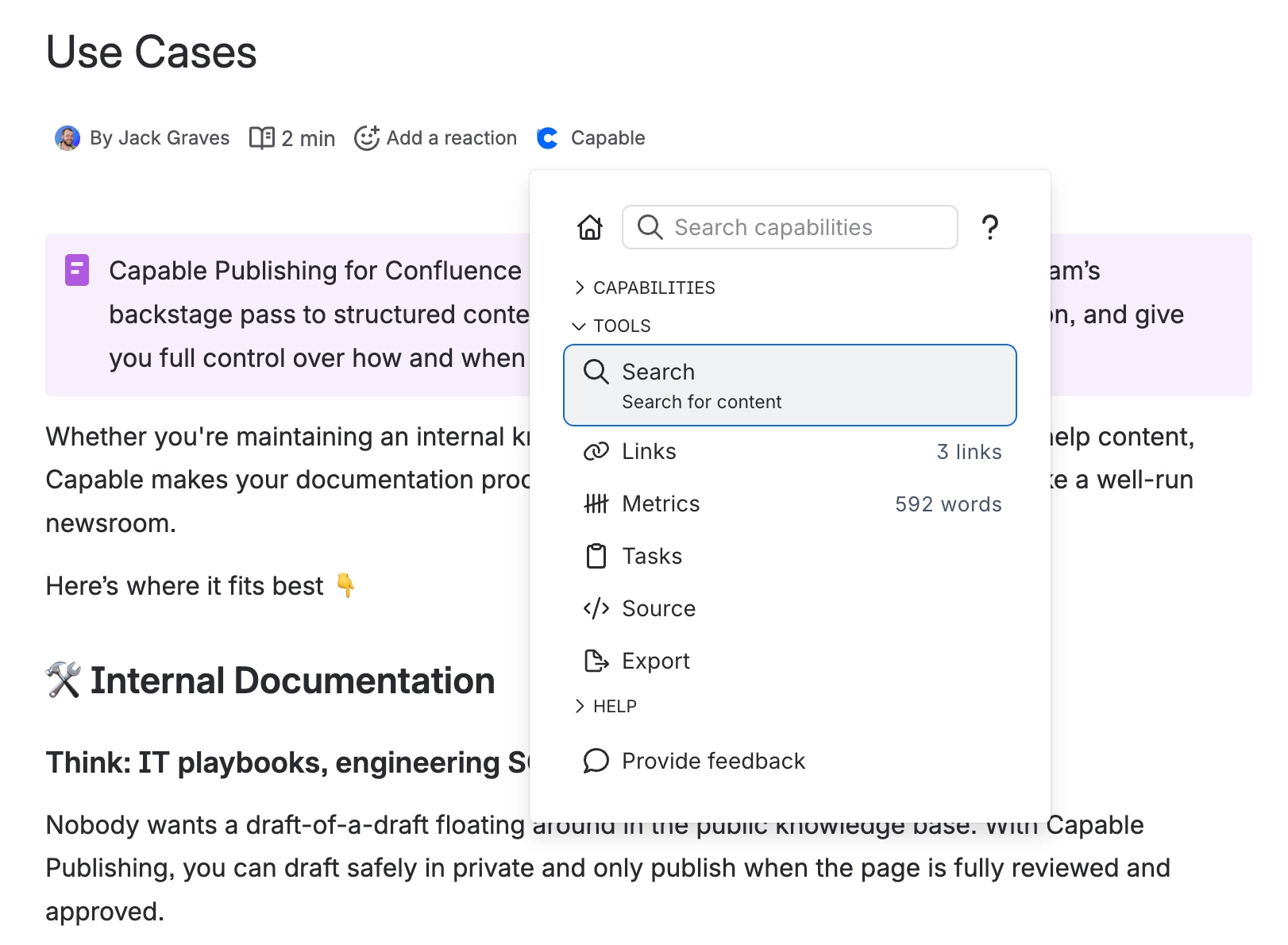
Tool | What it does | Where |
|---|---|---|
Source | View and edit the underlying source of the page | Capable byline, Source. Suite only |
Export | Export the page to Word, HTML, Markdown or text; download each table separately; download attachments individually or all at once | Capable byline, Export. Suite only |
Tasks | View and tick off the page's Confluence tasks | Capable byline, Tasks. Also a search side panel |
Links | Every link on the page, as a panel, a search column and a macro | Capable byline, Links |
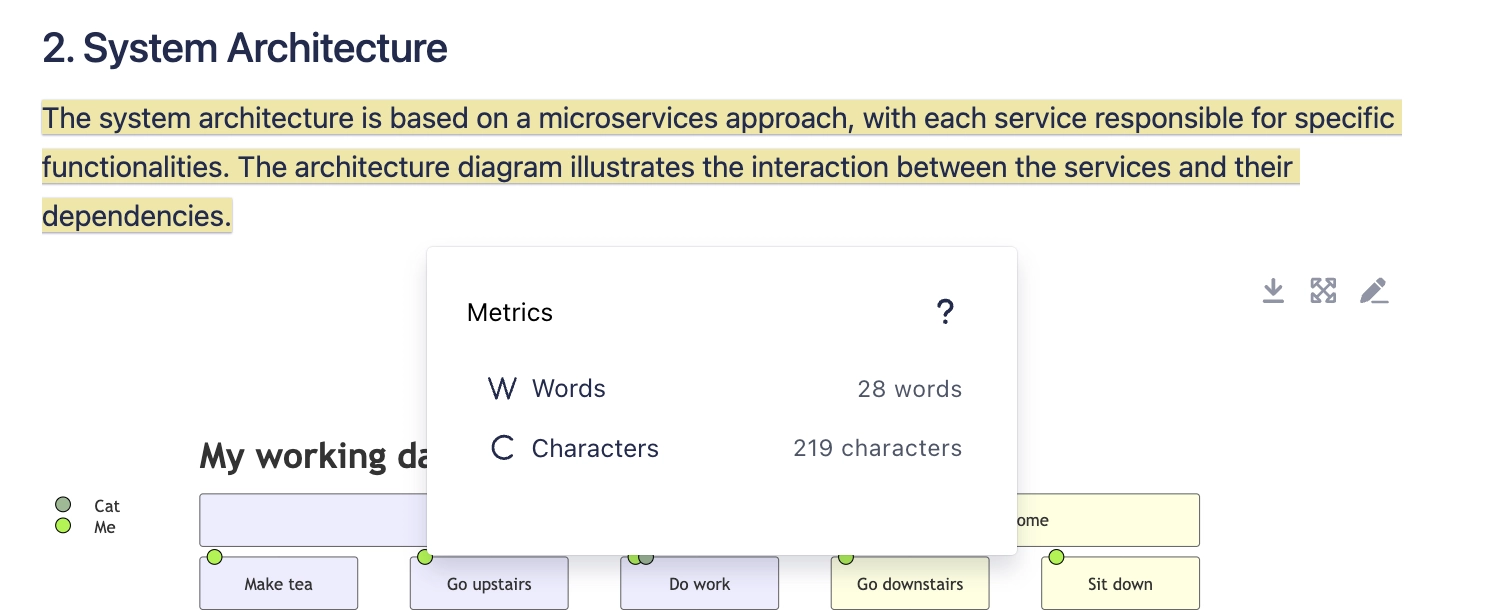
Word count | Paragraphs, words and characters | The Word Count macro, the Metrics byline panel, or the editor's right-click menu |
Numbered headings | Number the page's headings, with five built-in templates and a wipe option | Capable byline, Number headings |
#Counting a selection
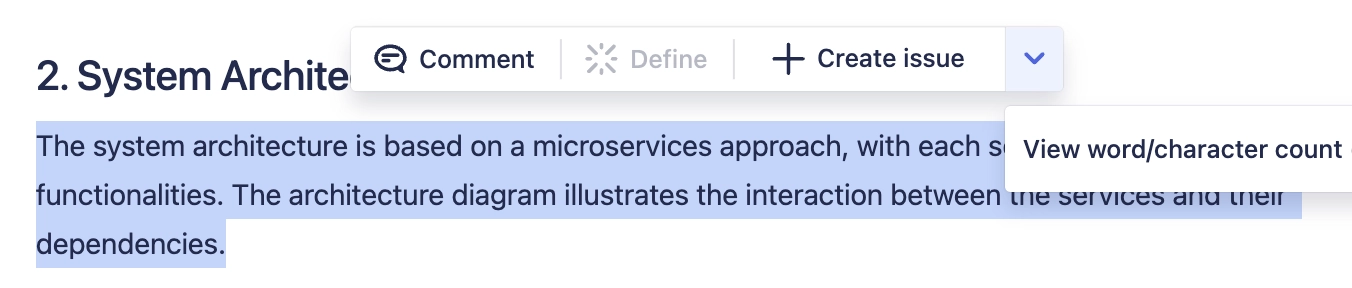
Select text in the Confluence editor, open the right-click menu, and choose "View word/character count". The same menu carries a "Generate Capable Diagram" item.
#Heading numbering
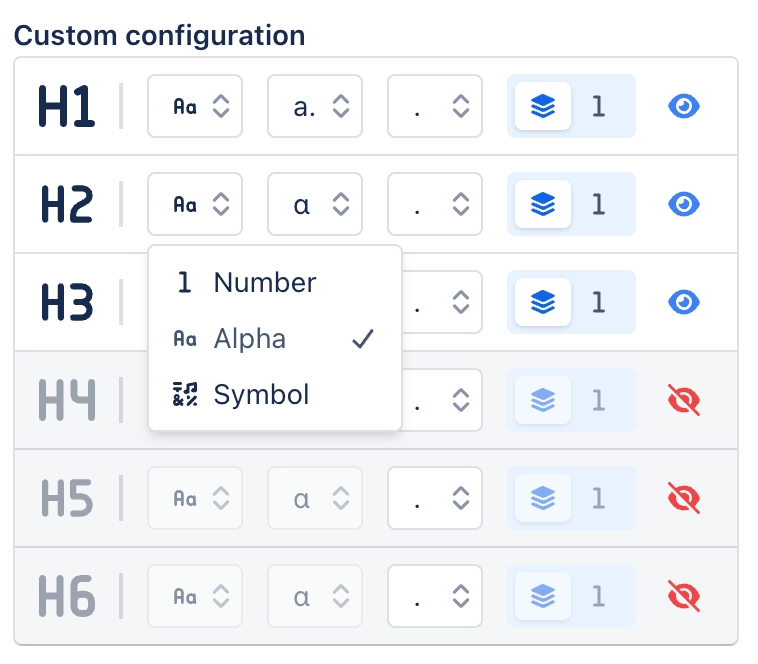
Five built-in numbering templates, plus an option that removes numbering entirely.
Up to three saved presets of your own. These are stored in your browser, not against your Atlassian account, so they do not follow you to another machine.
Automatic re-sync, which renumbers when the page changes.
Automatic heading re-sync stops on an unlicensed site. It rides a page-updated event, and Confluence drops those events before Capable is invoked when the licence has lapsed.
#Export, and Confluence's own export
This is not Confluence's PDF or Word export. It is a separate Capable export covering four page formats plus per-table and per-attachment downloads. The suite additionally renders Capable macros correctly in Confluence's own PDF and Word exports, which standalone apps do not.
#A few things worth knowing
Word counts become searchable Confluence fields, so you can find pages by length.
Links has no navigation item and no per-space control. It is byline, panel, column and macro only.
Source can edit as well as view, which is more power than the name suggests.
#Related
No macro. All in the byline.






















