
Macros
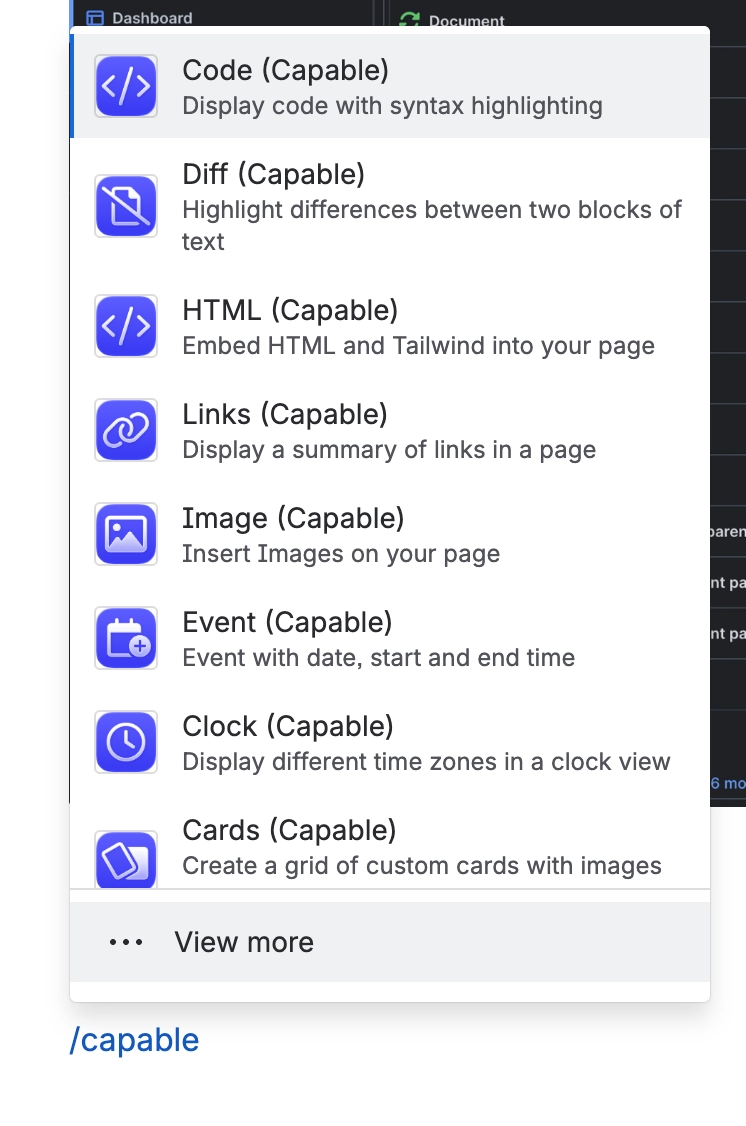
The suite ships roughly sixty-one macros across every capability. In a suite install their titles drop the word macro, so the picker reads "Diagram (Capable)" rather than "Diagram macro (Capable)".
There are three ways to insert one, and the right one depends on whether you know what you are looking for.
#Three ways in
Route | Best for |
|---|---|
The '+' macro browser | Browsing when you are not sure what exists |
The Capable byline | Reaching a capability from the page you are on |
Capable Studio | Building something from a starting point |
The Search table macro is suite-only. It is filtered out of Capable's macro browser in every non-suite app, because it depends on columns contributed by the other capabilities.
#Two macros worth knowing about
Site metadata sets the SEO title, description and slug for a page published through Sites. Suite only.
Word Count reports paragraphs, words and characters, and feeds the same values into Confluence search.
#When a macro is missing
A macro that is not in the picker is usually a hidden capability. Hiding a capability removes it from the Capable navigation and byline, but note the caveat below.
#A few things worth knowing
Hiding a capability is a visibility change, not a functional one: the macros stay in Confluence's own '/' insert menu, and existing macros on pages keep rendering.
Macro names differ slightly between the suite and standalone apps, which matters when following documentation written for the other one.
The macro picker is shorter if you hide the capabilities you do not use.
#Related
Sixty-one macros. One install.






















