
Three-mode markdown editor
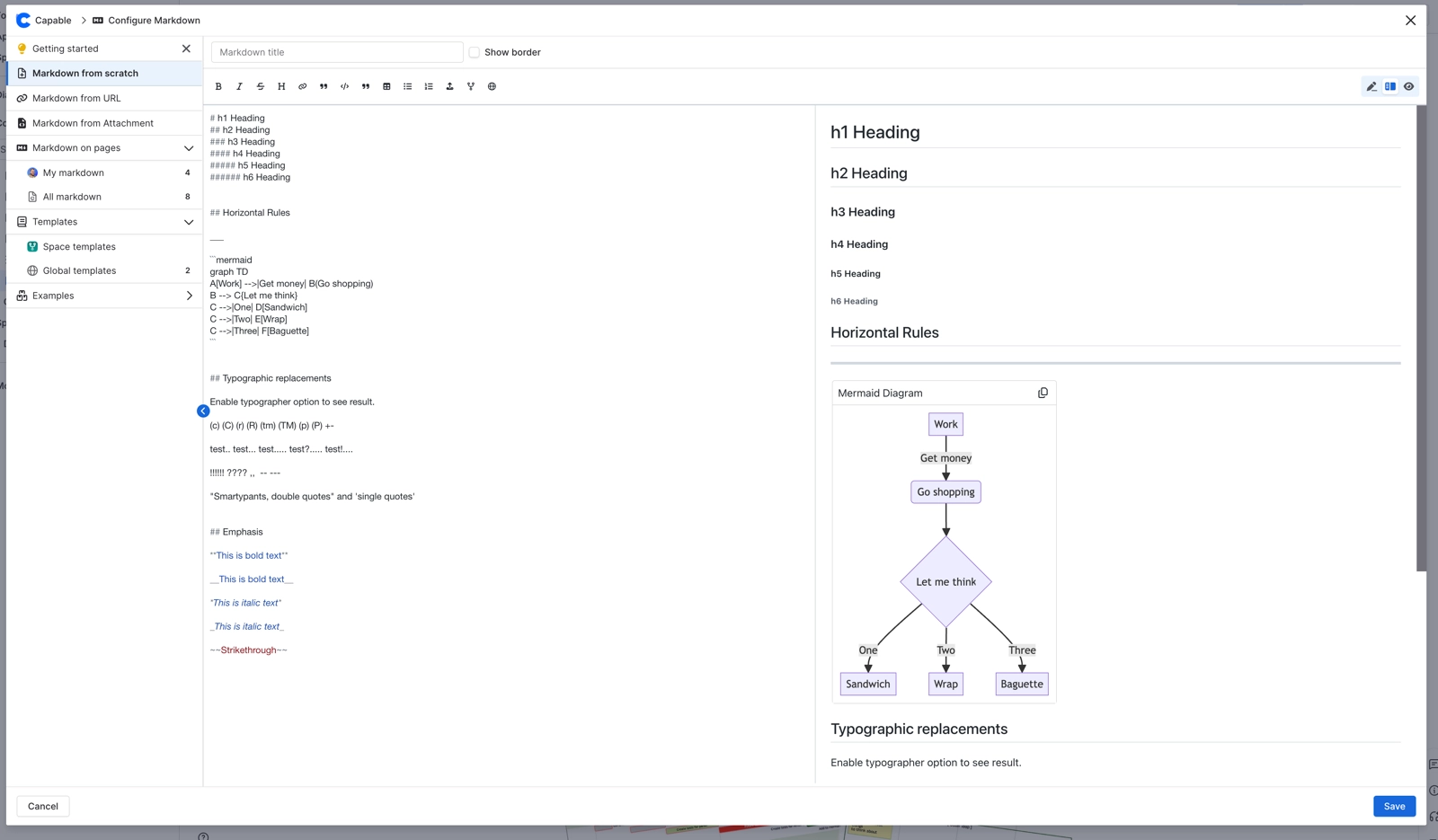
The markdown editor has three modes. Edit shows the source only, Live shows the source and the preview side by side, and Preview shows the rendered result only. Switch between them with the buttons at the end of the toolbar. Live is the default.
A fourth view, code preview, is switched on by the Show Code button on the library page. Macros always render in the preview. The formatting toolbar covers bold, italic, strikethrough, title, link, quote, code block, table, and ordered and unordered lists. An empty document shows the placeholder 'Write your markdown here...'.
Scroll sync between the two panes is off by default, because images and diagrams load a little after the text and would knock the panes out of line.
#Where you do it
Task | Where |
|---|---|
Add a markdown document to a page | In the Confluence editor, type /Markdown (Capable) [Suite] or /Markdown macro (Capable) [standalone]. On a published page, you can also use the Markdown entry in the byline. |
Write or edit the document body | The macro's Configure action, the maximize button on the rendered macro, or Edit on the library page |
Show a border and a title on the macro | Configure Markdown → 'Show border' checkbox and the 'Markdown title' field |
#Settings that affect this
Setting | Where | What it does |
|---|---|---|
Global settings → Capabilities → Markdown | - | Hiding Markdown removes it from the Capable navigation bar and the byline menu across the whole site. It does not stop existing macros from rendering. |
Space settings → Space Capability Settings | - | Auto shows the byline entry only when the page already contains markdown. Always shows it in every page's byline in that space. Never hides it there. |
Global settings → Features → AI integration | - | 'Allow AI-powered features across Capable. Turn off to disable AI for all users.' Turning it off removes the Studio (Generate markdown with AI) section from the markdown library. |
#Worth knowing
The macro's 'Markdown description' field doesn't save what you type, although Capable still warns you about unsaved changes if you edit it.
Raw HTML is always removed, in the editor preview, on the page and on published sites.
If you use a self-hosted diagram renderer, it isn't currently used for diagrams written as fenced code blocks in markdown.
'Copy as macro' isn't available for the built-in Examples, or for markdown loaded from a URL or an attachment.
Anonymous and unlicensed visitors see a promotional notice instead of the Capable Markdown library page. The macros themselves still render for them.
#Related
How it actually behaves.






















