
How it works
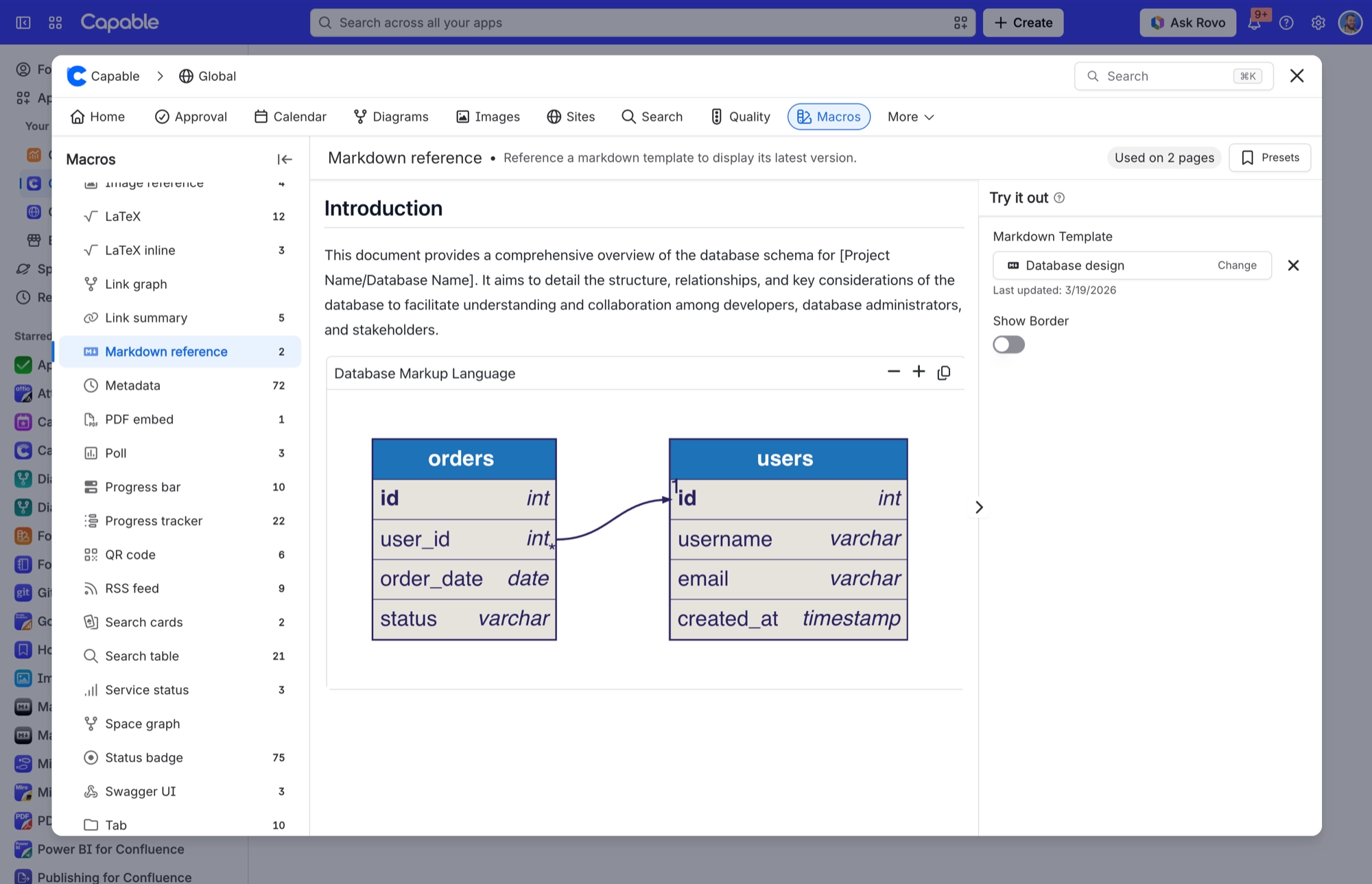
Capable Markdown puts real Markdown documents inside Confluence. You get two macros: a Markdown document macro, which holds one document on a page, and a Markdown reference macro, which points at a shared template and always shows its latest version.
You also get a Capable Markdown entry in the page byline and a Capable Markdown library page (global and per space) with a catalogue, folders, version history and an AI Studio. A Search side panel is there too. You write documents in an editor with three modes: edit, split and preview.
#In this section
Three-mode markdown editorThe markdown editor has three modes: Edit (source only), Live (source and preview side by side) and Preview (rendered result only). Live is the default.Insert (+) menuThe + menu groups its options under Image, Diagram and Other.Library images and diagrams by referencePicking from the library writes ordinary markdown image syntax pointing at a Capable reference URL.  for images, and the same shape with the marker title "capable-diagram" for diagrams. These render liImage upload and pasteUploading or pasting an image attaches the file to the page that renders the document (as a draft attachment, retried as current if the page is already published) and inserts , Studio (AI), the Create group (Markdown from scratch / from URL / from file, insert mode only), 'Markdown on pages' (My markdown / All markdown), Templates (Space templates / Global templates), Examples (bundlTemplate librariesTemplates are Confluence custom content stored under a per-space Capable Capable storage (capability markdown, feature 'templates') in either the current space or the global space, and can be created directly inside a catalogue folder. Only17 bundled starter templatesRead-only examples in three folders: General purpose, Technical documentation and Project Planning.Version historyA collapsible Version history panel on every saved markdown document. Clicking a version loads it into the editor as an unsaved change, so you can review it or save it back.Remix and Save as templateRemix copies a template into a new draft in the current space. Save as template copies page-owned markdown into the library.Details and permissions panelsThe details panel shows a markdown document's title, description, folder, container, page, dates and author. People who administer its scope also see a permissions panel.Used on Pages panelSee which pages embed a template. It lists them five at a time and only counts pages that use the Markdown reference macro.AI Studio (Suite only)Drafts a markdown document from a prompt (20 suggested prompts; typing /page writes from the current page's content), then runs a second 'Validating diagrams' pass that repairs fenced diagram blocks (mermaid, plantuml/puml, graphviz/dot, d2, dbml, erd, c4plantuml/c4) through the server validate-and-repair loop. Results insert directly in insert mode, or open as a new library template in manage mode. AI feature key studio_markdown.Sharing a document'Copy URL' produces a deep link to the view page. 'Copy as macro' produces the reference URL .../assets/markdown/templates/<id>, which pastes into a page and auto-converts into the reference macro. Reference URLs are offered only for custom
#Related
How it actually behaves.






















