
What Capable Markdown is
Capable Markdown puts real markdown documents inside Confluence. You write them in a three-mode editor (edit, split or preview), keep them on the page, and share them as templates across a space or your whole site.
#At a glance
Macros | Markdown, Markdown reference |
|---|---|
Sold as | A standalone app, and a capability inside the Capable Suite |
#What you get
Two Confluence macros. The Markdown document macro holds one document on a page. The Markdown reference macro points at a shared template and always shows its latest version.
A page byline entry for adding and editing markdown on a page.
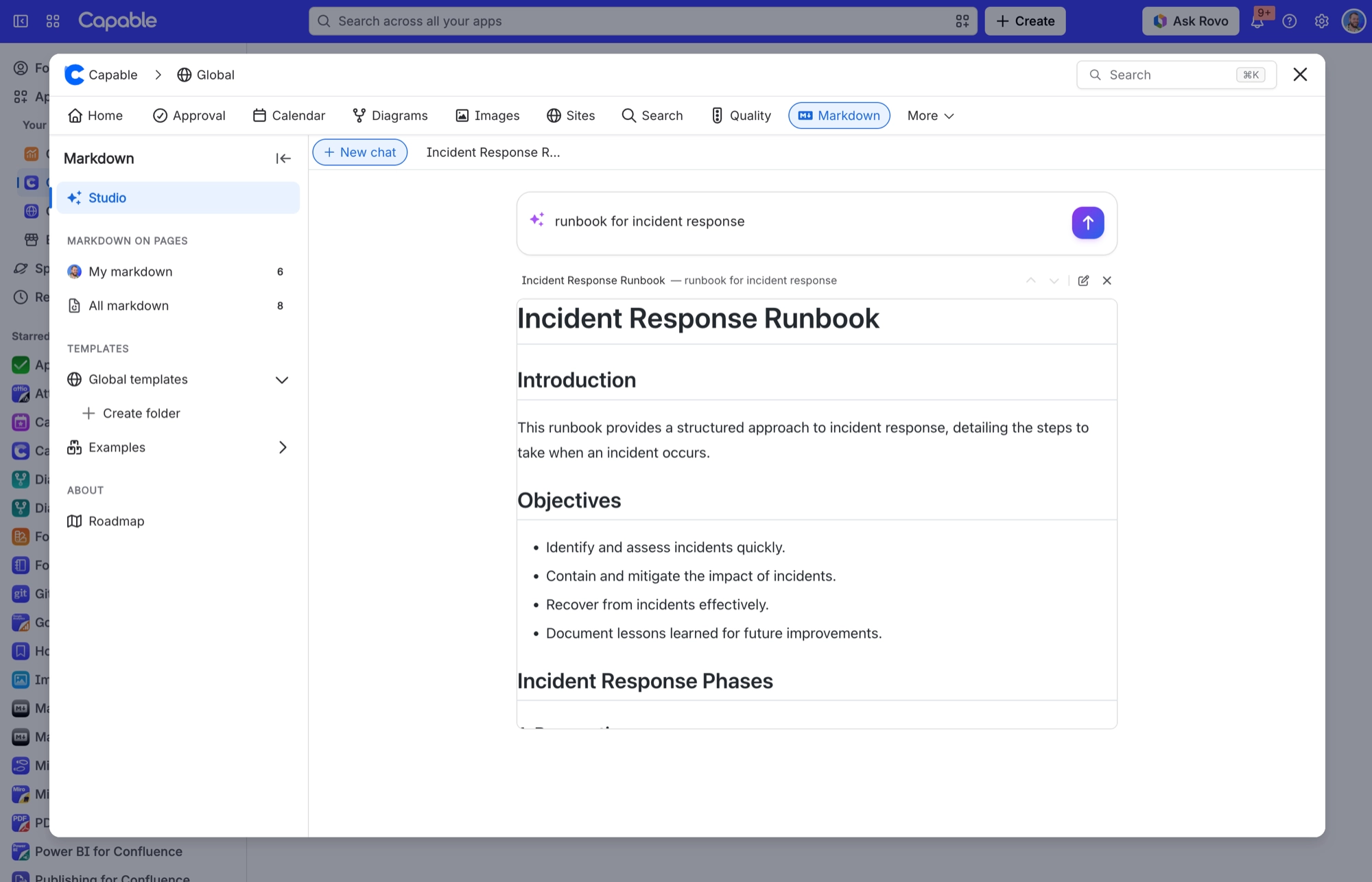
A Capable Markdown library page, global and per space, with a catalogue, folders, version history and an AI Studio.
A Search side panel.
#Where a document can come from
Written in place and stored under the page.
A template from the space or global library.
A markdown file attached to the page.
An external URL. GitHub, GitLab and Bitbucket web links are converted to the raw file automatically.
#How it looks
Capable Markdown renders GitHub-Flavored Markdown: tables, task lists, strikethrough, footnotes, GitHub alerts and syntax highlighting. Raw HTML is removed for safety. Fenced code blocks in any of 27 diagram languages (mermaid, plantuml, graphviz, d2, excalidraw, tikz, vega and more) appear as live diagrams.
#A few things worth knowing
There are exactly two Confluence macros, and no separate 'templates' macro. Templates live in the library. Copy one into the document macro and you get a snapshot that then goes its own way. Point the reference macro at one and you get a live link.
Markdown has no settings tab of its own. Everything an admin can change lives on the shared Capable settings pages.
It is sold as part of the Capable Suite and as a standalone Capable Markdown app. The two differ in macro names, page export, AI Studio, indexing and library inserts.
The title you type in the document macro's settings is saved with the document, and the macro header shows the document's title.
The 'Markdown description' field in the document macro's settings is not saved today, although Confluence still warns you about unsaved changes if you edit it.
#Related
The short version.






















