
Markdown
Places one markdown document on the page. The document comes from a page attachment, an external URL, or markdown stored under the page as Confluence custom content. Source precedence is fixed and mutually exclusive: attachment wins, then URL, then page-stored markdown.
Shape | Block (bodiless). The markdown is never stored in the page body. |
|---|---|
Name in the suite | Markdown (Capable) |
Name in the standalone app | Markdown macro (Capable) |
Where you configure it | Its own full-screen dialog titled 'Configure Markdown'. Pick where your markdown comes from (Markdown from scratch, Markdown from URL, Markdown from file, Studio, templates or examples), then use the live editor to set a title, a description and 'Show border'. Select Save when you're done. It isn't a simple settings form. |
Anonymous readers | Visible to logged-out readers of public pages in both products, except for documents that come from a URL. |
PDF and Word export | Only in the Suite. The export contains your markdown source in a code block, not the rendered text. |
Published Capable Site | On a published Capable Site, your markdown appears as properly formatted content, with the Title as a heading. External images are copied onto the site. |
#Settings
Setting | Values | Default | What it changes |
|---|---|---|---|
Title | Free text, up to 50 characters in the editor | Empty | Meant as the heading above the document, shown only when Show border is on. In practice the title you type is saved with the document itself, not in the macro's settings. |
Show border (Options) | A single 'Show border' choice | Off | Draws a thin rounded border with padding, and turns on the title strip with a Maximise button. The border carries over to a published Capable Site. |
URL | Any http or https address of a markdown file | Empty (the field starts with an example address) | Fetches the markdown when someone views the page, so the page follows the source file. It isn't copied in. Links to GitHub, GitLab and Bitbucket pages are switched to the raw file automatically. Relative image paths resolve against the document's own folder. |
Attachment | A markdown file attached to the same page | Not set | Shows the attachment's contents. It takes priority over a URL and over markdown stored on the page. Only the 'Markdown from file' picker sets it, and it offers markdown and plain text files only. |
#Where the content comes from
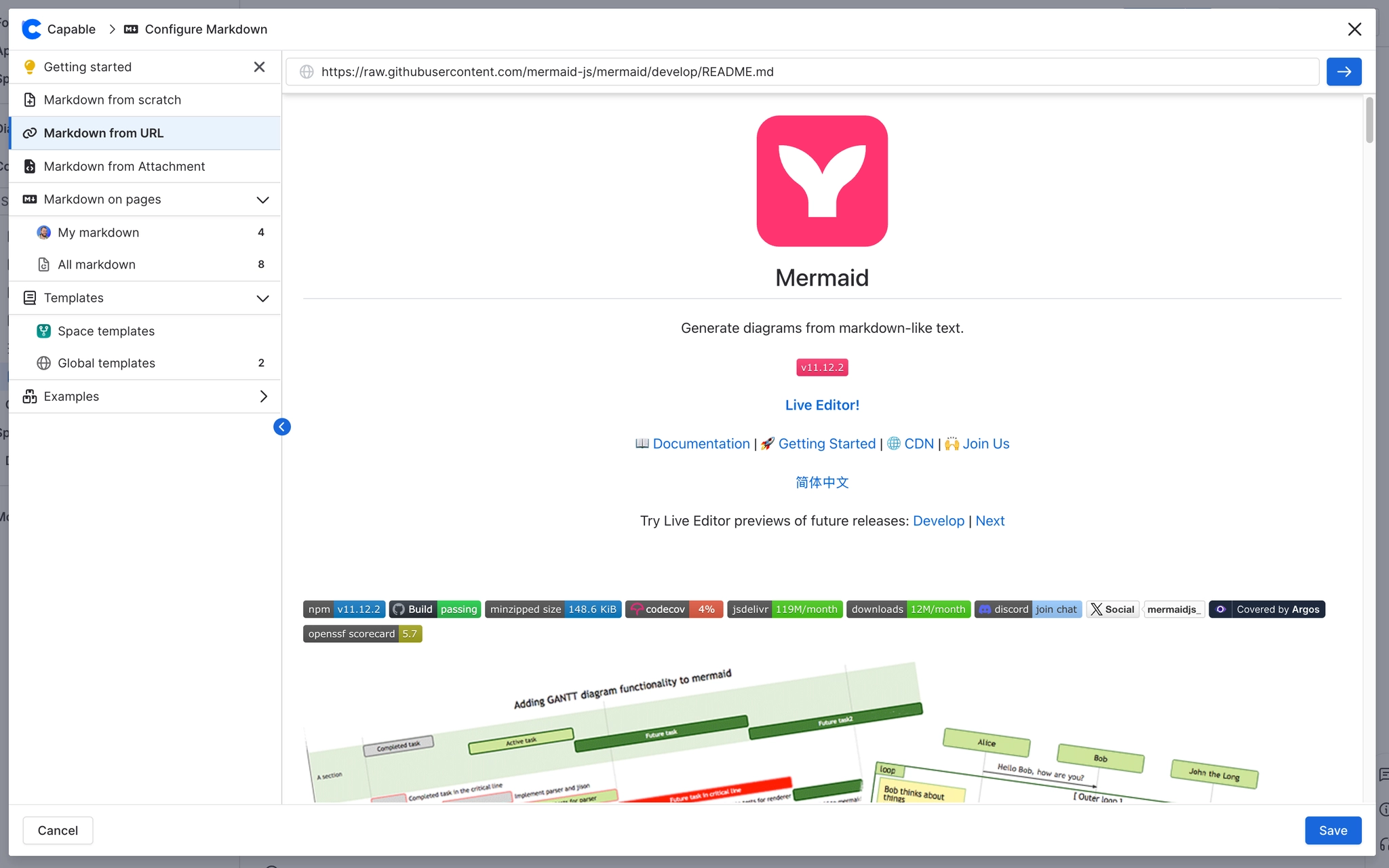
Markdown from scratch | The section the dialog opens on. You get a blank live editor, and your text is saved as markdown stored under the page. 'Upload file', or drag and drop, accepts .md, .markdown, .mdx and .txt files. The content is added after a blank line, and an empty title takes the file name (first 50 characters, without the extension). |
|---|---|
Markdown from URL | Enter an address, preview the fetched markdown, then save. The page keeps the address rather than a copy, so it stays live. If the fetch fails, you see the error and 'Please ensure the provided URL returns raw text content'. |
Markdown from file | Pick a file already attached to the page, or drop or upload a .md, .markdown, .mdx or .txt file onto the page, then render it. |
Studio (Suite only) | 'Generate markdown with AI'. It needs AI features turned on for your site, so it never appears in the standalone Markdown app. |
Templates and Examples | Choosing a template copies its markdown into your macro, and from then on the two are separate. The word 'template' at the end of the title is dropped. If you want a live link to a template, use the reference macro instead. |
#Related
One macro, documented properly.






















