
What Capable Quality is
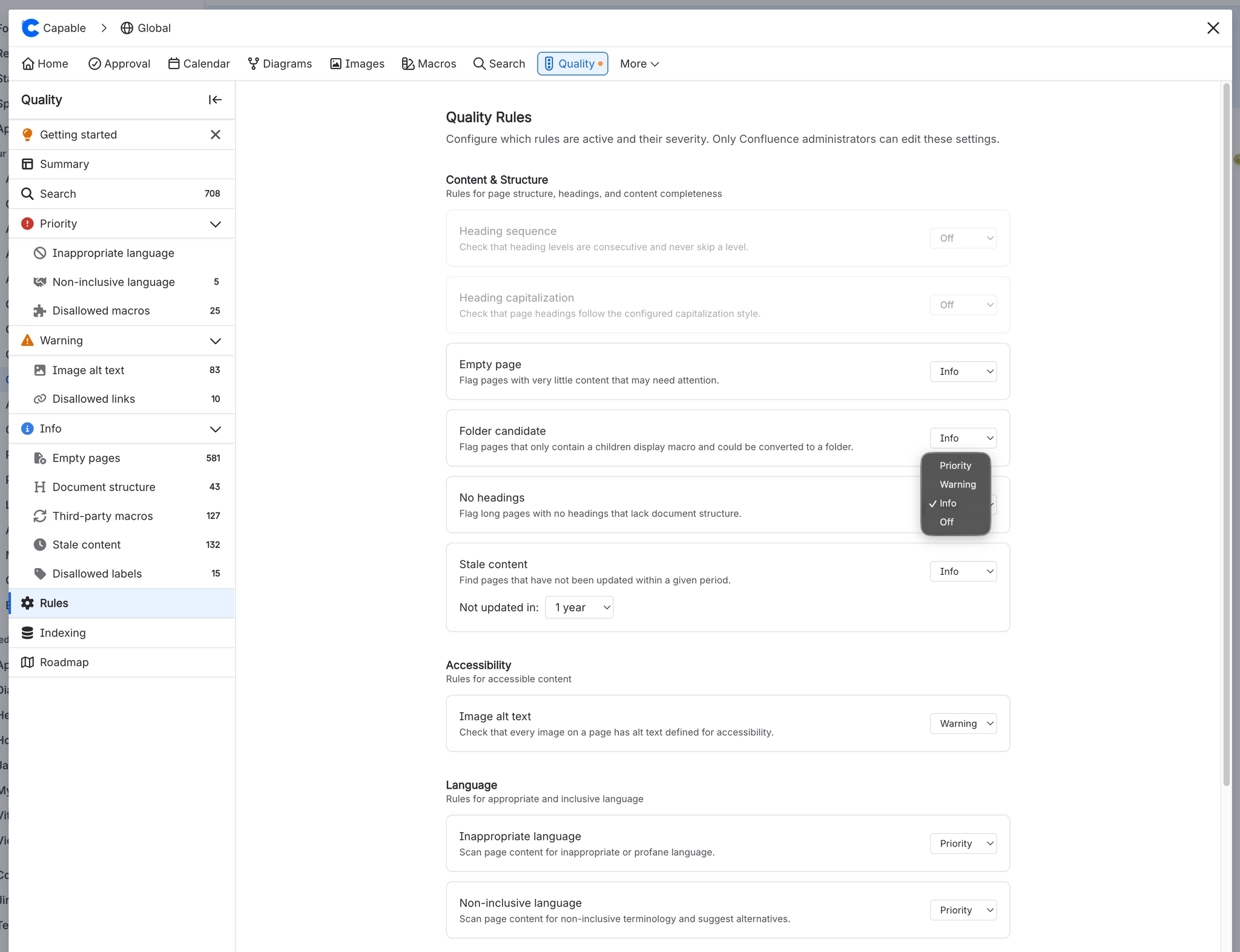
Capable Quality checks Confluence pages and blog posts against 13 content-quality rules covering page structure, accessibility, language and organisational compliance, and reports what it finds in four places: a "Quality" item on the page byline, a Quality column, filter and side panel in Capable Search, a per-rule list for every enabled rule in the Capable Quality navigation, and a Dashboard of charts and trends. Eight of the rules are worked out when Capable indexes a page and stored as tags on that page, so they can be counted and searched. The other five (disallowed domain links, disallowed macros, third-party macros, stale content, disallowed labels) are worked out live from lists a Confluence administrator supplies, and are never stored. Rules are configured once for the whole site on the Rules page; each rule has a single Priority / Warning / Info / Off control that both turns the rule on and sets how serious it looks. Cross-space figures (Issues over time, Top spaces by issues) come from a weekly background sweep that stores raw numbers only, so changing a rule level, the capitalization style or the stale age instantly re-scores the stored history without waiting for another sweep. Quality ships no macros at all. Neither in the standalone Capable Quality app nor in the Capable Suite.
#At a glance
Macros | None. This capability works through the page byline and its settings |
|---|---|
Sold as | A standalone app, and a capability inside the Capable Suite |
#A few things worth knowing
Rules are configured once for the whole site. Opening Quality from a space scopes the counts to that space but edits the same global rule set, so a space administrator changing a rule level changes it for every space. There is no per-space
Only Confluence administrators can save rule configuration or queue a report refresh. The Rules page and the Refresh button are interactive for everyone and only reject at the point of action.
In the standalone Capable Quality app the page byline can never appear, because its display condition depends on a content property nothing in the app writes. The Quality side panel in Capable Search is the only per-page surface there.
#Related
The short version.























