
Indexing view
"View and manage indexing progress". Shows the percentage of pages indexed for the current scope (this space when opened from a space, the whole site from the global page). When the manual-indexing feature flag is enabled for the site it also offers Start Indexing and Force Reindex buttons.
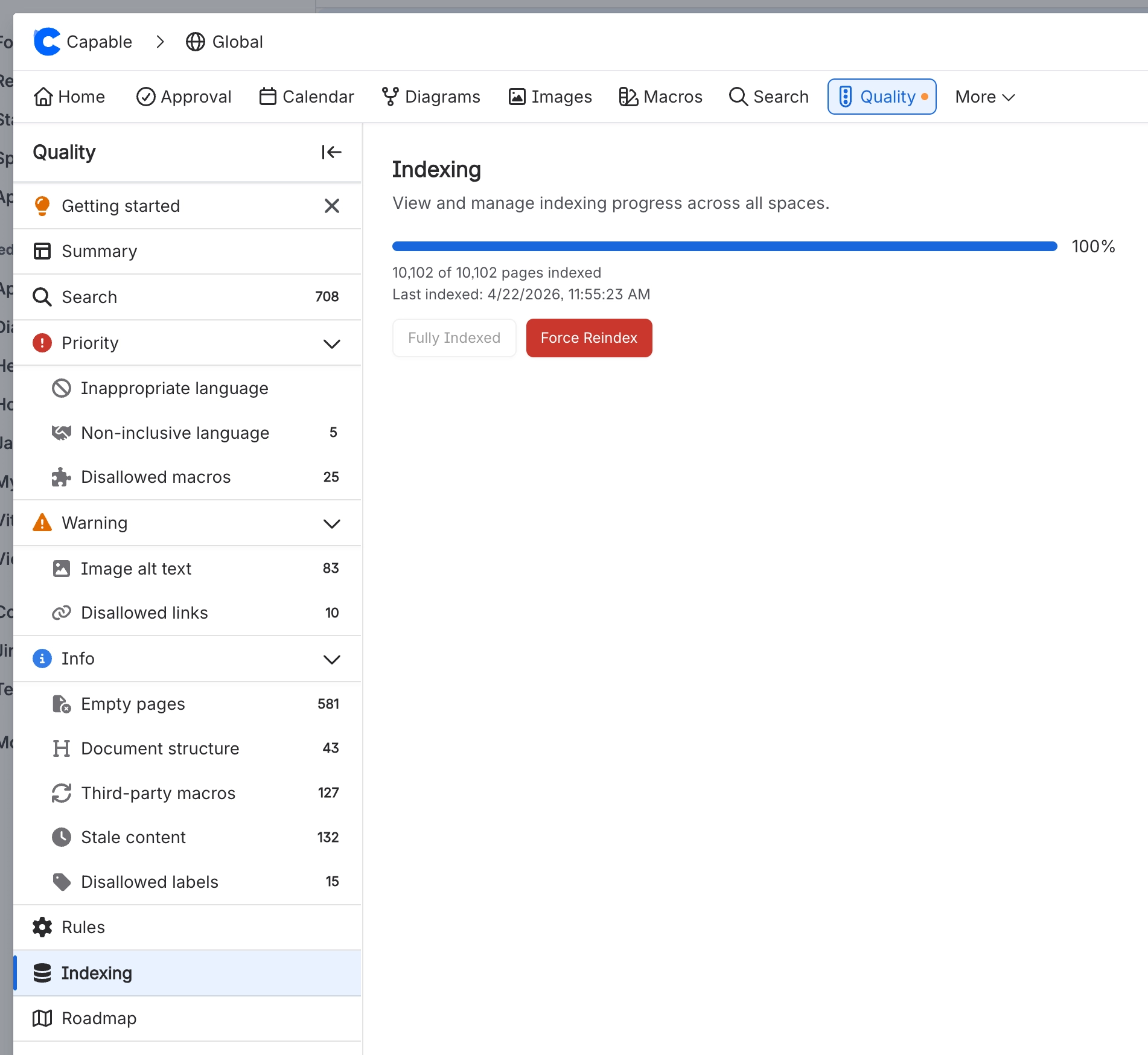
#Where to find it
Capable Quality → Manage → Indexing
#Where you do it
Task | Where |
|---|---|
Check how much of the site has been scanned | Capable Quality → Manage → Indexing, or the amber banner on the Dashboard |
Hide an issue that does not apply to a page | Page Quality panel → open the finding → Dismiss (trash icon) |
#Settings that affect this
Setting | Where | What it does |
|---|---|---|
Start Indexing / Force Reindex | Capable Quality → Manage → Indexing | - |
#Worth knowing
The weekly sweep is the app's most expensive recurring job. Roughly 16 count queries per space, a full rollup rewrite at each 250-space checkpoint. And it shares the app's single background queue with content indexing.
#Limits that apply here
Indexing coverage banner threshold
Background indexing cadence
#Related
How it actually behaves.






















