
Rules page shows no control for the empty-page word threshold, the no-headings minimum, custom banne
What you are seeing
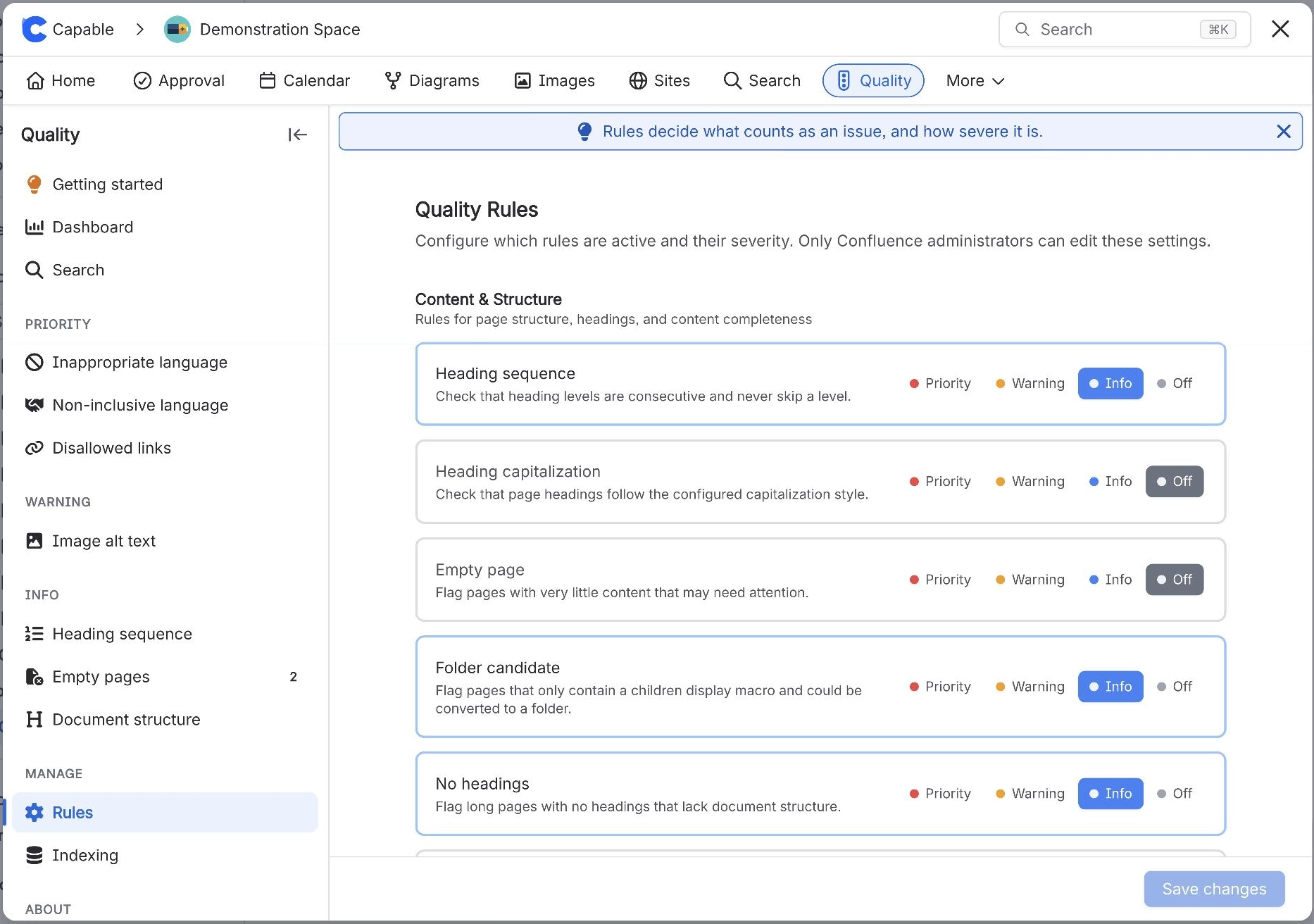
The Rules page shows no control for the empty-page word threshold, the no-headings minimum, custom banned words or custom non-inclusive terms.
#Why it happens
Those settings exist in the stored configuration model but have no screen, and the detection code ignores them. It always uses 10 words, 100 words and the built-in word lists.
#What to do
Treat the thresholds and word lists as fixed. If a rule produces too many false positives the only remedy is to set it to Off.
#Settings involved
Setting | Where | What it does |
|---|---|---|
Rule level (per rule) | Capable Quality → Manage → Rules | - |
Image alt text | Rules → Accessibility | - |
Heading sequence | Rules → Content & Structure | - |
#Limits that apply here
Limit | Value | What happens |
|---|---|---|
Rules are site-wide | One shared rule set for the entire site | - |
Indexing coverage banner threshold | Below 95% coverage the Dashboard shows a | - |
Indexed rules need index version 2 or later | The eight indexed rules only count pages | - |
#A few things that catch people out
Total issues sums per-rule page counts. Pages are not deduplicated and occurrences are not counted individually. A page failing three rules adds three.
A severity override is written implicitly by choosing a level other than the rule's built-in one, and removed by choosing the built-in one. Nothing indicates which rules are overridden and there is no reset-to-default control.
The level control both enables a rule and sets its severity. There is no way to keep a rule computing while hiding it.
#Related
In the Capable Suite, the Quality byline does not appear on pages in a space
Four separate gates control it: the site-wide Capabilities switch must be Visible; the spa
Dashboard is empty or shows zero everywhere on a site that clearly has problems
Usually "not indexed yet" or "not yet aggregated", not "no problems". Four different empty
Something is missing or looks wrong
The rest of this family.
Found it? Good.






















