
Quality settings
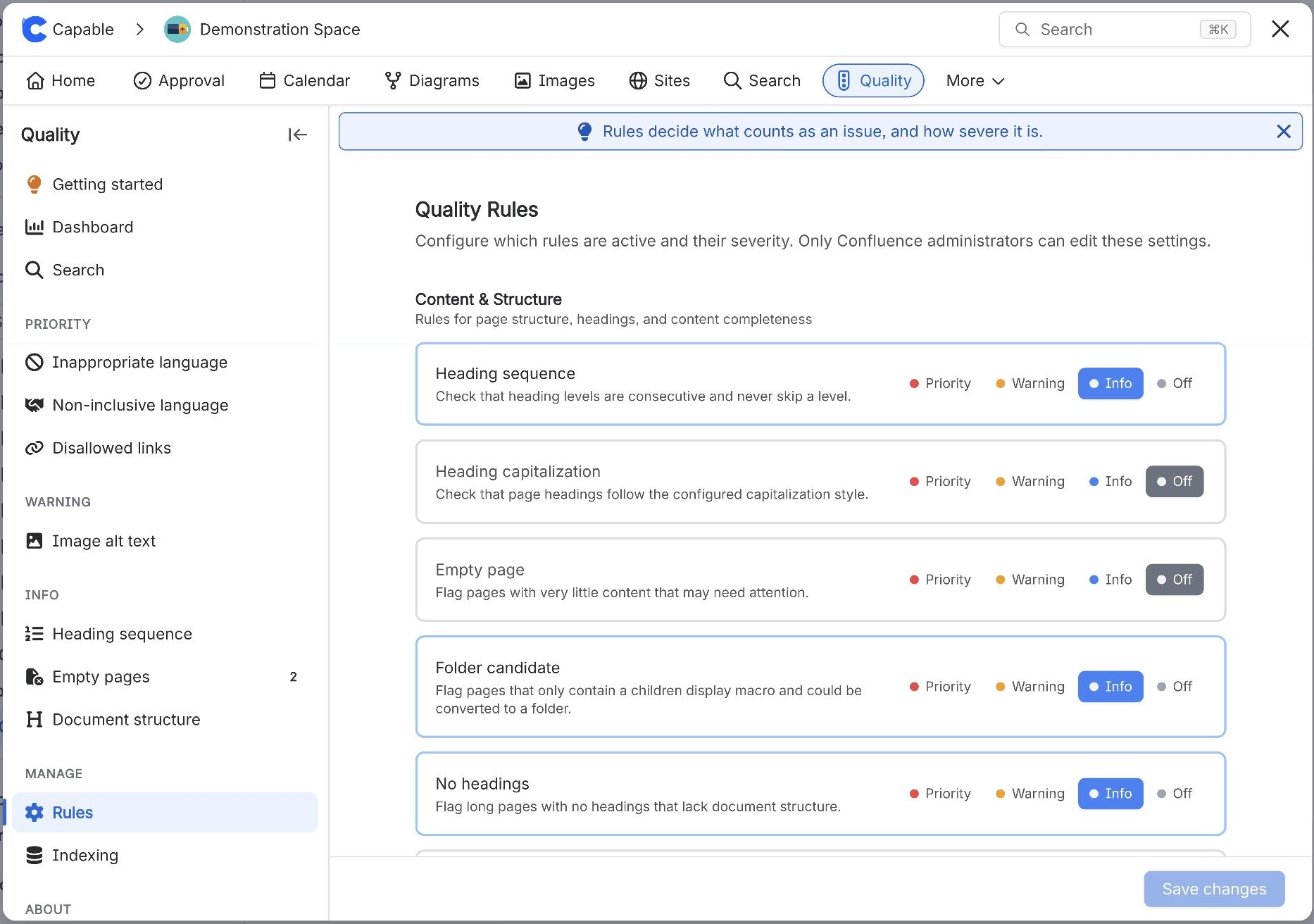
Quality is configured from the shared Capable settings surfaces rather than a tab of its own in every case. This is the complete list.
#Every setting
Setting | Level | What it does |
|---|---|---|
Rule level (per rule) | - | - |
Image alt text | - | - |
Heading sequence | - | - |
Heading capitalization | - | - |
Mode (Heading capitalization) | - | - |
Empty page | - | - |
Folder candidate | - | - |
No headings | - | - |
Inappropriate language | - | - |
Non-inclusive language | - | - |
Disallowed domain links | - | - |
Blocked domains list (Disallowed domain link | - | - |
Disallowed macros | - | - |
Macro list (Disallowed macros) | - | - |
Third-party macros | - | - |
Stale content | - | - |
Not updated in (Stale content) | - | - |
Disallowed labels | - | - |
Label list (Disallowed labels) | - | - |
Space visibility for Quality | - | - |
Global visibility for Quality | - | - |
Refresh (Dashboard) | - | - |
Start Indexing / Force Reindex | - | - |
#A few things worth knowing
Settings changes can take a minute to reach other people.
Hiding a capability removes it from the navigation; macros already on pages keep rendering.
Some settings are per space and need only a space administrator.
#Related
The complete list, in one table.






















