
Rule cannot be found under the expected heading on the Rules page
What you are seeing
A rule cannot be found under the expected heading on the Rules page.
#Why it happens
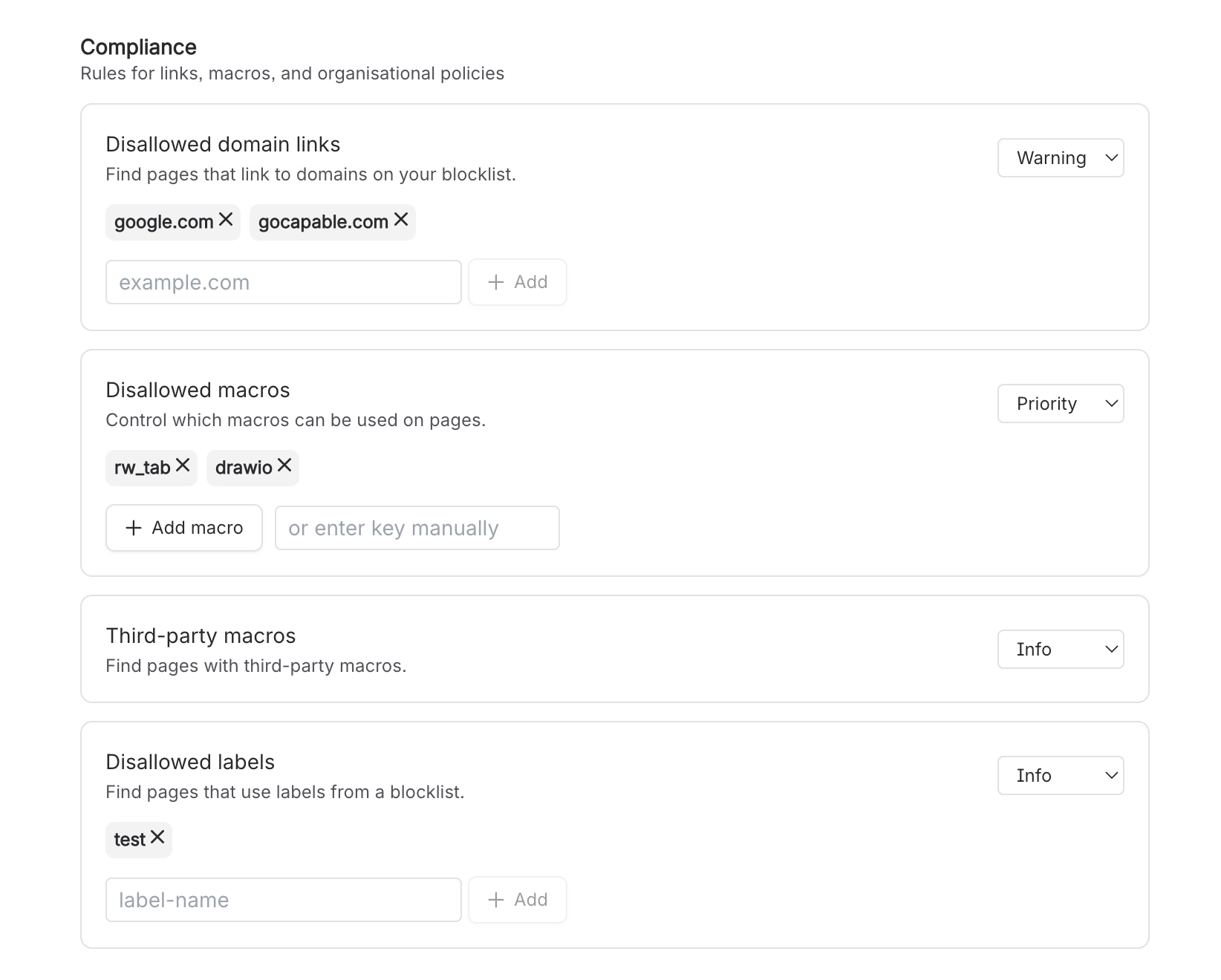
Rules are grouped into four categories. Accessibility contains only Image alt text. Content & Structure contains Heading sequence, Heading capitalization, Empty page, Folder candidate, No headings and. Counterintuitively. Stale content. Language contains Inappropriate language and Non-inclusive language. Compliance contains Disallowed domain links, Disallowed macros, Third-party macros and Disallowed labels.
#What to do
Look for Stale content under Content & Structure, not Compliance.
#Settings involved
Setting | Where | What it does |
|---|---|---|
Image alt text | Rules → Accessibility | - |
Inappropriate language | Rules → Language | - |
Stale content | Rules → Content & Structure (not Compliance) | - |
#A few things that catch people out
The built-in profanity list cannot be edited or narrowed, and word-boundary matching means common words such as "crap", "damn", "anal", "cracker", "hoe" and "lmao" flag ordinary technical or product text.
Capitalization checking is a simplified heuristic that does not understand proper nouns, so headings containing names or product terms can be flagged and the auto-fix will lowercase them.
Stale content sits under the "Content & Structure" category, not "Compliance" with the other list-driven rules.
#Related
In the standalone Capable Quality app, the Quality item never appears on any page byline, no matter
The byline's display condition requires a content property that nothing in the app ever wr
Saving the Rules page fails with "Failed to save. You may need Confluence admin permissions."
Only Confluence administrators can save rule configuration. The page is fully interactive
Permissions and access
The rest of this family.
Found it? Good.






















