
Search view
"Find pages using enabled quality rules". A Capable Search view pre-filtered to indexed pages and blog posts with the Quality filter pre-selected to every enabled tag-based rule. Columns: Title, Space, Last updated, Quality. Sorted by last modified descending, limit 100, with the Quality side panel promoted.
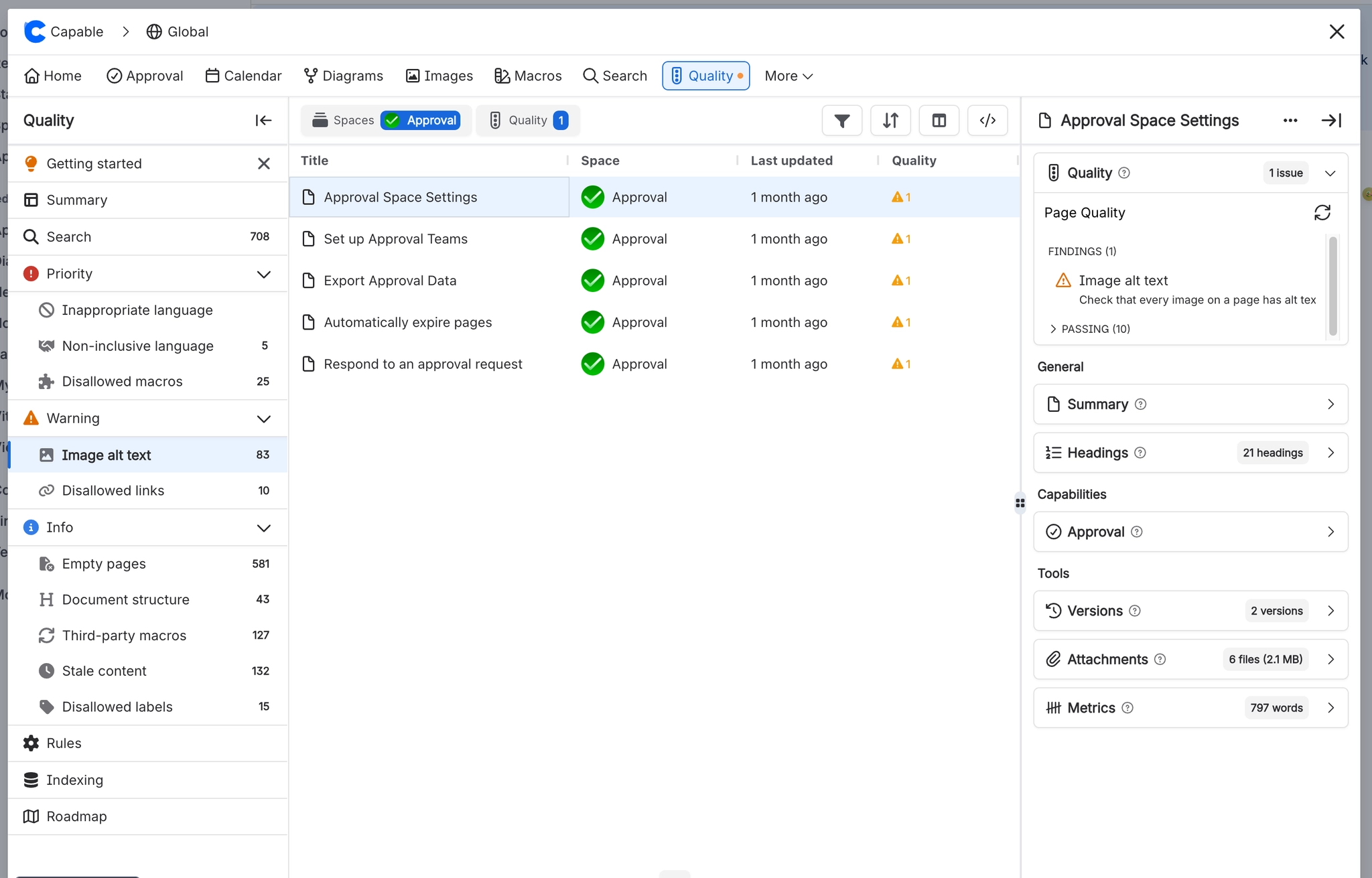
#Where to find it
Capable Quality → Search
#Where you do it
Task | Where |
|---|---|
Block links to specific domains | Rules → Disallowed domain links |
Review and fix issues on one page | Suite: page byline → Quality. Standalone: Capable Search → the Quality side panel. |
Find every page failing a rule | Capable Quality → the rule's section under Priority / Warning / Info, or Search |
#Settings that affect this
Setting | Where | What it does |
|---|---|---|
Blocked domains list (Disallowed domain | Rules → Disallowed domain links | - |
Macro list (Disallowed macros) | Rules → Disallowed macros | - |
#Worth knowing
In the standalone Capable Quality app the page byline can never appear, because its display condition depends on a content property nothing in the app writes. The Quality side panel in Capable Search is the only per-page surface there.
Disallowed domain links matches subdomains on the page and in search, but only exact domains in the counts, badges and charts.
Disallowed macros matches loosely on the page and in search (either key containing the other, or a shared final segment) but exactly in the counts. A short key can cause false positives on the page surfaces.
The byline lozenge counts only the eight indexed rules plus Disallowed macros. Disallowed domain links, Third-party macros, Stale content and Disallowed labels are missing from the lozenge even when enabled and violated, although they do appear in the widget count, the search panel badge, the Quality column and the panel itself.
Stale content and Disallowed labels always report as passing in the Page Quality panel opened from the byline; they are only evaluated when the panel is opened from a Capable Search result.
Live counts, list badges and the Recent violations table are searched as the signed-in user, while the weekly snapshots are collected as the app. Two people can legitimately see different numbers, and the scorecards and Top-spaces chart on the same screen use different bases.
#Limits that apply here
Search view page size
#Related
How it actually behaves.






















