
Someone's answers were replaced by someone else's
What you are seeing
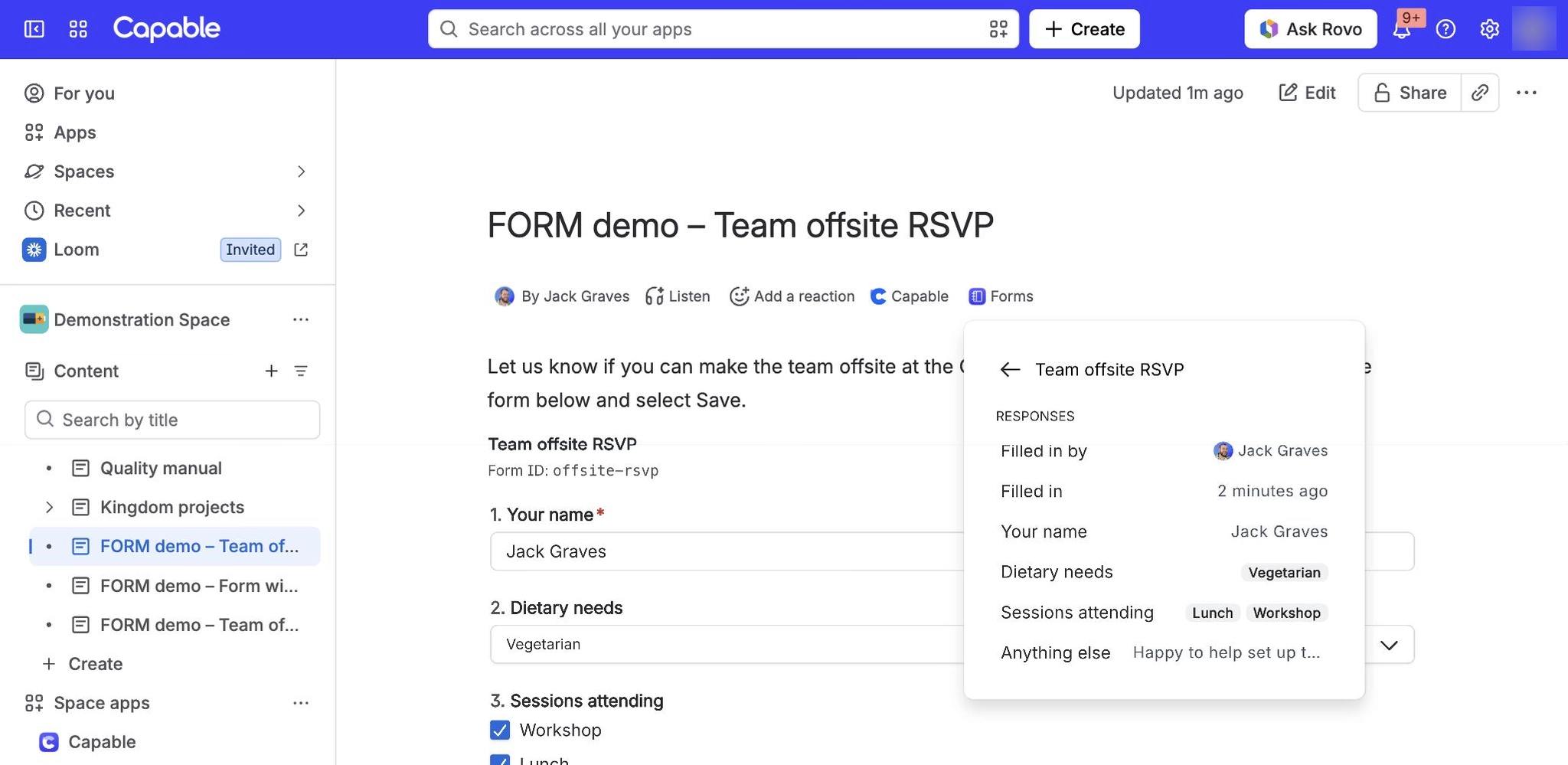
You filled in a form, and later the answers on the page are someone else's, with their name under Responded by or Filled in by.
#Why it happens
By design. A form on a page holds exactly one set of answers, not a log of submissions. Anyone who can edit the page can select Edit on a filled-in form, change the answers and select Save. Their answers replace the previous ones, and the form now names them.
Changed on 13 October 2026. Before, saving the page for any reason, or filling in a different form on the same page, also moved Responded by onto that person, so it could look as if answers had been replaced when they had not. Now it only moves when this form's answers change. If the answers are the ones you saved, nothing was replaced.
#What to do
Get the earlier answers back. Each save creates a new page version, so the earlier answers are in the page history. Restoring that version brings them back, and the form then names the person who restored it.
Collect one response per person. Give each person their own page with the same form, for example from a page template. The form's responses view then lists every page as its own row. A copied page only appears there after someone edits it.
Stop others changing answers. Only people who can edit the page can fill in or change a form. Restrict editing on the page if answers must not change.
#Related
Found it? Good.






















