
Find every Confluence page that uses a form
To find every Confluence page that uses a form, open Capable Forms and select All forms. Find the form by name or Form ID and select it: each row in its responses view is a page carrying the form. You can also search Confluence for the label capable_forms_ followed by the Form ID.
#Before you start
You need | Why |
|---|---|
Capable Forms installed | Forms is part of Capable Forms for Confluence and the Capable Suite. |
View permission on the pages | Pages you cannot open are left out. |
#Steps
Open Capable Forms: select Capable Forms in the Confluence Apps menu or the space sidebar (in the Suite, Capable, then Forms).
Select All forms and type in Search forms… to find the form by name or Form ID.
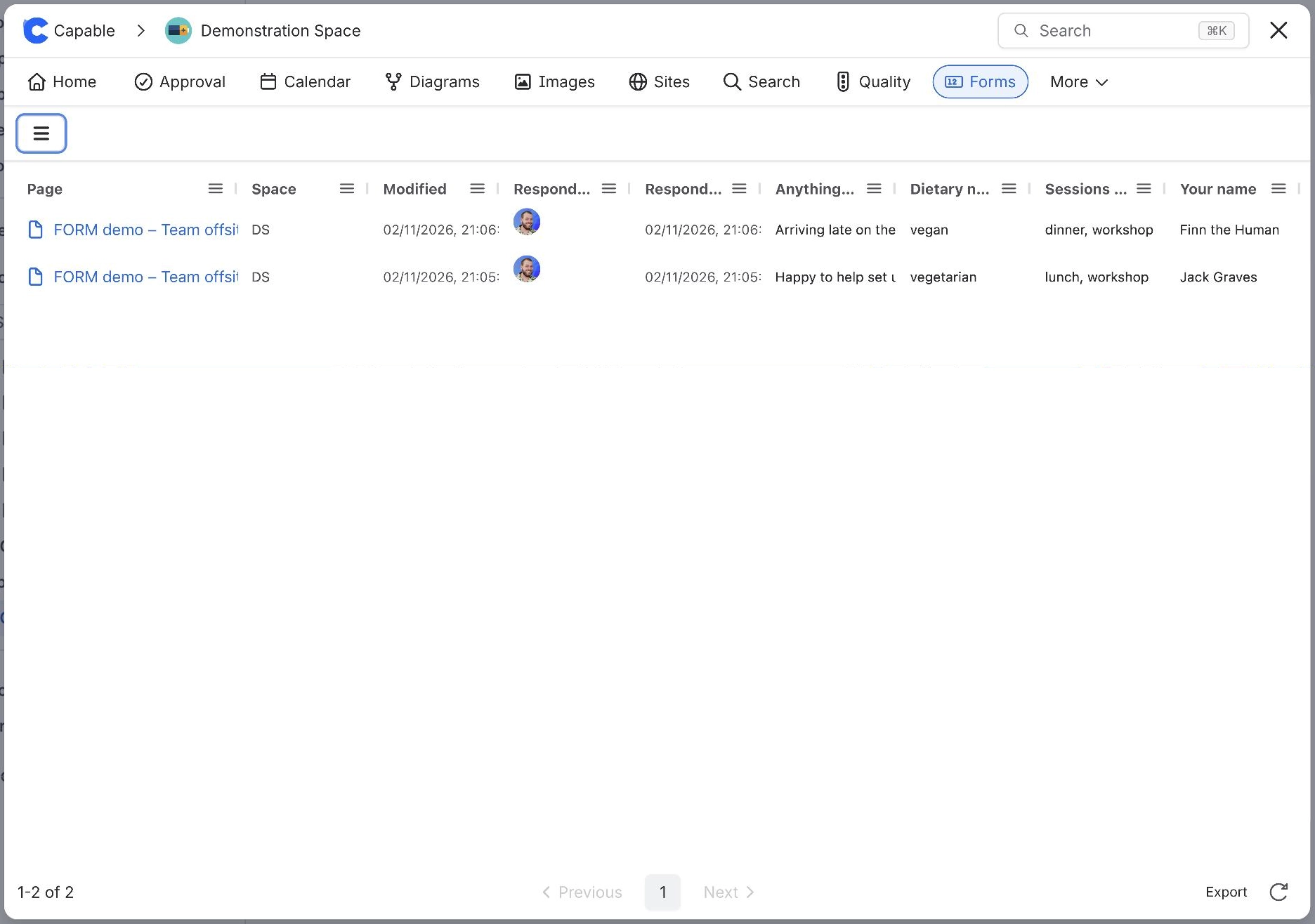
Select the form. Each row is a page carrying it, with its space and when it was last changed.
Select a page's title in the Page column to open it.
#What happens next
Capable Forms labels every page with a form capable_forms_page, and adds capable_forms_ plus the Form ID in lower case, for example capable_forms_employee-onboarding. Search for that label in Confluence or Capable Search to list the pages anywhere a label search works.
A page saved a moment ago may take a little while to appear. A form missing altogether? See Form does not appear in the Forms catalogue.
#Related
Every page with the form, in one list.






















