
"Your Smartsheet admin has turned off sheet publishing"
What you are seeing
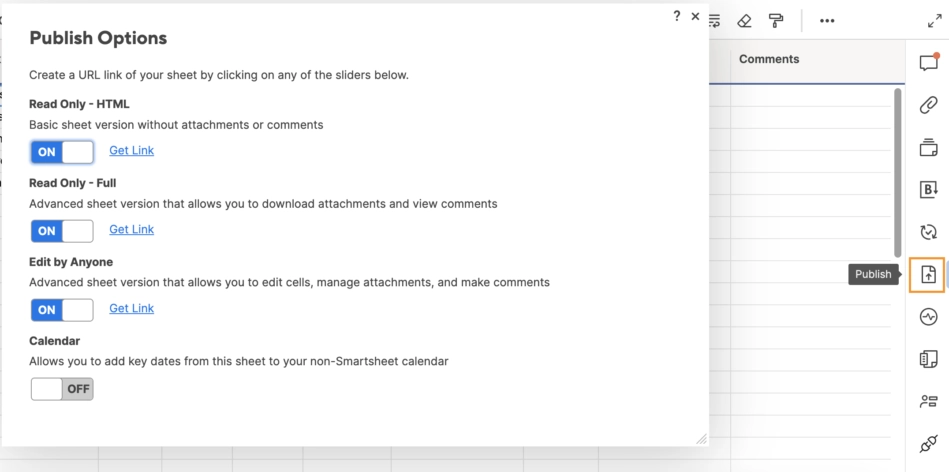
"Your Smartsheet admin has turned off sheet publishing" or "restricts published links to your organisation"
#Why it happens
A Smartsheet organisation policy blocks publishing, or limits published links to your organisation.
#What to do
Ask your Smartsheet admin to allow publishing, or use the Interactive table instead. It publishes nothing. An organisation-restricted link is shown as "on, your organisation only" and can still be reused.
#Settings involved
Setting | Where | What it does |
|---|---|---|
Global settings → Smartsheet | Confluence settings → Apps → Smartsheet | There are no Smartsheet-specific admin settings. The page shows only the Introduction / getting-started section and help links. Every other section is switched off for this app: Capabilities (suite only), Features (nothi |
Smartsheet space page | A space's page list → "Smartsheet" ("Browse and embed your Smartsheet views") | Three tabs. Introduction carries the help links. Space sheets scans Confluence pages for Smartsheet macros and needs no Smartsheet connection; each card carries a "used on N pages" badge and a right-click menu to copy th |
Smartsheet connection | Macro settings, or the connection chip on the Smartsheet space page | One Smartsheet connection per Confluence user (not per site, not per macro). Connect opens a new browser tab for Smartsheet consent, asking for read and admin access to sheets. Switch account restarts consent and waits f |
#Limits that apply here
Limit | Value | What happens |
|---|---|---|
Resolving a pasted sheet link | - | - |
Switch account timeout | - | - |
Smartsheet plan | - | - |
#Related
Found it? Good.






















