
Your first search
The fastest way to understand this is to run a search Confluence could not: every page nobody has updated this year, longest first.
That takes one filter, one sort and about a minute.
#Step by step
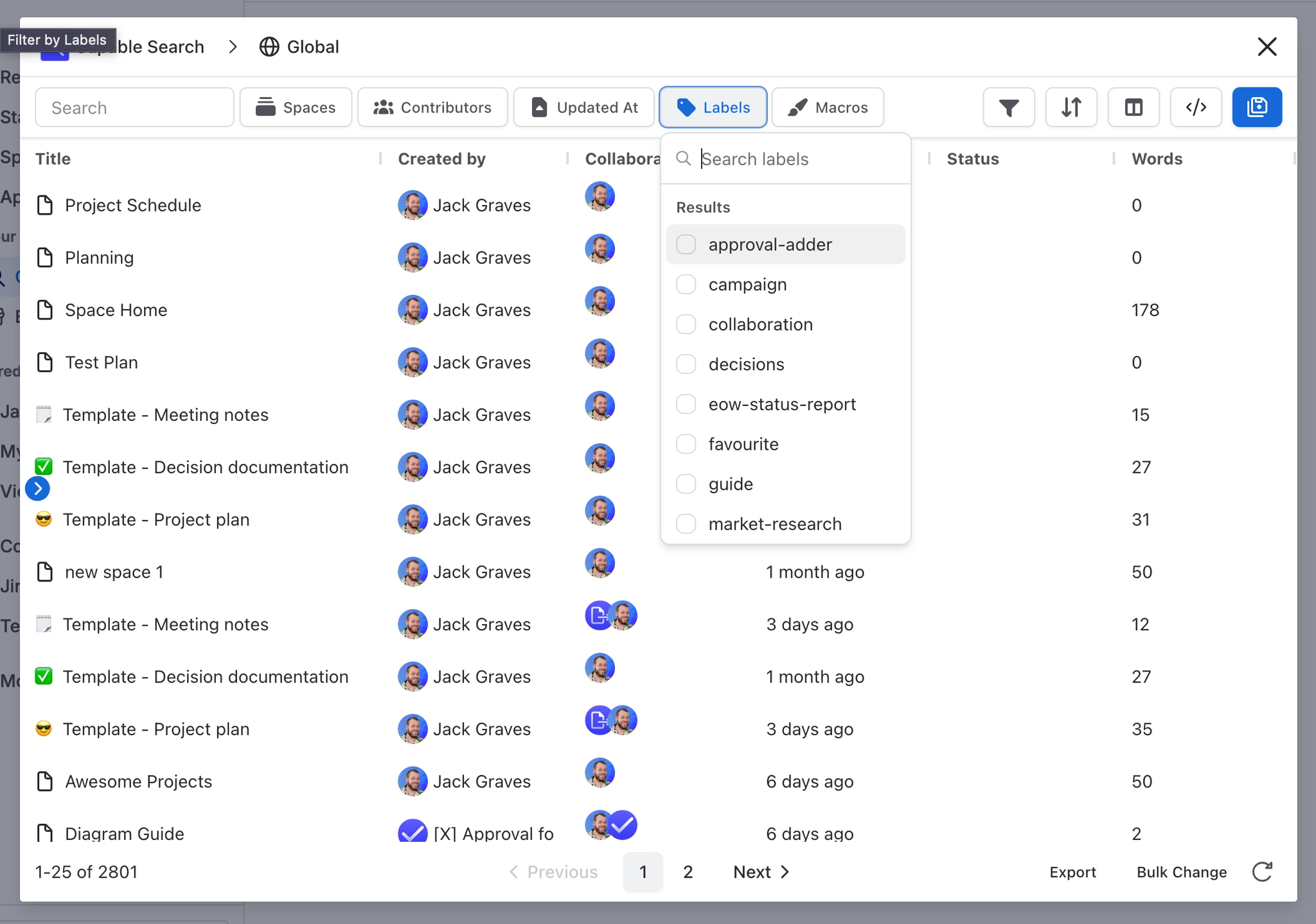
Step | What you do |
|---|---|
1 | Open Capable, then Search, and select New search. |
2 | Filter by space, so you are looking at something you recognise. |
3 | Add the Updated filter with Select filters and pick a date range that ends before the start of this year. |
4 | Open Configure sorting and sort by Words, descending, so the longest pages come first. Words comes from the Metrics capability. |
5 | Add the Words column with Select columns, so you can see how long each page is. |
6 | Save the search with the save button (Save search as), and give it a name somebody else would understand. |
If a filter returns nothing at all, check indexing before assuming the answer is zero. Pages that indexing has not reached yet have no values, so they do not match the filter.
#What to try next
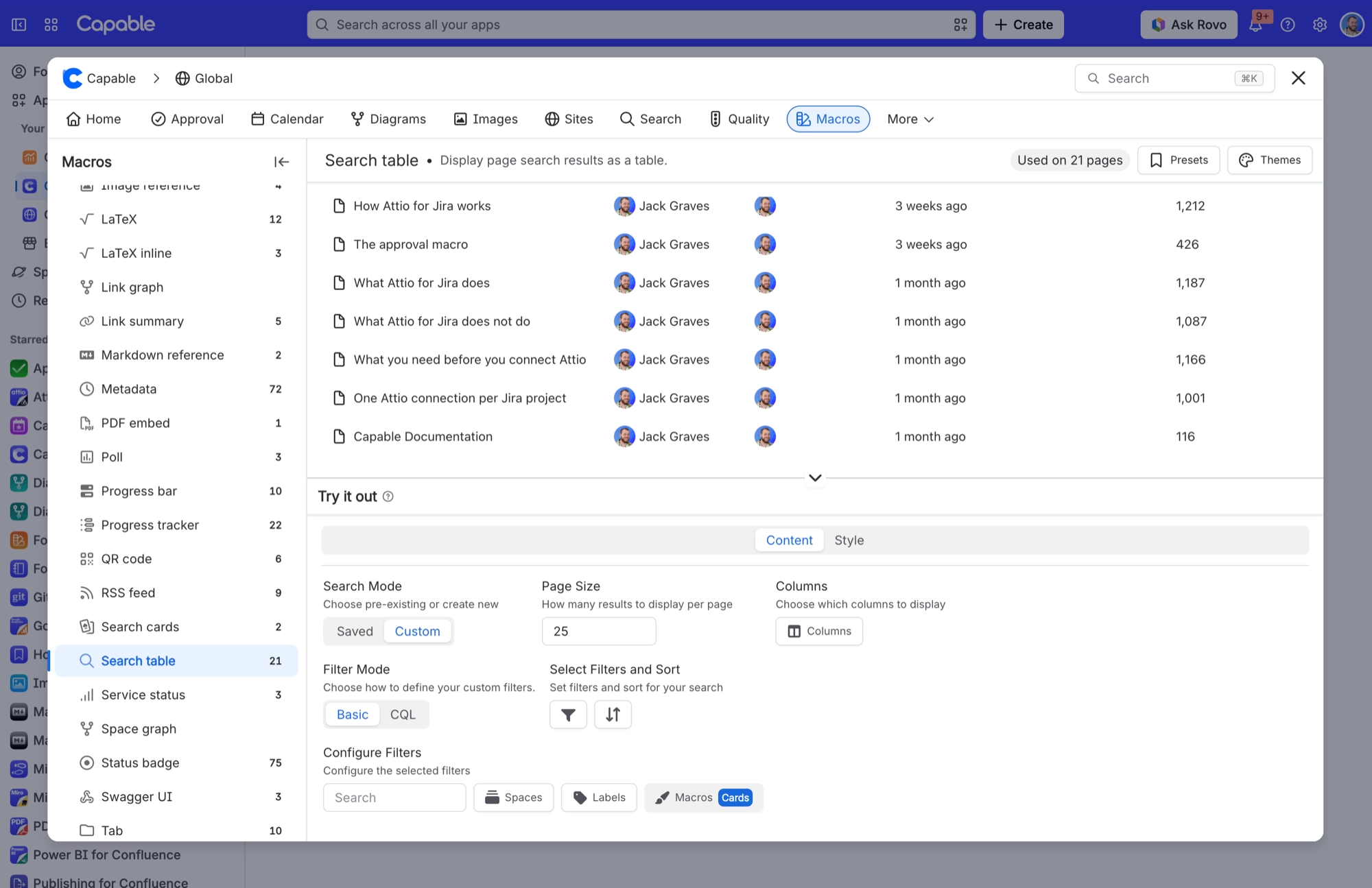
Put the saved search on a page with the search table macro, so it stays current without anybody maintaining it. See Show a live Confluence search on a page.
Use the Domains filter, from the Quality capability, to find every page linking to a service you are retiring.
Use the Apps filter to find every page that uses a chosen app's macros.
Tick pages and use Bulk Change to label, move or set the status of everything the search found. See Bulk changes and export.
#A few things that catch people out
Saved searches are objects, not bookmarks. Renaming or re-scoping one changes it everywhere it is used.
To reuse the exact query in Confluence's own search, select Switch to CQL and copy it from the field.
Permissions always apply. You cannot find a page you could not already open.
#Related
One filter. One minute.






















