
Searching Confluence
The table is assembled from whatever capabilities you have installed, which is why it gets richer as you add them and why the standalone app has the fewest columns.
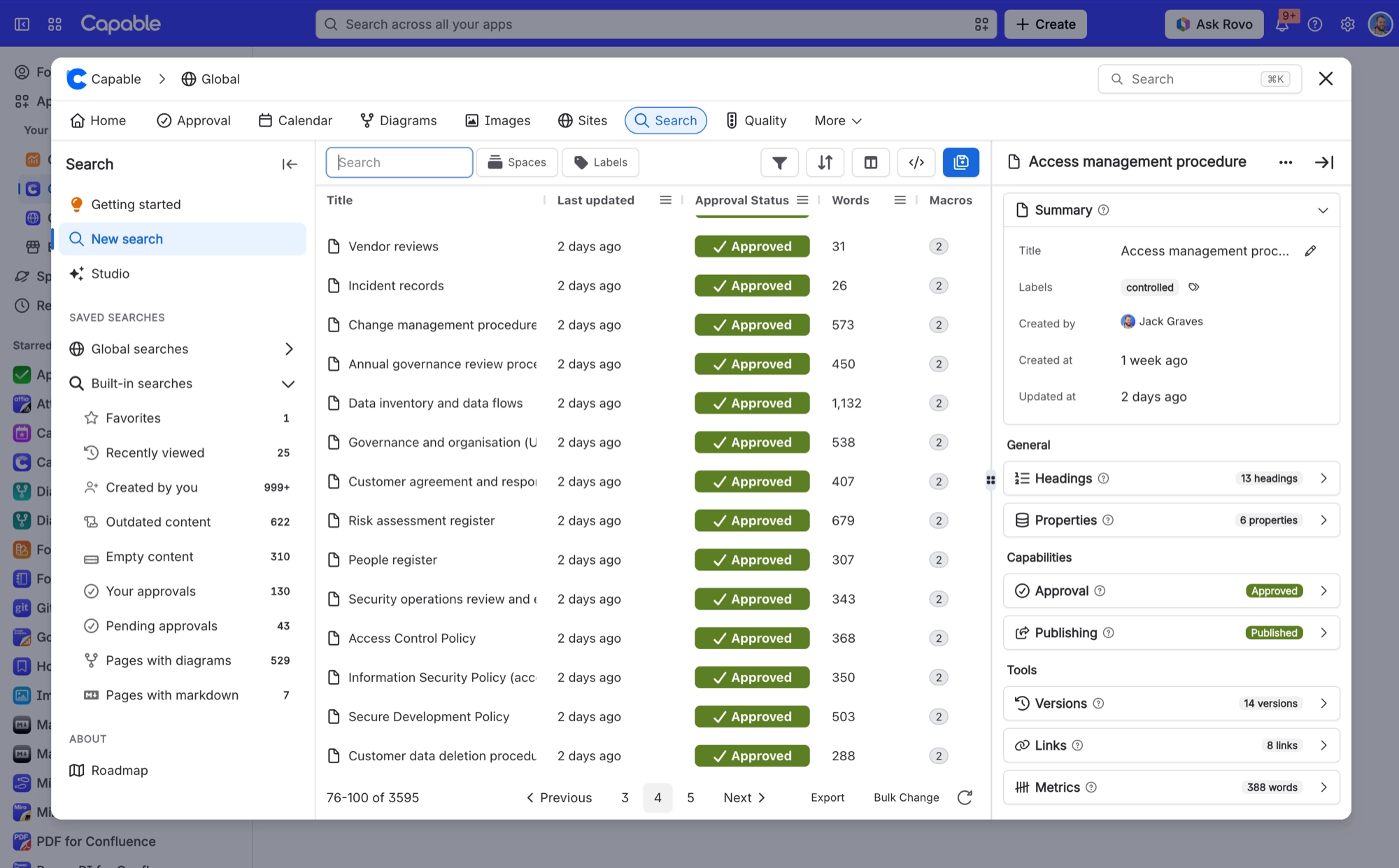
Filtering has two modes: basic filter chips, and raw CQL for anything the chips cannot express. Switching between them is a handy way to learn the query syntax.
#In this section
ColumnsThe 123 columns the search table can show, and which capability contributes each.Filters and sortingBasic filter chips, or raw CQL when the chips cannot express it.Side panelsOpen a result and read its detail, or change its title, labels and status, without leaving the table.Bulk changes and exportChange many Confluence pages at once from your search results, or export the results to a CSV file.
#Related
The table grows with what you install.






















