
What Capable Search is
Confluence search finds text. It cannot tell you which pages have a diagram in them, which are over two thousand words, which link to a domain you are retiring, or which are waiting on an approval.
Capable Search can, because every Capable capability writes what it knows about a page into the search index. The result is a table you can filter, sort, save and put on a page.
#What you get
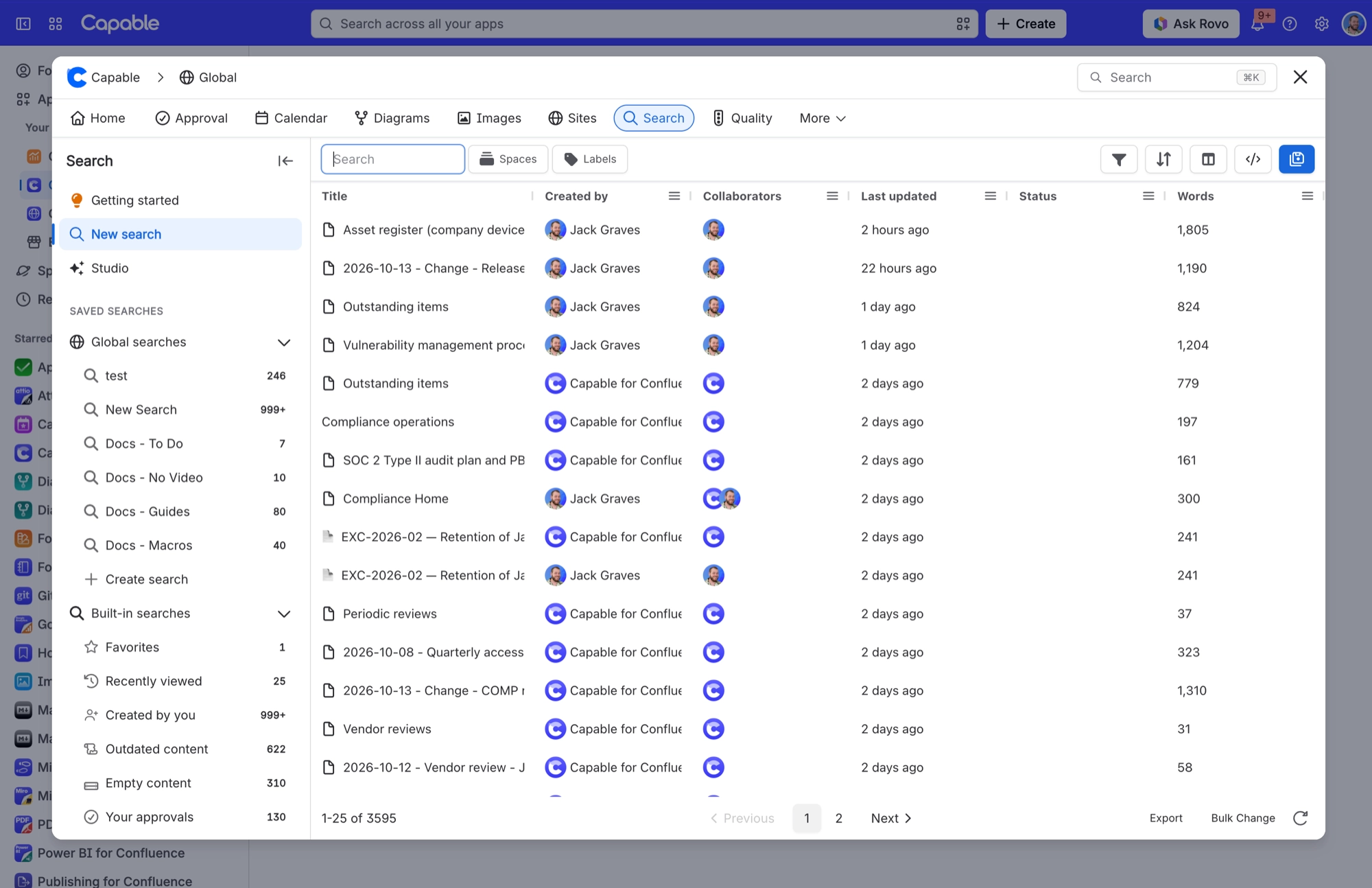
A search table with columns and filters contributed by every capability you have installed.
Around a hundred search fields covering word counts, links, diagrams, approvals, calendar dates and more.
Saved searches that are real objects: shareable, reusable, and placeable on a page as a macro.
Side panels that show a page's detail without leaving the results.
The standalone Search app is free. It has licensing switched off entirely. What it does not have is the extra fields, because those are contributed by the other capabilities, so the full picture needs the Suite.
#What it is not
It is not a replacement for Confluence search. It uses the same index and the same permissions, so you never see anything you could not already see. It adds fields and a better table on top.
#A few things worth knowing
Fields only have values for pages Confluence has already indexed, so a brand new site answers very little until indexing catches up.
Which columns and filters you see depends on which capabilities are installed.
The search table macro and cards macro render for unlicensed and anonymous readers.
#Related
Search what is on the page, not just the words.






















