
Filters and sorting
Filtering has two modes. Basic builds a query out of chips, which covers most questions. CQL hands you the raw query, which covers the rest.
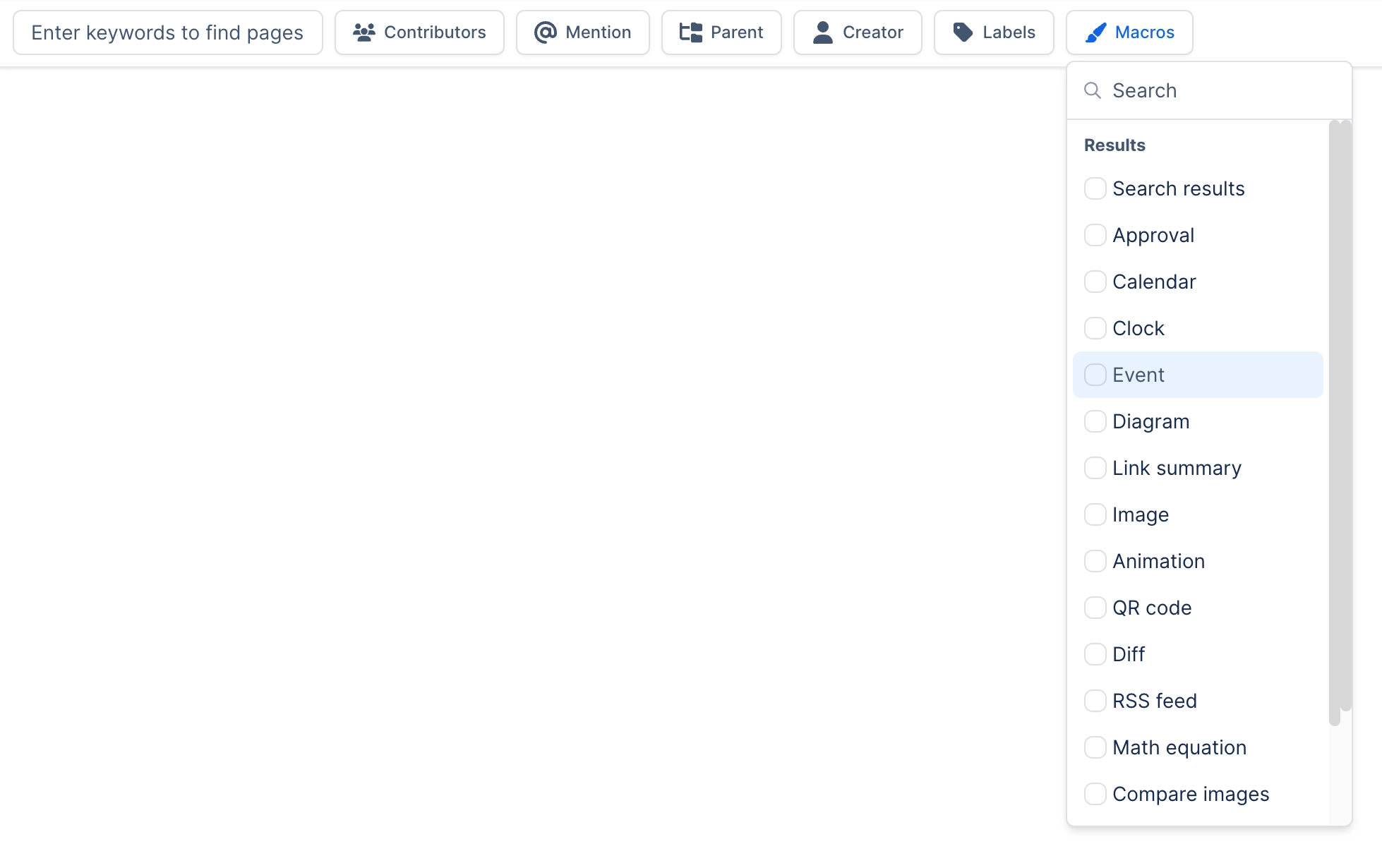
You can start in Basic and switch to CQL to see what it built, which is the fastest way to learn the syntax.
#The filters Search itself provides
Text, Space, Contributors, Created, Updated, Mentions, Favorited by, Ancestor, Parent, Type and Label. Everything else in the filter list comes from another capability.
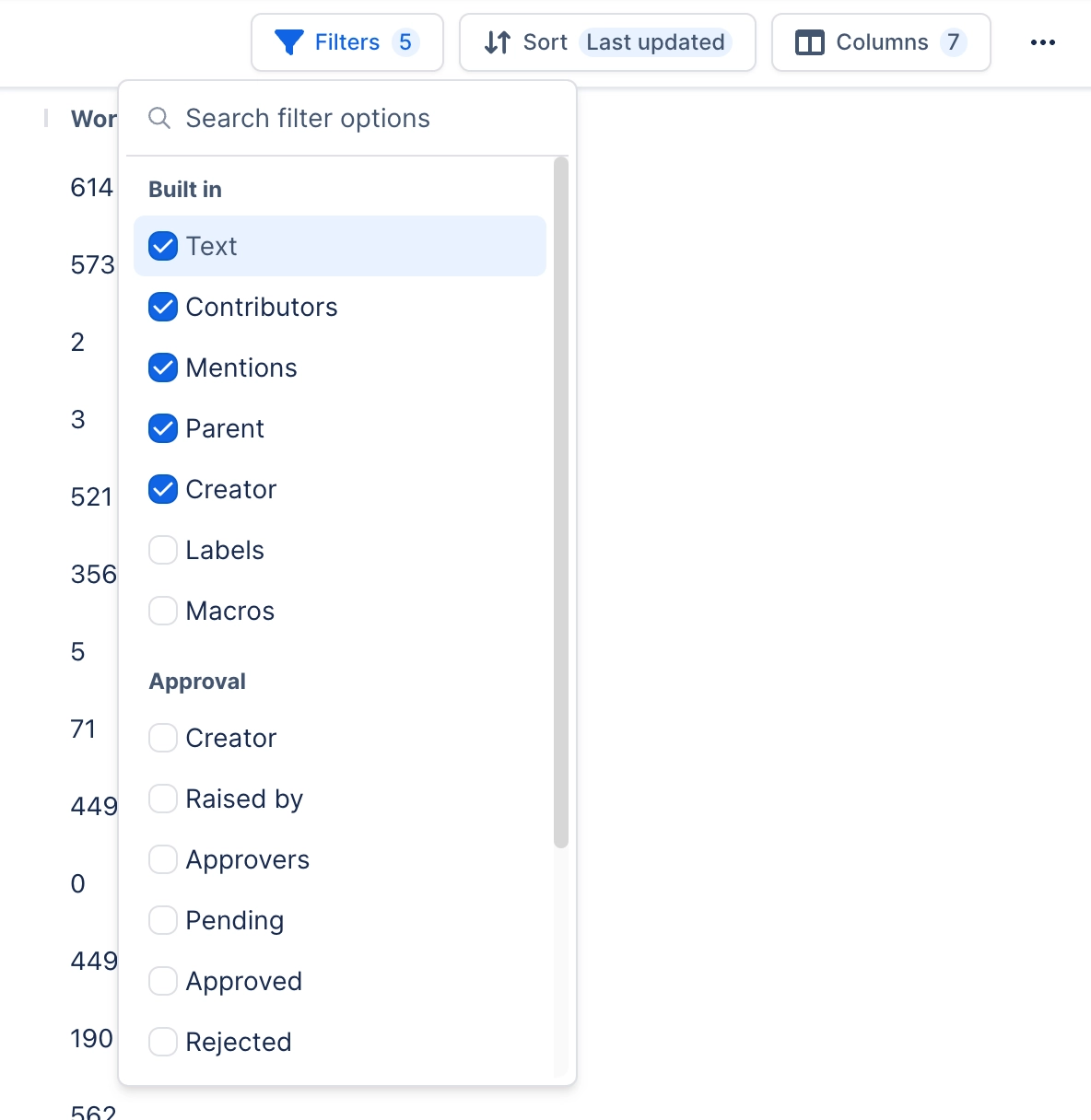
Add a filter with Select filters, then pick its values on the chip. Leave a chip empty and it is ignored.
#Basic or CQL
Mode | Use it when |
|---|---|
Basic | The question fits chips: a space, a date range, a person, a label |
CQL | You need a condition the chips cannot express, or you are copying a query from elsewhere |
The button beside the column picker switches between the two. Its tooltip reads Switch to CQL in Basic mode and Switch to basic filters in CQL mode.
Switch to CQL to get the query. Build the query with chips, select Switch to CQL, and the field shows the CQL the chips built. Copy it from there into Confluence's own search or into a macro. It also saves you typing the app hash that prefixes Capable field names.
#Writing CQL
In CQL mode the chips are replaced by a single query field. It helps you write valid CQL as you type.
Suggestions. As you type, it offers field names (including fields from your installed capabilities), operators, functions and values such as labels, spaces, people and pages.
Problems are flagged. A mistake turns the field's border red and opens a short list of what is wrong, up to three at a time. If Confluence itself rejects the query, you see that too, for example Confluence rejected this query.
Multi-word values. Picking a suggestion while your cursor is inside an unquoted value of several words, such as
space = New York, now replaces the whole value rather than just the first word (since 8 October 2026).Long queries stay in the bar. A long query scrolls inside the field instead of pushing the column, mode and save buttons out of view (since 20 October 2026). Use the cursor keys or your trackpad to move along it.
Placeholders.
{{SPACE_KEY}},{{SPACE_ID}},{{CONTENT_ID}},{{CONTENT_TYPE}}and{{CONTENT_TITLE}}are swapped for the current space or page, where there is one, before the query runs. They are most useful in macros and space searches.
In CQL mode the Select filters and Configure sorting buttons are hidden. To sort, add ORDER BY to the end of your query, for example ORDER BY lastmodified DESC.
#Sorting
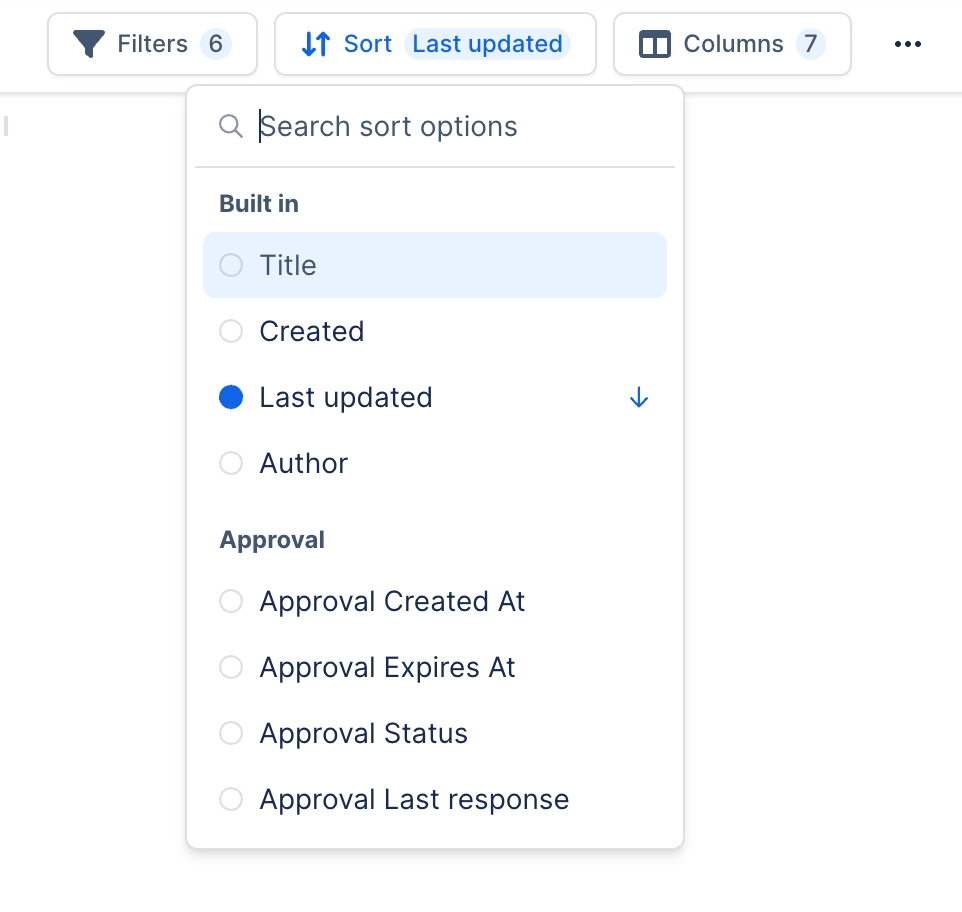
In Basic mode, use Configure sorting to sort by any sortable field, ascending or descending. Sorting on a Capable field only orders pages Confluence has indexed, so on a partly indexed site the rest are left out.
#A few things that catch people out
A CQL query with a leading wildcard matches nothing. Confluence does not support it, and it fails quietly.
Switching from CQL back to basic filters puts the chips back as they were. Edits you made in the CQL field are not turned into chips, so copy your query first if you want to keep it.
There is no separate Copy CQL button. Switch to CQL and copy the query from the field.
Filter choices and the CQL are saved with the saved search, just like columns.
#Related
Chips first. CQL when they run out.






















