
Search table macro
The table macro shows a saved search on a page. Because it points at the saved search rather than copying it, the page updates whenever the search does.
It also shows for unlicensed and anonymous readers, so you can use it on public pages and published sites.
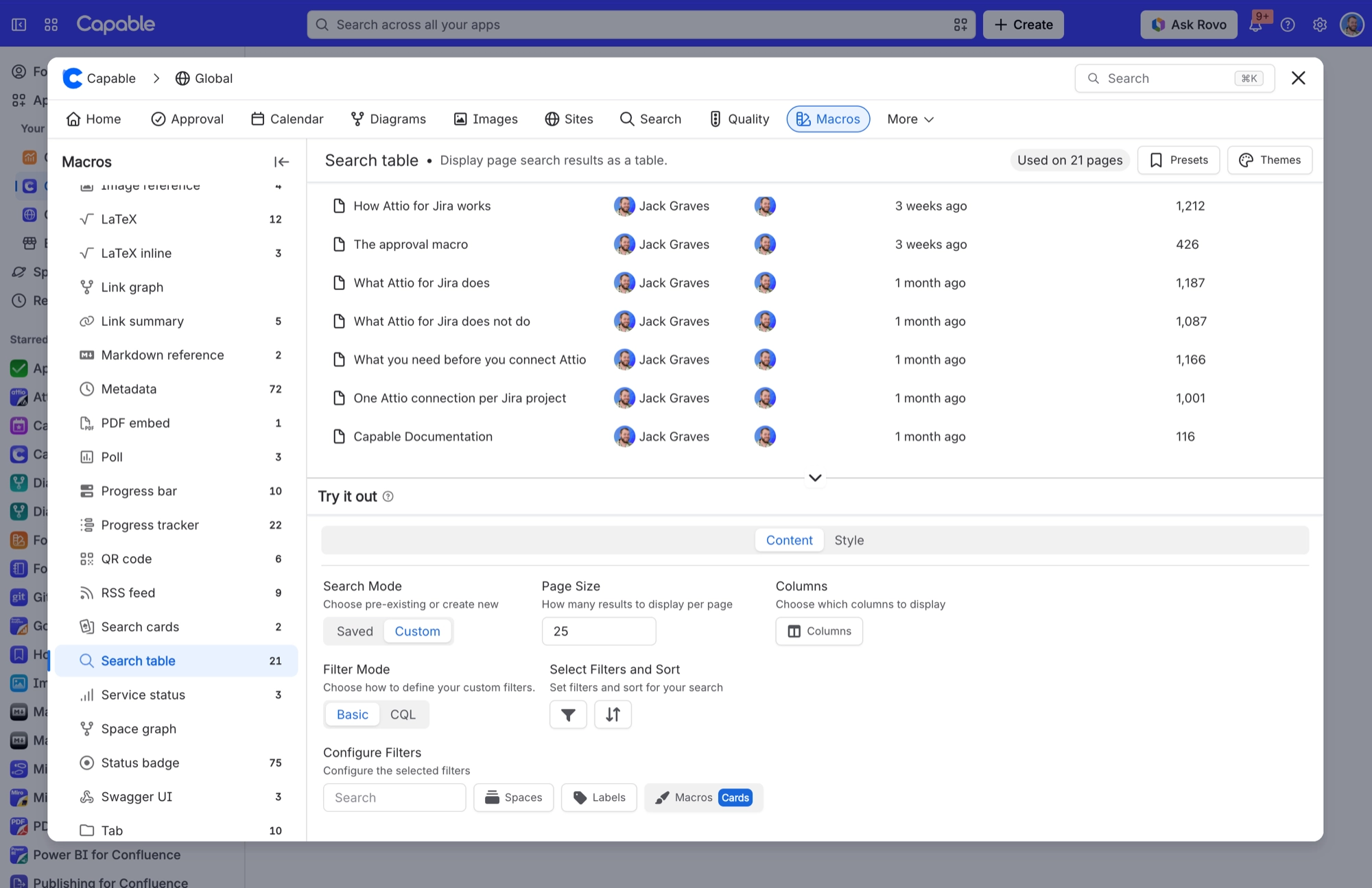
#Settings
Setting | What it changes |
|---|---|
Search Mode | Chooses where the query comes from. Saved points the macro at a saved search and shows the Saved search picker. Custom lets the macro carry its own query and shows the Filter Mode, filters and CQL options. |
Filter Mode | Basic builds the query from filter chips. CQL gives you a raw CQL editor. Use it to choose how to define your custom filters. |
Columns / Custom Columns | Chooses which columns the table shows. In Custom mode the field is called Columns. In Saved mode it is called Custom Columns and overrides the columns stored on the saved search. |
Sort and sort order | Set from the Sort control in Basic mode. |
Custom Columns | In Saved mode, shows different columns from the ones stored on the saved search, without changing the saved search itself. |
Page Size | Sets how many results the macro asks Confluence for. On the table, this is the number of rows per page. Cards always show 12 per page. |
Limit | Page Size takes priority over a saved search's limit whenever Page Size is set. |
Search table | Shows a saved search as a table on a page. Available to unlicensed and anonymous viewers. |
Search cards | Shows a saved search as cards. The same visibility rules apply as for the table macro. |
Saved search | Points the macro at a stored saved search. The macro then shows that search's filters, columns and limit. Update the saved search and every macro pointing at it updates too. |
Search Mode decides where the query comes from. Saved points the macro at a stored saved search. Custom builds the query on the macro itself, which is fine for a one-off but harder to maintain.
#A few things worth knowing
Pointing several pages at one saved search is the whole point. Change it once, every page follows.
Deleting the saved search leaves the macro with nothing to show.
Page Size is what the macro asks for, not always what Confluence returns.
#Related
Points at the search. Follows the search.






















